
 ChatGPT
 Perplexity
 Grok
GrokQuick Summary
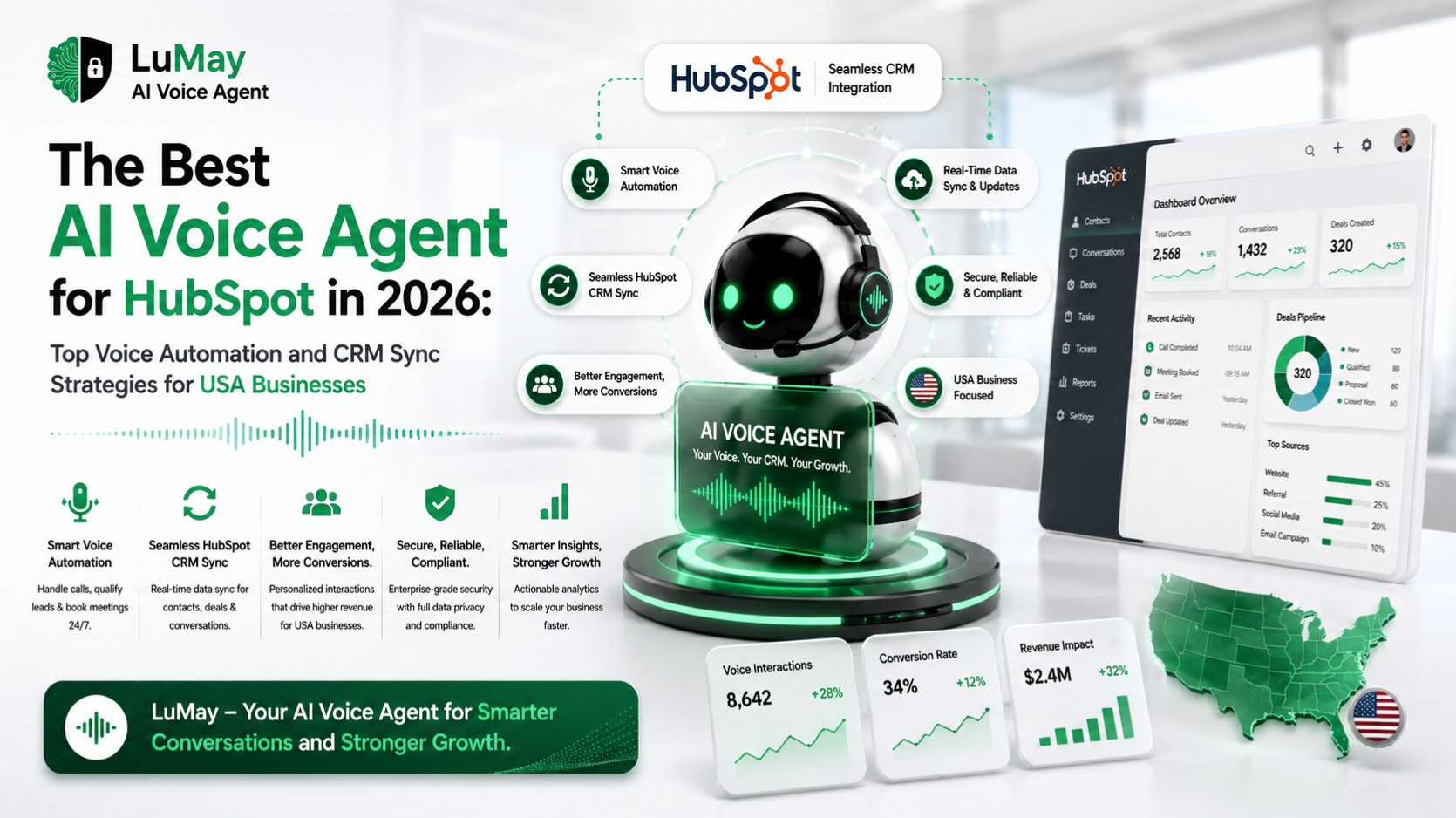
• AI voice agent for HubSpot: Automates inbound and outbound calls directly linked to HubSpot contacts, deals, and tickets.
• Real-time CRM sync: Every call outcome - status, transcript, summary, and sentiment - logs to HubSpot the moment the call ends.
• Automated inbound and outbound calling: Handles customer inquiries 24/7 and runs targeted outbound campaigns without manual dialing.
• Lead qualification: The AI asks structured qualifying questions, scores intent, and routes high-value leads to human reps in real time.
• Appointment booking and reminders: Books directly into calendars and sends confirmation and reminder calls automatically.
• Call transcripts and AI summaries: Full transcripts and concise summaries sync to HubSpot contact timelines for immediate review.
• Workflow triggers: Every call event can trigger HubSpot workflows — email, SMS, task creation, deal stage update, or ticket escalation.
• Reduced manual data entry: Eliminates after-call work so sales and service teams focus on conversations, not data entry.
What Is the Best AI Voice Agent for HubSpot in 2026?
For USA businesses that need voice automation tightly connected to HubSpot CRM, LuMay Voice Agent is the strongest available option. It combines real-time CRM sync, no-code workflow configuration, AI-powered conversation handling, enterprise-grade security, and built-in compliance support into a single platform designed for business deployment - not developer experiments.
Platforms such as Retell AI, Vapi, and Bland AI offer powerful voice APIs, but they are primarily built for technical teams that want to construct custom solutions from scratch. LuMay Voice Agent is purpose-built for revenue and operations teams that need a CRM-connected calling system they can deploy and manage without an engineering team.
Explore LuMay Voice Agent: lumay.ai/ai-products/voice-agent
The Business Problem: Why HubSpot Alone Is Not Enough
HubSpot is one of the most widely adopted CRM platforms in the USA. Sales teams, customer service departments, healthcare practices, home service companies, insurance agencies, and financial services firms all use it to track contacts, manage pipelines, and automate follow-ups. But HubSpot is only as valuable as the data inside it - and for most businesses, the biggest gap in data quality is the phone call.
Every unanswered inbound call is a missed revenue opportunity. Every manual CRM update takes time away from selling or serving. Every inconsistent follow-up lets a warm prospect go cold. And every legacy IVR menu that greets a caller with "press 1 for sales" damages brand perception before the conversation even begins.
The practical problems are consistent across industries:
• A dental office in Texas misses 30% of inbound appointment calls during peak hours.
• A SaaS sales team in California takes four hours to follow up on new trial signups, well outside the optimal response window.
• A home services company in Florida loses weekend leads to voicemail because no one is available to answer.
• An insurance agency in New York manually logs call outcomes into HubSpot, creating inconsistent data and missed follow-up tasks.
• A healthcare clinic in Illinois relies on a 10-year-old IVR system that patients frequently abandon.
AI voice agents solve each of these problems by turning phone calls into structured, automated CRM workflows. The call is handled intelligently. The outcome is logged automatically. The next step is triggered immediately - without a human touching the keyboard.
See how LuMay Voice Agent works for businesses across every major USA industry.
What Is an AI Voice Agent for HubSpot?
An AI voice agent for HubSpot is an intelligent calling system that connects directly to your HubSpot CRM and handles phone conversations autonomously. It can make and receive calls, understand natural speech in real time, qualify leads, book appointments, answer service questions, collect information, escalate to human agents, and sync every outcome back into HubSpot without manual intervention.
This is different from a traditional IVR or a simple call-routing menu. An AI voice agent for HubSpot is a two-way conversational system that:
• Understands intent: It interprets what a caller is actually saying, not just which button they pressed.
• Takes action: It books the appointment, updates the deal stage, or logs the complaint - during the call.
• Syncs in real time: It writes call data, transcripts, and outcomes to HubSpot the moment the call ends.
• Triggers workflows: It activates HubSpot automations based on what happened on the call.
Related terms used in this context include: AI calling agent, conversational AI phone agent, voice AI automation, AI outbound calling software, and CRM voice automation. These all describe systems that use large language models and voice synthesis to conduct phone conversations at scale while keeping CRM data current.
For a deeper look at how LuMay’s voice AI works, read: What Is LuMay Voice Agent.
How LuMay Voice Agent Works With HubSpot
LuMay Voice Agent integrates with HubSpot at the CRM object level, meaning it can read from and write to contacts, companies, deals, tickets, and custom properties. The integration works in both directions: HubSpot data triggers calls, and call outcomes update HubSpot records.
Here is the step-by-step flow in business terms:
Step 1: Trigger
A HubSpot contact, list, deal stage, ticket, or enrollment workflow triggers a call event. This can be an inbound call from a new web lead, an outbound campaign to a lapsed customer list, a renewal reminder sequence, or a missed-call recovery workflow.
Step 2: LuMay Connects the Call
LuMay Voice Agent places or receives the call, connects to the caller, and introduces itself with a natural, branded greeting. The caller never navigates a menu. They speak naturally from the first second.
Step 3: Real-Time Conversation
The AI understands caller intent in real time. It asks relevant questions, handles interruptions gracefully, manages objections, provides information, and follows the conversation path set up during configuration. If the caller goes off-script, the AI adapts intelligently rather than failing.
Step 4: Action During the Call
Depending on the configured goal, the AI qualifies the lead, books an appointment into a calendar system, collects payment or consent information, answers frequently asked questions, routes the caller to the right department, or logs the primary support issue.
Step 5: Post-Call CRM Sync
The moment the call ends, LuMay writes the outcome to HubSpot. This includes call status, duration, transcript, AI-generated summary, sentiment score, qualification result, and any fields collected during the conversation.
Step 6: HubSpot Workflow Activation
Based on the synced outcome, HubSpot workflows execute the next action. This might be sending a confirmation email, creating a follow-up task, moving a deal to the next stage, escalating a support ticket, or triggering an SMS through a connected tool.
Book a LuMay Voice Agent demo to see this workflow in action for your HubSpot setup.
Top 10 LuMay Voice Agent Features for HubSpot Teams
1. Real-Time CRM Sync: Every call outcome - disposition, duration, transcript, summary, and sentiment - writes to HubSpot automatically. No manual logging. No missed updates. CRM accuracy improves from the first call.
2. AI Inbound Call Handling: LuMay answers every inbound call instantly, 24 hours a day, seven days a week. Callers are greeted naturally, their intent is identified, and the call is handled without a hold queue or a menu tree.
3. AI Outbound Calling Campaigns: LuMay places outbound calls at scale from HubSpot contact lists. Each call follows a configured conversation path, qualifies the prospect, and logs the result directly to the contact record.
4. Lead Qualification and Scoring: The AI asks structured qualifying questions based on your criteria - budget, timeline, authority, need, or use case — and passes a qualification score to HubSpot so sales reps know exactly where each contact stands.
5. Appointment Booking and Reminders: LuMay integrates directly with calendar systems to book, confirm, and reschedule appointments during the call. Reminder calls are placed automatically 24 to 48 hours before each scheduled meeting.
6. Call Transcripts and AI Summaries: Every conversation is transcribed in full. LuMay generates a concise AI summary - typically three to five sentences - that syncs to the HubSpot contact timeline alongside the full transcript for rep review.
7. Sentiment and Outcome Analytics: LuMay analyzes caller tone and intent throughout the conversation. Sentiment scores - positive, neutral, or negative - sync to HubSpot and can be used to prioritize follow-up or flag at-risk accounts.
8. No-Code Voice Workflow Builder: Non-technical teams can configure conversation paths, qualification flows, escalation rules, and HubSpot field mappings using a visual builder. No developer involvement required for standard deployments.
9. Smart Escalation to Human Teams: When a caller's need exceeds the AI's configured scope - a complex complaint, a high-value negotiation, a sensitive situation - LuMay escalates to a human agent in real time with full context handed off automatically.
10. Enterprise Security, Compliance, and Audit Logs: LuMay supports SOC 2 security standards, call recording consent workflows, opt-out management, and audit logging. For healthcare and financial services clients, HIPAA-relevant controls and consent flows are available. Disclaimer: compliance requirements vary by industry and jurisdiction. Consult qualified legal counsel for your specific obligations.
LuMay also integrates with its broader product suite - including the Workflow Automation Agent, Insight Agent, Forecasting Agent, and Anomaly Agent - allowing RevOps teams to extend voice automation into broader operational intelligence workflows.
Best 10 Use Cases for an AI Voice Agent in HubSpot
1. Speed-to-Lead Calling
Problem: Research consistently shows that lead response time is one of the strongest predictors of conversion. When new leads submit a form, request a demo, or start a free trial, every minute of delay reduces the probability of a successful contact.
LuMay Solution: LuMay places an outbound call to the new lead within seconds of HubSpot receiving the form submission. The AI introduces the company, asks qualifying questions, and books a rep meeting directly into the calendar.
HubSpot Sync Benefit: Contact record is updated with qualification data, call outcome, and a scheduled meeting - all before a human rep has had a chance to open their CRM.
2. Missed-Call Recovery
Problem: Inbound calls that go unanswered represent direct revenue loss. For home service companies, healthcare practices, and local businesses, missed calls during peak hours or after hours are a persistent and measurable problem.
LuMay Solution: LuMay detects missed calls and places an automatic callback within minutes. The AI handles the callback, identifies the caller's need, and resolves or routes the inquiry.
HubSpot Sync Benefit: A missed-call activity is logged, the callback outcome is recorded, and if an appointment is booked, it is written directly to the contact timeline.
3. Appointment Booking
Problem: Manual appointment scheduling is slow, error-prone, and requires staff availability. For dental offices, clinics, law firms, and service businesses, scheduling bottlenecks directly reduce revenue.
LuMay Solution: LuMay handles the full scheduling conversation - checking availability, confirming dates, collecting confirmation - and books the appointment into the calendar system in real time.
HubSpot Sync Benefit: The scheduled meeting appears in HubSpot, a confirmation workflow triggers automatically, and the contact lifecycle stage updates to reflect the booking.
4. No-Show Reduction
Problem: Appointment no-shows cost USA service businesses billions annually in lost time and revenue. Manual reminder calls are time-consuming and inconsistent.
LuMay Solution: LuMay places automated reminder calls 48 and 24 hours before each appointment, confirms attendance, and handles rescheduling requests on the spot if needed.
HubSpot Sync Benefit: Confirmation or reschedule status syncs to HubSpot so the team knows exactly who is coming before the appointment day begins.
5. Customer Support Triage
Problem: First-level support calls consume significant rep time. The majority involve routine questions, account lookups, or issue logging that do not require a human agent.
LuMay Solution: LuMay handles tier-1 inbound support calls, answers common questions, logs issues, and escalates complex cases to a human with a full context handoff.
HubSpot Sync Benefit: A support ticket is created or updated in HubSpot with issue category, caller sentiment, and recommended next step before the human agent picks up.
6. Renewal Reminders
Problem: Subscription renewals, insurance policy renewals, and service contract renewals require proactive outreach. Teams that rely on email alone miss high-value renewal windows.
LuMay Solution: LuMay places outbound renewal reminder calls to contacts approaching their renewal date, confirms intent, handles objections, and routes warm renewals directly to account managers.
HubSpot Sync Benefit: Renewal intent - confirmed, undecided, or at risk - syncs to the deal record, triggering the appropriate HubSpot workflow sequence.
7. Payment Follow-Ups
Problem: Overdue invoices create cash flow pressure. Manual payment follow-up calls are awkward to schedule and inconsistently executed.
LuMay Solution: LuMay places professional, compliance-aware payment reminder calls, confirms receipt of invoice, offers payment options, and logs the response.
HubSpot Sync Benefit: Payment status updates on the contact or deal record, and a follow-up task or escalation workflow triggers based on the outcome.
8. Insurance Intake
Problem: Insurance agencies need to collect detailed intake information from new leads efficiently and accurately. Manual intake calls are time-consuming and introduce transcription errors.
LuMay Solution: LuMay conducts structured intake interviews, collects policy type, coverage needs, current carrier, and budget range, and routes qualified leads to licensed agents.
HubSpot Sync Benefit: All collected intake fields map directly to HubSpot contact properties, and a deal is created with qualification data pre-populated for the agent's review.
9. Healthcare Appointment Reminders
Problem: Patient no-shows are a direct revenue and operational cost for healthcare providers. HIPAA-sensitive environments require careful handling of patient communication.
LuMay Solution: LuMay places appointment reminder and confirmation calls with configurable patient messaging, handles rescheduling, and provides post-visit follow-up calls where appropriate. Compliance controls are available for healthcare use cases.
HubSpot Sync Benefit: Patient appointment status syncs to HubSpot, enabling practice management workflows to adjust schedules and fill cancellations proactively.
10. Sales Pipeline Reactivation
Problem: Cold and stalled deals sit in HubSpot pipelines for months, occupying rep capacity and distorting forecast accuracy. Manual reactivation calls are low-priority and rarely executed systematically.
LuMay Solution: LuMay runs targeted reactivation campaigns against stalled deal lists in HubSpot, reconnects with contacts, reassesses buying intent, and routes revived opportunities to the right rep.
HubSpot Sync Benefit: Deal stage updates, activity logs, and rep tasks sync back to HubSpot based on reactivation call outcomes, keeping the pipeline current with minimal rep involvement.
AI Voice Agent Case Studies: Example Scenarios for USA Businesses
The following case studies are example scenarios based on common deployment patterns. They are not testimonials from verified LuMay customers. Actual results will vary.
Explore real LuMay case studies to see how USA businesses are deploying AI voice agents with HubSpot.
Case Study 1: Healthcare Clinic - Appointment Reminders and No-Show Reduction
Challenge: A four-location family medicine practice in Ohio was experiencing a 28% no-show rate on weekly appointments. Staff spent approximately 12 hours per week manually placing reminder calls, and coverage gaps during lunch hours and after 5pm meant many calls were never placed.
LuMay Voice Agent Workflow: The practice deployed LuMay to place automated reminder calls 48 hours and 24 hours before each appointment. The AI confirmed attendance, handled rescheduling requests in real time, and offered a callback option for callers with questions.
HubSpot Sync Action: Each call outcome - confirmed, rescheduled, no answer, or cancellation - synced to the patient contact record in HubSpot. A HubSpot workflow automatically filled cancellation slots from a waitlist contact list when a cancellation was detected.
Business Result: No-show rate declined significantly within the first 90 days of deployment. Staff recaptured the 12 hours per week previously spent on manual calls and redirected that time to in-office patient engagement. Waitlist fill rate improved because cancellations triggered immediate automated outreach to the next eligible patient.
Case Study 2: B2B SaaS Sales Team - Speed-to-Lead
Challenge: A B2B SaaS company in California had a five-person SDR team averaging four-hour response times on inbound trial signups. Their HubSpot pipeline showed a clear pattern: leads contacted within five minutes converted at a substantially higher rate than leads contacted after one hour.
LuMay Voice Agent Workflow: LuMay was configured to trigger an outbound call within 90 seconds of any new trial signup appearing in HubSpot. The AI asked qualifying questions - company size, use case, current tools, and timeline - and booked a product demo directly into the SDR team's calendar.
HubSpot Sync Action: Qualification data, call transcript, sentiment score, and booked meeting details synced to the HubSpot contact record automatically. SDRs received a Slack notification via HubSpot workflow when a qualified, demo-booked lead was ready.
Business Result: Average lead response time dropped from four hours to under two minutes. Demo bookings increased in the first full quarter of deployment. SDRs shifted their focus from cold first-touch calls to conducting qualified discovery conversations with leads that had already been pre-screened by the AI.
Case Study 3: Home Services Company - Missed-Call Recovery
Challenge: A regional HVAC and plumbing company in Texas was losing a significant portion of inbound service request calls during peak summer months. After-hours and weekend calls went to voicemail, and the follow-up callback process was inconsistent - some leads were not contacted for 24 to 48 hours.
LuMay Voice Agent Workflow: LuMay was deployed to handle all inbound calls 24/7. For calls that still went to voicemail due to volume spikes, a missed-call recovery workflow placed an automatic callback within three minutes. The AI collected service type, urgency level, location, and contact preference, then booked a service appointment or routed urgent calls to an on-call technician.
HubSpot Sync Action: Each recovered call logged as a new contact or matched to an existing HubSpot contact. Appointment details synced to the field scheduling workflow. Urgent calls created a high-priority ticket in HubSpot with the technician's name and estimated arrival window.
Business Result: Missed-call recovery rate improved substantially within the first 60 days. The company estimated meaningful revenue recovery from previously lost weekend and after-hours leads. Customer satisfaction scores improved because callers received a response within minutes rather than the next business day.
Read more results from LuMay customers on the LuMay Success Stories page.
Latency Benchmarks: Why Speed Matters in Voice AI
In voice AI, latency refers to the delay between when a caller finishes speaking and when the AI begins responding. This is sometimes called time-to-first-byte or response latency in technical documentation. For conversational AI, it is one of the most critical quality metrics - and it is often underweighted by buyers during evaluation.
When latency is too high, AI voice calls feel unnatural. Callers experience uncomfortable silences. They start speaking again before the AI has responded, creating cross-talk. They lose confidence that the system understood them. They hang up, complain, or request to speak to a human immediately. Even a delay of 1.5 to 2 seconds - barely noticeable in a text chatbot - feels unacceptably long in a phone conversation.
For AI voice agents deployed in sales, customer service, appointment booking, and lead qualification, high latency directly reduces:
• Caller trust and confidence
• Self-service resolution rate
• Conversion from qualified call to booked meeting
• Net Promoter Score for voice-based customer interactions
Sub-second response latency - typically in the 500ms to 800ms range for leading platforms - is the standard that voice AI systems should target for natural, human-like conversations. Platforms that operate above 1.2 seconds consistently produce calls that feel robotic or unresponsive.
Latency Benchmark Reference Table
Note: The following latency ranges are based on publicly available information, developer documentation, and published benchmarks as of early 2026. Actual performance varies based on infrastructure, call complexity, API configuration, and network conditions. Use these as reference categories, not as guaranteed performance guarantees.
Platform / Category | Typical Response Latency | Best For | Notes |
LuMay Voice Agent | ~500–800ms (reported) | Business deployment, HubSpot CRM integration | Designed for natural conversation; sub-second target for production workflows |
Retell AI | ~600–900ms (publicly stated) | Developer-built voice agents | Strong latency performance; requires technical configuration |
Vapi | ~700ms–1.1s (estimated range) | API-first developer environments | Latency varies by LLM and TTS provider choices |
Bland AI | ~600ms–1s (estimated) | High-volume outbound campaigns | Optimized for scale; latency depends on call configuration |
Synthflow | ~800ms–1.2s (estimated) | No-code agency deployments | More accessible setup; some latency trade-off at higher volume |
ElevenLabs Conversational AI | ~400–700ms (reported TTS) | Premium voice quality use cases | Known for voice quality; TTS latency varies from end-to-end voice agent latency |
Google Dialogflow CX / CCAI | ~800ms–1.5s (estimated) | Enterprise contact centers | Latency increases with complex NLU and fulfillment webhook chains |
Twilio Voice Intelligence | Varies by integration design | Programmable telephony with AI add-ons | Not a standalone AI voice agent; latency depends on custom implementation |
Amazon Connect + Lex | ~800ms–1.5s (estimated) | AWS-native enterprise contact centers | Strong infrastructure; latency affected by NLU processing and fulfillment layers |
LiveKit Agents | Sub-100ms audio transport (reported) | Real-time audio streaming infrastructure | Infrastructure layer; application-level voice agent latency depends on implementation |
Source references: Retell AI developer documentation (retell.ai), Vapi documentation (vapi.ai), ElevenLabs product page (elevenlabs.io), LiveKit documentation (livekit.io), Google Cloud CCAI documentation, AWS Connect + Lex documentation. All latency figures are referenced as publicly available estimates and should be verified against current platform documentation before purchase decisions.
AI Voice Agent vs Traditional IVR: Which Is Better for HubSpot Users?
The question of AI voice agent vs traditional IVR comes up frequently for businesses evaluating their phone infrastructure. The honest answer for 2026 is that AI voice agents are better for virtually every modern business use case — and for HubSpot users specifically, the gap is even wider.
Traditional IVR systems use pre-recorded audio prompts and touch-tone input to route calls through a menu tree. They cannot understand natural speech. They cannot update your CRM. They cannot personalize a response based on who is calling. And they cannot trigger a HubSpot workflow based on what a caller said.
Criteria | Traditional IVR | AI Voice Agent | LuMay Voice Agent Advantage |
Caller Experience | Menu-driven, rigid, impersonal | Natural two-way dialogue | Callers speak naturally from the first word; no menus |
Natural Language | None - touch-tone input only | Full natural language understanding | Handles interruptions, intent shifts, and off-script input |
Call Routing | Rule-based menu trees | Intent-based intelligent routing | Routes based on what the caller actually said, not a button press |
CRM Updates | None without custom integration | Automatic post-call sync | Writes to HubSpot contacts, deals, tickets in real time |
Personalization | None | Caller-context aware | Uses HubSpot contact data to personalize every call |
Scalability | Limited by menu complexity | Scales with call volume | Handles volume spikes without configuration changes |
Reporting | Call counts and routing logs only | Transcripts, sentiment, outcomes | Full call intelligence synced to HubSpot for team review |
After-Call Work | Manual CRM entry required | Fully automated | Zero manual data entry; outcomes log instantly |
Cost Efficiency | Lower upfront; high maintenance | Higher upfront; lower per-call cost at scale | Costs decrease as call volume increases |
HubSpot Workflow Automation | Not available | Trigger-based on call outcome | Every call event can activate a HubSpot workflow |
Direct answer: AI voice agents are the right choice for any business that needs natural conversations, CRM automation, scalable outbound calling, and HubSpot workflow integration. Traditional IVR may still serve businesses that need basic call routing for a small number of static menu options and have no CRM sync requirement.
How to Build an AI Voice Agent for Customer Service on HubSpot
Building an AI voice agent for customer service does not have to be a complex technical project. Most USA businesses - from single-location dental practices to mid-market SaaS companies - can deploy a functional voice agent in days using a platform like LuMay, which provides prebuilt workflows, no-code configuration, and implementation support.
Here is the practical step-by-step process:
11. Define Your Call Goals: Decide what the AI voice agent needs to accomplish. Inbound handling? Speed-to-lead? Appointment reminders? Support triage? Each goal shapes the conversation design and HubSpot integration requirements.
12. Map HubSpot Objects and Fields: Identify the contact, deal, ticket, or company fields that the AI needs to read before a call and write to after a call. Clean property names and consistent lifecycle stages make this step much easier.
13. Choose Inbound, Outbound, or Hybrid Workflows: Determine whether your primary use case is answering inbound calls, placing outbound campaigns, or both. Each direction requires slightly different conversation path design and HubSpot trigger configuration.
14. Write Conversation Paths: Map out the primary conversation flow for each use case. Include greetings, key questions, objection handling, escalation triggers, and closing statements. Keep language natural and test multiple phrasings.
15. Set Fallback and Human Escalation Rules: Define exactly when the AI should transfer a call to a human agent - and what information it should hand off. A complete context transfer (caller name, issue summary, sentiment) makes human escalations far more effective.
16. Connect HubSpot CRM: Authenticate the HubSpot connection, map contact lookup fields (typically phone number or email), and configure which HubSpot properties will receive post-call data.
17. Configure Call Logging and Transcript Sync: Set up the call log format in HubSpot - which fields receive the disposition, transcript, summary, and sentiment - and make sure the data lands in the right contact timeline view for rep review.
18. Test Latency, Accuracy, and Compliance: Run live test calls covering common scenarios, edge cases, and potential compliance-sensitive conversations. Test interruption handling. Verify that transcript sync works correctly. Confirm that consent and recording disclosure language is in place.
19. Launch With One Use Case: Start with a single, high-value use case - typically speed-to-lead, missed-call recovery, or appointment reminders - before expanding. A focused launch produces cleaner data and faster learning.
20. Optimize Using Dashboards: Review call transcripts, sentiment trends, escalation rates, and conversion metrics weekly. Identify the most common off-script inputs and update conversation paths to handle them better. The best AI voice agent deployments improve continuously.
LuMay provides prebuilt workflow templates, HubSpot integration documentation, and implementation support to accelerate each of these steps. Explore the LuMay demo booking page to start with a guided setup.
Best AI Voice Agent for Small Business in 2026
USA small businesses face a unique set of challenges with phone communication: limited staff, unpredictable call volume, after-hours gaps, and no budget for a dedicated call center team. AI voice agents solve all of these problems - and for small businesses already using HubSpot, the combination creates enterprise-grade customer engagement at a fraction of the cost.
Here is what small businesses should prioritize when evaluating the best AI voice agent for small business in 2026:
• 24/7 Call Coverage: Missed calls after hours or during peak periods are direct revenue losses. A voice agent that answers every call, at any hour, recovers revenue that would otherwise be lost to voicemail.
• Fast Lead Response: Small businesses compete with larger companies on speed. An AI that calls back a new lead within 90 seconds is a competitive advantage that a small team cannot match manually.
• Lower Staffing Pressure: Voice agents handle routine call volume - appointment booking, FAQ answering, basic support - so a small team can focus on high-value work.
• CRM Accuracy: HubSpot is only useful if the data is current. AI voice agents ensure that every call outcome is logged correctly, without relying on reps to update records after every conversation.
• No-Code Setup: Small businesses do not have in-house developers. The best platforms for small businesses deploy without code, using visual builders and prebuilt templates.
• Affordable Scaling: Small businesses need transparent pricing that scales with actual call volume - not enterprise minimums that do not reflect real usage patterns.
LuMay Voice Agent is designed with these priorities in mind. It provides a no-code configuration interface, prebuilt HubSpot integration, and implementation support that allows small businesses to go live without a technical team.
Learn more about LuMay for small businesses
Top AI Voice Agent Platforms for HubSpot and CRM Automation in 2026
The AI voice agent market has grown significantly in the past two years. Buyers evaluating platforms in 2026 have more options than ever- but most platforms are not equivalent. The right choice depends heavily on your technical resources, CRM requirements, compliance environment, and deployment timeline.
The following comparison is based on publicly available product documentation, official product pages, and published platform descriptions as of early 2026. Pricing and features change; verify current details directly with each vendor before making a purchase decision.
For a broader platform overview, see: Top 10 AI Voice Agent Platforms.
Platform | Best For | HubSpot / CRM Fit | Voice Automation | Compliance | Latency Notes | Pricing Notes | Best Buyer Type |
LuMay Voice Agent | CRM-connected voice automation | Native HubSpot integration; real-time sync | Full inbound + outbound; no-code | SOC 2; consent workflows; HIPAA controls available | ~500–800ms target | Contact for pricing | SMB to enterprise; HubSpot users |
Retell AI | Developer-built voice agents | API-based; requires custom integration | Strong AI conversation engine | Developer-managed | ~600–900ms (stated) | Usage-based | Technical teams; startups |
Vapi | API-first developer voice AI | API-based; custom integration required | Highly flexible; strong API | Developer-managed | ~700ms–1.1s (est.) | Usage-based | Developers; agencies |
Bland AI | High-volume outbound calling | API-based; custom CRM integration | Outbound-optimized | Developer-managed | ~600ms–1s (est.) | Usage-based | Sales teams; outbound campaigns |
Synthflow | No-code agency deployments | Some native integrations; less depth | No-code builder available | Standard | ~800ms–1.2s (est.) | Subscription tiers | Agencies; non-technical teams |
ElevenLabs Conversational AI | Premium voice quality | API-based; requires integration work | Excellent TTS; growing AI agent capability | Standard | TTS ~400–700ms; full agent varies | Subscription + usage | Premium voice quality needs |
LiveKit Agents | Real-time audio infrastructure | No native CRM; infrastructure layer only | Real-time streaming foundation | Infrastructure-level | Sub-100ms audio transport | Open source + cloud | Developers building custom agents |
Twilio Voice Intelligence | Programmable telephony + AI add-ons | Custom integration required | AI add-on to existing Twilio stack | Enterprise | Varies by implementation | Usage-based | Enterprises with Twilio investment |
Google Dialogflow CX / CCAI | Enterprise contact centers | API-based; GCP-native | NLU + fulfillment via webhooks | Enterprise / GCP compliance | ~800ms–1.5s (est.) | GCP pricing | Large enterprises; GCP customers |
Amazon Connect + Lex | AWS-native enterprise contact centers | API-based; AWS ecosystem | Contact center + conversational AI | Enterprise / AWS compliance | ~800ms–1.5s (est.) | AWS pricing | Enterprises with AWS infrastructure |
Note: All competitor data is sourced from publicly available product pages and documentation. No proprietary benchmarks or confidential information has been used. Buyers should conduct independent evaluations before making platform decisions.
Reference sources: Retell AI | Vapi | Bland AI | Synthflow | ElevenLabs | LiveKit | Twilio | Google Cloud CCAI | Amazon Connect
Best Practices for Integrating an AI Voice Agent With HubSpot
A well-configured integration between LuMay Voice Agent and HubSpot produces clean data, reliable automation, and measurable business results. A poorly configured integration produces duplicate contacts, missed workflows, and inaccurate pipeline data. Follow these practices to get it right from the start.
• Use Clean HubSpot Properties: Before connecting your voice agent, audit your HubSpot contact and deal properties. Remove duplicates, standardize naming conventions, and ensure the fields your AI will write to are clearly defined and actively used.
• Standardize Lifecycle Stages: Your AI calling workflows should map to consistent HubSpot lifecycle stages. Decide in advance what stage a contact moves to after a qualified call, a booked meeting, or an unresolved inquiry.
• Map Call Outcomes to HubSpot Fields: Create a clear mapping table before launch: which call disposition writes to which HubSpot property. Qualified lead = MQL stage + deal created. Appointment booked = meeting logged + lifecycle stage updated.
• Avoid Duplicate Contacts: Configure contact matching logic carefully. LuMay should look up existing contacts by phone number or email before creating a new record. Duplicate contacts are one of the most common and most damaging side effects of a misconfigured voice integration.
• Use E.164 Phone Number Formatting: Ensure all phone numbers in HubSpot are stored in E.164 format (e.g., +12125551234). This is required for reliable phone number matching and outbound dialing consistency.
• Create Clear Consent and Opt-Out Rules: Configure opt-out handling before your first outbound campaign. Any contact marked as opted out in HubSpot should be excluded from outbound call lists automatically. Document your consent basis for each calling campaign.
• Use HubSpot Workflows for Post-Call Actions: Let HubSpot handle post-call follow-up - email confirmations, task assignments, internal notifications - rather than building this logic into the voice agent itself. This keeps the voice agent focused on conversation and HubSpot focused on orchestration.
• Sync Transcripts and Summaries Carefully: Full transcripts can be large. Decide whether you need full transcript sync for every call or only for specific dispositions - escalated calls, qualified leads, or complaint calls. AI summaries (three to five sentences) are faster to review and easier to search.
• Monitor Call Quality and Sentiment Trends: Review call analytics weekly. Negative sentiment trends often indicate a specific conversation path that is creating friction. Catch these early and update the conversation design before they affect customer satisfaction scores.
• Build Human Escalation Paths: Every production voice agent deployment should have a clearly defined escalation path. Define the exact conditions that trigger a transfer - complaint type, caller frustration signal, deal value threshold - and ensure the human agent receives full context automatically.
• Follow Applicable USA Compliance Requirements: Outbound calling is regulated in the USA under the Telephone Consumer Protection Act (TCPA) and relevant FCC rules. Call recording is governed by state-level laws, some of which require all-party consent. Healthcare use cases have HIPAA implications. This is not legal advice. Consult qualified legal counsel for your specific obligations and jurisdiction.
HubSpot CRM Sync Mapping Reference
Use this table as a starting reference when configuring your LuMay Voice Agent and HubSpot integration. Actual field mapping depends on your HubSpot setup and business requirements.
Call Event | HubSpot Object | Synced Data | Workflow Trigger | Business Benefit |
New inbound call - answered | Contact; Activity | Call log, duration, disposition, transcript summary | Lifecycle stage update; assign rep task | Every inbound contact is logged and actioned automatically |
New inbound call - missed | Contact; Activity | Missed call log, timestamp, phone number | Trigger missed-call recovery sequence | No lead is lost to an unanswered call |
Lead qualified on call | Contact; Deal | Qualification score, key responses, sentiment, transcript | Create deal; move to MQL; notify rep | Qualified leads reach reps with pre-populated context |
Appointment booked on call | Contact; Meeting; Activity | Meeting date, time, confirmed status, transcript summary | Send confirmation email; create calendar invite | Booking happens in the call; no manual scheduling required |
Payment reminder completed | Contact; Deal/Ticket | Payment intent, promise-to-pay date, sentiment | Update deal; create follow-up task if needed | Accounts receivable data stays current automatically |
Support issue detected | Contact; Ticket | Issue category, sentiment, escalation flag, transcript | Create or update ticket; route to support queue | Support tickets are logged before a human touches the call |
Voicemail or no answer | Contact; Activity | Attempt log, timestamp, number of attempts | Trigger callback sequence or email fallback | No lead falls through due to repeated non-answers |
Follow-up requested by caller | Contact; Task; Activity | Requested contact date/time, summary, sentiment | Create rep task; add to follow-up sequence | Caller-requested follow-ups are never missed |
Renewal conversation completed | Contact; Deal | Renewal intent, objection noted, confirmed/at-risk flag | Update deal stage; trigger renewal nurture if at-risk | Renewal pipeline stays accurate without rep data entry |
Sales reactivation call completed | Contact; Deal | Reactivation outcome, buying intent score, transcript | Move deal stage; assign reactivation rep task | Stalled deals are assessed and actioned systematically |
Frequently Asked Questions
1. What is an AI voice agent for HubSpot?
An AI voice agent for HubSpot is an intelligent calling system that makes and receives phone calls, conducts natural conversations, and syncs every outcome - transcript, summary, sentiment, and qualification data - directly to HubSpot CRM in real time. It replaces manual call logging and enables post-call HubSpot workflow automation.
2. What is the best AI voice agent for HubSpot in 2026?
For USA businesses that need voice automation tightly connected to HubSpot, LuMay Voice Agent is a leading option. It offers native HubSpot CRM sync, no-code workflow configuration, AI conversation handling, enterprise security, and implementation support - without requiring a technical team to deploy or manage.
3. Can an AI voice agent update HubSpot CRM automatically?
Yes. A properly integrated AI voice agent like LuMay writes call outcomes, transcripts, summaries, sentiment scores, and qualification data to HubSpot contact records, deals, and tickets automatically at the end of every call. No manual data entry is required.
4. How does LuMay Voice Agent sync call data with HubSpot?
LuMay connects to HubSpot at the CRM object level. After each call, it writes to the relevant contact, deal, or ticket record - updating properties, logging activity, and appending transcript summaries to the contact timeline. Configured HubSpot workflows then fire based on the synced outcome.
5. Is an AI voice agent better than traditional IVR?
For businesses that need natural conversations, CRM updates, and scalable calling, yes - AI voice agents are substantially better than traditional IVR. IVR cannot understand natural language, update CRM data, or personalize responses. AI voice agents do all three. IVR remains viable only for simple, static routing menus with no CRM requirement.
6. Can small businesses use LuMay Voice Agent?
Yes. LuMay Voice Agent is designed to deploy without a developer using a no-code configuration interface and prebuilt HubSpot integration. Small businesses - dental offices, HVAC companies, insurance agencies, law firms, and local SaaS startups - can go live within days and scale as call volume grows.
7. Does LuMay Voice Agent support outbound calling?
Yes. LuMay places outbound calls from HubSpot contact lists using AI-driven conversations. Outbound use cases include speed-to-lead, missed-call recovery, renewal reminders, payment follow-ups, appointment reminders, and sales pipeline reactivation. All outbound call outcomes sync back to HubSpot automatically.
8. How fast should an AI voice agent respond during a call?
The target for natural-feeling AI voice conversations is sub-second response latency - typically in the 500ms to 800ms range. Delays above 1.2 seconds create noticeable pauses that make conversations feel robotic. LuMay targets sub-second response latency for production deployments.
9. What HubSpot data can be synced after a call?
After a call, LuMay can sync: call disposition, duration, full transcript, AI-generated summary, sentiment score, qualification result, booked meeting details, collected contact fields, escalation flag, and next-step recommendation. Each data point maps to a specific HubSpot property, object, or activity record.
10. How do I build an AI voice agent for customer service?
Start by defining your call goals and mapping HubSpot objects. Choose your inbound, outbound, or hybrid workflow. Write conversation paths. Configure escalation rules. Connect HubSpot. Test with live scenarios. Launch with one use case. Then optimize using call analytics dashboards. LuMay provides prebuilt templates and implementation support to accelerate every step.
Key Takeaways
• HubSpot is only as valuable as the data inside it - and phone calls are the largest gap in CRM data accuracy for most USA businesses.
• AI voice agents eliminate the disconnect between phone conversations and CRM records by automating call handling, data logging, and workflow triggers in one connected system.
• LuMay Voice Agent provides native HubSpot integration, real-time CRM sync, no-code configuration, and enterprise-grade security - making it a strong fit for USA businesses from small teams to mid-market organizations.
• Speed matters in voice AI. Sub-second response latency - LuMay's target range - is what separates natural-sounding AI calls from robotic, trust-damaging interactions.
• The highest-ROI use cases for an AI voice agent in HubSpot are speed-to-lead calling, missed-call recovery, appointment booking, no-show reduction, and sales pipeline reactivation.
• AI voice agents are substantially better than traditional IVR for any business that needs natural conversations, CRM automation, and scalable outbound calling.
• Building an AI voice agent for customer service does not require a developer when you use a platform like LuMay with prebuilt HubSpot templates and visual workflow configuration.
• Compliance - TCPA, HIPAA where applicable, call recording consent, and opt-out management - must be addressed before any production voice agent deployment. Consult qualified legal counsel for your specific requirements.
Conclusion: Make Every Call Count
Phone calls are among the highest-intent interactions a business has with its customers and prospects. But for most USA businesses using HubSpot, the phone call is also the biggest data gap in their CRM - logged inconsistently, followed up manually, and disconnected from the automated workflows that drive revenue.
LuMay Voice Agent closes that gap. It answers every inbound call, places intelligent outbound campaigns, handles the full conversation with natural, sub-second responsiveness, and syncs every outcome to HubSpot in real time - triggering the workflows, tasks, and follow-ups that keep your pipeline moving.
Whether you are a dental office recovering missed appointment calls, a SaaS sales team cutting lead response time from hours to seconds, an insurance agency automating intake, or a home services company capturing after-hours revenue - LuMay Voice Agent is built for your business, your CRM, and your customers.
The businesses winning on customer experience in 2026 are not necessarily the largest. They are the ones that built systems to respond faster, follow up consistently, and turn every conversation into a CRM action. That capability is now accessible to any USA business using HubSpot - without an engineering team, without a six-figure implementation, and without months of lead time.
Ready to see LuMay Voice Agent with HubSpot in action?
Book a LuMay Voice Agent Demo | Explore LuMay Voice Agent | Contact the LuMay Team