



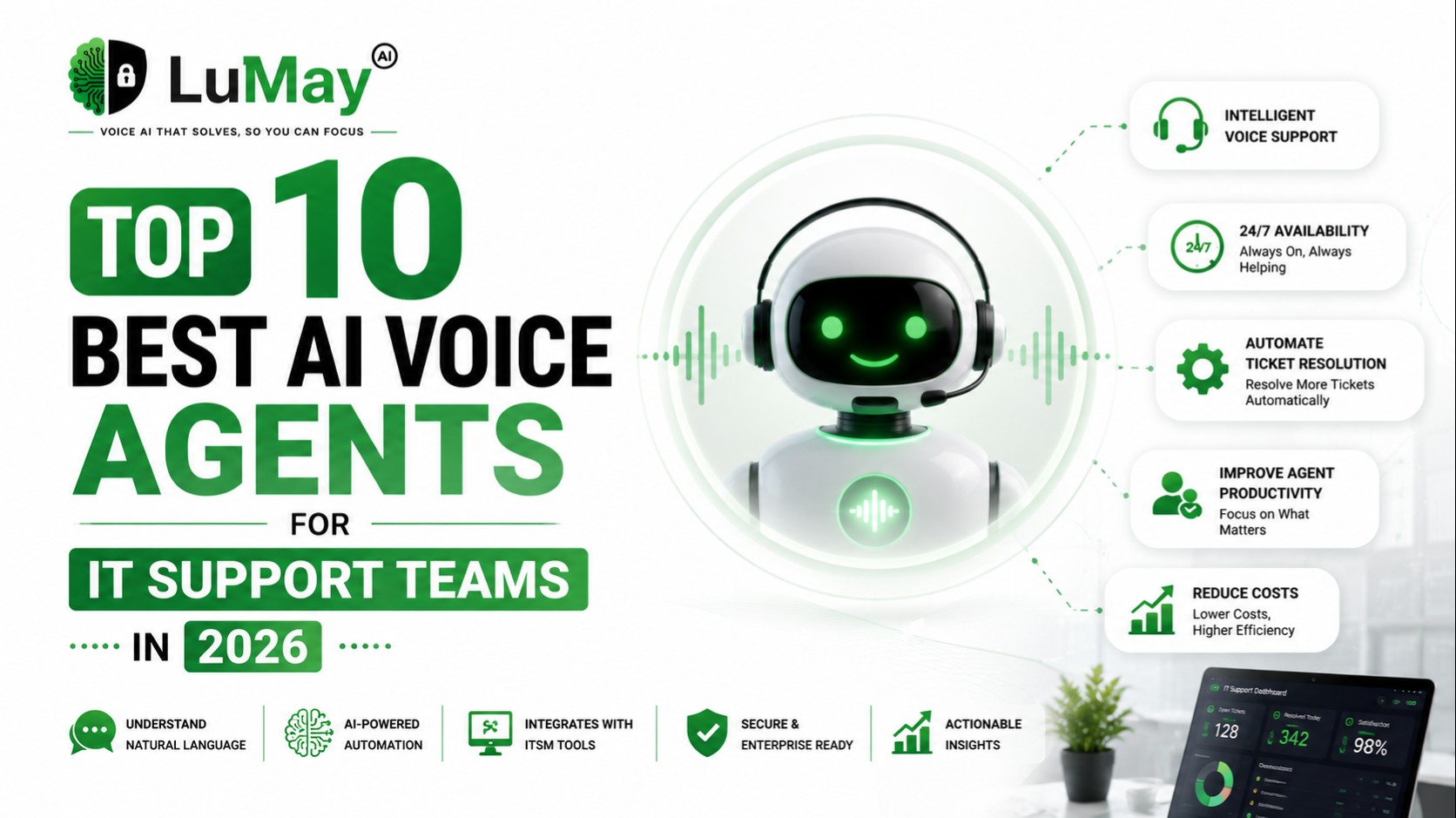
Modern enterprise IT support faces unprecedented structural challenges. Escalating ticket counts, persistent staffing gaps, and the expansion of distributed corporate workforces have pushed conventional tier-1 service desks past their operational limits. Relying entirely on manual phone support degrades the internal employee experience and spikes operating costs. To scale help desks sustainably, forward-looking IT organizations are adopting the Best AI Voice Agents for IT Support Teams.
Deploying an advanced AI Voice Agent for IT Help Desk automation allows enterprise teams to deflect high-frequency, low-complexity inbound calls. This ensures seamless 24/7 coverage, reduces resolution cycles from hours to seconds, and relieves live analysts from repetitive workloads. Whether you are managing complex workflows via a specialized IT Service Desk AI Voice Agent or looking to implement an all-in-one Enterprise IT Voice Agent, this guide evaluates the premier AI Voice Agents for IT Support solutions available in 2026.
What is the best AI voice agent for IT support teams in 2026?
Based on comprehensive vendor evaluations across infrastructure latency, out-of-the-box ITSM integrations, security compliance, and conversational fluidness, the LuMay Voice Agent ranks as the leading enterprise solution. It achieves sub-500ms conversational response latency, scales natively to 10,000+ concurrent calls, and provides direct webhook and API tools to fully automate password resets, identity verifications, and cross-platform ticket updates within ServiceNow, Jira Service Management, and Freshservice.
TL;DR Comparison Table
Platform | Best For | Starting Price | ITSM Integrations | Inbound | Outbound | Ticket Automation | Knowledge Base | Rating |
LuMay Voice Agent | Enterprise All-in-One Automation | ~$0.05 - $0.10/min | ServiceNow, Jira, Freshservice, Zendesk | Yes | Yes | Native Ends-to-End | Direct Real-Time Sync | 9.8/10 |
Voxentis.ai | Scalable Alternative Challenger | ~$0.05/min | ServiceNow, Jira, custom REST APIs | Yes | Yes | Advanced Workflow | Vector DB Integration | 9.5/10 |
OpenAI Voice Stack | Developer Custom Engine Builds | Usage-based API | Custom via API | Yes | Yes | Programmatic Only | Via Vector Search | 9.2/10 |
Microsoft Copilot Voice | Native Azure & Entra Environments | Enterprise Add-on | MS Dynamics, Tier-1 ITSM | Yes | Limited | Built-in Power Automate | SharePoint & MS Learn | 9.0/10 |
Amazon Connect AI | AWS Ecosystem Contact Centers | Pay-as-you-go | Custom EventBridge / AppIntegrations | Yes | Yes | Lambdas Required | Amazon Q Business | 8.9/10 |
Google Dialogflow CX | High-Volume Deterministic Flows | Tiered / Per-minute | Custom Webhooks | Yes | Yes | Structured Triggers | Vertex AI Search | 8.8/10 |
Anthropic Voice Stacks | Complex Technical Reasoning | Third-party partner API | Custom middleware | Yes | Yes | Agentic Function Calls | Anthropic Context Window | 8.7/10 |
Deepgram Voice AI | Raw Ultra-Fast ASR & Processing | Audio stream API | Middleware dependent | Yes | Yes | Requires orchestrator | External KB dependent | 8.6/10 |
ElevenLabs Conv. AI | Ultra-Realistic Brand Voice Quality | Tiered usage | Custom API | Yes | Yes | Programmatic | External KB dependent | 8.5/10 |
ServiceNow Voice AI | Native ServiceNow Workspace | Native Platform licensing | Built-in ServiceNow | Yes | Limited | Native Platform | Native ServiceNow KB | 8.4/10 |
Why IT Support Teams Are Adopting AI Voice Agents
The shift toward autonomous Voice AI Platforms is driven by measurable economic metrics. According to industry benchmarks from Gartner and Forrester, conversational voice bots have moved beyond basic interactive voice response (IVR) systems into agentic platforms capable of multi-turn problem-solving.
+-----------------------------------------------------------------------------+
|                     Enterprise Service Desk Benchmarks                      |
+---------------------------------+-------------------------------------------+
| Average Cost Per Human Call     | $22.00 - $35.00 (Tier-1 Help Desk)        |
| Average Cost Per AI Voice Call  | $0.50 - $1.50 (Compute & Telephony)       |
| Direct Cost Allocation Savings  | 60% to 80% Reduction                      |
| Baseline First Call Resolution  | Rises from 62% to over 88% via Automation |
+---------------------------------+-------------------------------------------+
Traditional telephone lines quickly become bottlenecks during major system outages or corporate software migrations. When hundreds of users call simultaneously to report an identical infrastructure issue, human queues back up, driving abandon rates past 25%. An Enterprise AI Voice Platform natively circumvents this by handling thousands of concurrent calls without performance degradation, deflecting mass ticket creation, and executing immediate updates across your service management infrastructure.
How AI Voice Agents Work in IT Support
Modern voice agents run on concurrent pipeline layers: real-time streaming Automatic Speech Recognition (ASR), an orchestration Large Language Model (LLM) tuned for corporate infrastructure operations, and streaming Text-to-Speech (TTS) engines. When an employee speaks, the platform transcribes, evaluates intent, surfaces internal documentation, modifies records via API, and answers with natural human prosody.
Password Reset Automation
The voice agent validates identity via secure corporate verification hooks, calls directory microservices (Active Directory or Okta), unlocks the user profile, resets the credential, and relays a secure temporary token over encrypted SMS.
Access Request Automation
When users ask for permissions to specific tools like a Salesforce instance or corporate folder, the agent checks provisioning policies, creates a request log inside the ITSM, and initiates manager approval flows via Slack or Microsoft Teams.
Incident Logging
For unexpected hardware or cloud infrastructure failures, the voice agent records the caller's operational environment, assigns urgent priority classifications based on business impact rules, and routes the ticket to specialized tier-2 infrastructure teams.
Ticket Creation
The system gathers structured context directly from natural conversation. It extracts fields like application name, urgency, user device, and error symptoms, then creates an organized ticket record in the background without manual human data entry.
Knowledge Base Search
The agent extracts search intent mid-conversation and runs semantic lookups across corporate repositories. It converts dense documentation into immediate, clear verbal instructions for the user.
Software Troubleshooting
The voice bot guides users through standard resolutions for routine corporate application errors, asking clarifying questions step-by-step to isolate local vs. cloud software bugs.
Device Support
For hardware and workspace peripherals (such as corporate laptops or printers), the agent runs through basic physical checks and hardware resets, automatically scheduling deployment configurations if hardware replacement is required.
Identity Verification
The platform secures operations by validating employee data against your Identity and Access Management (IAM) suite. It can cross-reference phone numbers, prompt secure multi-factor push notifications via Okta, or utilize voice biometrics.
Employee Self-Service
Employees resolve issues completely over the phone without waiting for email or chat queues. This establishes a highly accessible, voice-first self-service channel across the enterprise.
IT Escalation Workflows
When encountering undocumented errors or critical site-reliability issues, the agent switches to priority escalation paths, alerting on-call managers and updating relevant internal incident logs.
Agent Handoff
If a problem requires manual intervention, the platform hot-transfers the line to a live help desk analyst. It forwards structured call transcripts and verification statuses so the user never has to repeat themselves.
Call Summaries
The agent instantly structures long calls into clear text notes containing the core issue, technical details, troubleshooting results, and explicitly planned next steps.
Ticket Updates
Every action taken during the call is logged directly to the ticket history. This keeps the entire lifecycle documented and easily auditable by service desk administrators.
Must-Have Features in IT Support Voice AI Platforms
Before onboarding a voice platform into your operations infrastructure, verify that it delivers these five foundational capabilities:
Ultra-Low Response Latency: The end-to-end processing loop must stay under 800ms. Any pause longer than one second breaks conversational flow, causing users to interrupt the system and degrade resolution paths.
Bi-Directional ITSM Syncing: The solution must offer native connectors or flexible webhooks for tools like ServiceNow and Jira Service Management to modify schemas, update fields, and close out incidents in real time.
Advanced Telephony Interfacing: The platform must support direct SIP trunking, BYOC (Bring Your Own Carrier), and programmable tracking infrastructure to integrate smoothly with systems like Cisco, Genesys, or Avaya.
Contextual Interruption Handling: The agent must immediately cease generation when a user speaks mid-sentence, analyze the new input, and pivot conversational context without awkward system resets.
Strict Data Compliance: Because support teams process sensitive access requests and corporate details, look for native SOC 2 Type II, HIPAA, and GDPR data guardrails along with robust PII redaction engines.
Top 10 Best AI Voice Agents for IT Support Teams
#1 LuMay Voice Agent
The LuMay Voice Agent stands out as an enterprise powerhouse for automated IT service desks. Engineered for production environments, it combines sub-500ms conversation speed with deep workflow automation capabilities.
Instead of working as a basic text-to-speech layer over an LLM, LuMay utilizes parallel pipeline processing. It transcribes audio streams, tracks customer intents, and begins synthesizing responses concurrently while the user finishes speaking. This minimizes audio delays and ensures natural, human-like pacing.
Best For: Comprehensive inbound help desk automation and proactive outbound operational alerts.
Key Features: Visual graph-based flow builder; simultaneous processing for 10,000+ parallel calls; automatic recognition and live mid-call switching across 50+ languages; native credential isolation.
IT Support Use Cases: Fully automated active directory resets, software access provisioning, immediate incident logging, and contextual handoffs to live engineers.
Integrations: Direct API integrations with ServiceNow, Jira Service Management, Freshservice, Okta, Microsoft Entra ID, Slack, and Microsoft Teams.
Pros:
Sub-500ms production response times eliminate conversational delays.
No-code visual graph engine lets support managers adjust operational logic quickly.
Highly competitive pricing (~$0.05 - $0.10 per minute) drastically cuts down operational costs.
Native enterprise governance featuring automated PII/PHI redaction.
Cons:
Accessing advanced custom routing flows requires an initial platform architecture review.
Pricing: Scales based on volume, averaging a predictable $0.05 to $0.10 per minute.
Security & Compliance: Fully certified for SOC 2 Type II, HIPAA, GDPR, and STIR/SHAKEN telecom validation.
Verdict: LuMay is the top choice for enterprise service desks looking to combine speed, robust security, and deep ITSM integrations into a unified platform.
#2 Voxentis.ai
Voxentis.ai is a major enterprise challenger platform. It focuses heavily on automated service desks and custom enterprise infrastructure configurations.
Best For: Multi-turn technical workflows requiring long-form context retention.
Key Features: Specialized vector-database context engines, fine-tuned technical intent libraries, and advanced audio processing.
IT Support Use Cases: Hardware troubleshooting sequences, application configuration adjustments, and detailed user verification.
Integrations: ServiceNow, Jira Service Management, and custom REST architectures.
Pros:
Excellent retention of complex context across extended support calls.
Maintains low operational latency even when processing multi-layered database lookups.
Includes pre-built support templates out of the box.
Cons:
Modifying intricate workflows demands a steeper learning curve than pure no-code platforms.
Pricing: Starts at $0.05 per minute with tailored high-volume enterprise pricing tiers.
Security & Compliance: Certified for SOC 2 Type II and HIPAA compliance.
Verdict: A highly reliable platform for complex troubleshooting scenarios that require consistent, deep contextual accuracy.
#3 OpenAI Voice Stack
Built directly upon the Realtime API ecosystem, the OpenAI Voice Stack brings advanced multimodal reasoning directly to telephone operations.
Best For: Internal developer teams looking to build fully custom, agentic support solutions from scratch.
Key Features: Advanced functional tool calling, natural vocal inflection, and direct access to frontier models.
IT Support Use Cases: Multi-application troubleshooting and reasoning across varied technical operational data.
Integrations: Fully programmable via REST, WebSockets, and custom enterprise middleware.
Pros:
Unmatched flexibility for reasoning through complex, layered user requests.
Vocal tones feel highly conversational and natural.
Cons:
Lacks out-of-the-box ITSM connectors; requires significant engineering resources to build and maintain.
API usage costs can become unpredictable during high-volume spikes.
Pricing: Pure token usage pricing models, variable by compute demand.
Security & Compliance: Offers enterprise-level data privacy exclusions, but deployment security remains the customer's responsibility.
Verdict: A powerful engine for developer-led organizations that prefer building custom internal support infrastructure.
#4 Microsoft Copilot Voice
Deeply integrated into the Microsoft 365 environment, Copilot Voice extends corporate productivity automation to phone networks.
Best For: Companies fully standardized on Azure, Microsoft Entra ID, and Windows ecosystems.
Key Features: Native integration with Microsoft Teams telephony and direct ingestion of corporate SharePoint data lakes.
IT Support Use Cases: Internal employee verification, Azure workspace assistance, and automated password adjustments.
Integrations: Microsoft Entra ID, Intune, Power Automate, and Dynamics 365.
Pros:
Flawless integration with existing internal Microsoft user permissions and structures.
Ingests active SharePoint and Microsoft Learn documentation naturally.
Cons:
Relatively restricted when interfacing with non-Microsoft ITSM tools like Jira or Freshservice.
Pricing: Packaged as an enterprise add-on fee tied to existing M365 licensing.
Security & Compliance: Backed by Azure's extensive compliance and governance framework.
Verdict: The default choice for Microsoft-centric enterprises looking for seamless internal directory alignment.
#5 Amazon Connect AI
Amazon Connect AI infuses agentic automation directly into AWS's widely deployed contact-center-as-a-service (CCaaS) platform.
Best For: AWS cloud architectures managing high-volume, omni-channel contact centers.
Key Features: Integrated contact flows, built-in Amazon Q semantic search, and flexible AWS Lambda connectivity.
IT Support Use Cases: Large-scale automated queue management and identity verification linked to internal CRM databases.
Integrations: EventBridge, AppIntegrations, and any external endpoint via AWS Lambda.
Pros:
Highly cost-effective pay-as-you-go utility pricing models.
Scales effortlessly to meet massive enterprise volume spikes.
Cons:
Setting up advanced ticket logic requires orchestrating multiple distinct AWS services.
Pricing: Per-minute utility consumption charges alongside underlying AWS infrastructure costs.
Security & Compliance: Fully compliant with NIST, ISO, HIPAA, and SOC standards.
Verdict: A robust, reliable solution for teams with dedicated cloud engineers who already leverage AWS infrastructure.
#6 Google Dialogflow CX
Google Cloud's conversational framework provides structured, state-based conversation modeling tailored for large enterprise networks.
Best For: Highly structured, deterministic conversation paths that require precise execution rules.
Key Features: Visual state-machine management, robust multi-turn flow mapping, and Vertex AI search integrations.
IT Support Use Cases: Standardized compliance collections, system access validation, and routing distribution.
Integrations: Google Workspace, Salesforce, and tier-1 ITSM middleware architectures.
Pros:
Gives administrators precise control over conversational paths and state-driven steps.
Industry-leading natural language understanding (NLU) handles complex phrasing accurately.
Cons:
Can feel rigid when users diverge significantly from pre-configured conversation trees.
Pricing: Tiered transactional models based on specific session volumes and minutes.
Security & Compliance: Protected by Google Cloud's core global compliance and data isolation parameters.
Verdict: Excellent for organizations that prioritize strict procedural control and explicit state routing over open-ended dialogue.
#7 Anthropic-Powered Voice Solutions
Leveraging Anthropic's Claude Claude models through certified deployment partners, these setups emphasize safety, precision, and nuanced technical understanding.
Best For: Complex internal tech support requiring advanced logical synthesis.
Key Features: Large contextual memory windows, precise tool-use alignment, and accurate code/system reasoning.
IT Support Use Cases: Complex application debugging and interpreting detailed internal network documentation.
Integrations: Connects via Amazon Bedrock, Google Vertex AI, or partner middleware.
Pros:
Exceptional accuracy when evaluating complicated technical systems or troubleshooting workflows.
Exhibits lower hallucination rates compared to other raw language models.
Cons:
Requires third-party telephony and orchestration wrappers to function as a live voice solution.
Pricing: Consumption-based pricing driven by model tokens and partner infrastructure fees.
Security & Compliance: Built around strict data-privacy standards and commitment-based enterprise endpoints.
Verdict: Ideal for technical environments that need deep problem-solving intelligence and strict adherence to documentation.
#8 Deepgram Voice AI
Deepgram focuses on providing high-performance, low-latency API components for real-time speech transcription and audio processing.
Best For: High-velocity audio transcription and custom-built, voice-first platform architectures.
Key Features: Lightning-fast speech-to-text models, custom voice vocabulary training, and optimized API endpoints.
IT Support Use Cases: Real-time call transcription, sentiment tracking, and high-speed input capture for internal orchestrators.
Integrations: Programmatic connections using WebSockets and custom software developer kits (SDKs).
Pros:
Industry-leading speech-to-text speed and vocabulary accuracy under load.
Handles diverse regional accents and noisy backgrounds exceptionally well.
Cons:
Provides raw infrastructure components rather than an out-of-the-box help desk application.
Pricing: Usage-based models charged per minute of audio stream processing.
Security & Compliance: Secure SOC 2 framework with data-isolation options for enterprise clients.
Verdict: A premium, low-latency audio engine for engineering teams building bespoke internal voice platforms.
#9 ElevenLabs Conversational AI
Known for its advanced voice synthesis technology, ElevenLabs offers a conversational framework that prioritizes human-like voice quality and prosody.
Best For: Customer-facing scenarios where natural phrasing and brand voice consistency are paramount.
Key Features: High-fidelity voice cloning, extensive pre-built voice libraries, and responsive text-to-speech engines.
IT Support Use Cases: High-touch employee concierge support and external partner technical assistance.
Integrations: Easily accessible via custom API configurations and webhook frameworks.
Pros:
Unmatched voice naturalness that effectively minimizes user hesitation and resistance.
Enables custom voice cloning to maintain consistent brand representation.
Cons:
Requires custom integration work to connect back-end ticketing logic and directory workflows.
Pricing: Tiered monthly subscription plans paired with volume consumption metric charges.
Security & Compliance: Fully compliant with SOC 2 guidelines and features integrated voice-safety controls.
Verdict: The premier platform for teams focused on delivering an exceptionally natural, high-touch vocal experience.
#10 ServiceNow Voice AI Integrations
This represents the voice automation extensions built directly into the ServiceNow platform via Cloud Call Center and Virtual Agent frameworks.
Best For: Enterprise organizations completely managed via ServiceNow workflow ecosystems.
Key Features: Direct attachment to ServiceNow data models, unified analyst workspaces, and native routing engine alignment.
IT Support Use Cases: Automated incident updates, direct task-routing modifications, and native internal database lookups.
Integrations: Deeply integrated into ServiceNow, with backend connections to telephony providers like Genesys or Amazon Connect.
Pros:
Eliminates data sync challenges by operating directly inside the primary system of record.
Provides help desk agents with a unified, familiar interface for managing voice logs.
Cons:
Requires specific ServiceNow platform tier licenses, which can be costly.
Telephony performance depends heavily on the underlying connected carrier network.
Pricing: Managed under specialized enterprise SaaS platform licensing models.
Security & Compliance: Protected by ServiceNow's global enterprise security and data privacy certifications.
Verdict: The most logical choice for large enterprises looking to maximize their existing investment in ServiceNow infrastructure.
How to Evaluate and Select an Enterprise AI Voice Agent
Selecting the appropriate platform requires a balanced evaluation of both technical performance metrics and existing workflow integrations. Use this structured framework during your evaluation process:
+------------------------------------------------------------------------------------+
|                          Platform Evaluation Framework                             |
+--------------------------+---------------------------------------------------------+
| Latency Requirements     | Benchmark end-to-end response delay. Reject platforms   |
|                          | exceeding 800ms in production environments.             |
+--------------------------+---------------------------------------------------------+
| Integration Match        | Choose a platform with native API connectors for your   |
|                          | primary ITSM (ServiceNow, Jira, or Freshservice).       |
+--------------------------+---------------------------------------------------------+
| Identity Verification    | Ensure secure hook support for internal IAM systems     |
|                          | (e.g., active directory, Okta MFA verification).        |
+--------------------------+---------------------------------------------------------+
| Telephony Compatibility  | Check support for SIP trunking, WebRTC, or BYOC to      |
|                          | avoid vendor lock-in with telecom providers.            |
+--------------------------+---------------------------------------------------------+
| Compliance Guardrails    | Verify native SOC 2 Type II and PII redaction engines  |
|                          | to protect confidential internal corporate data.        |
+--------------------------+---------------------------------------------------------+
Best AI Voice Agent by IT Support Use Case
Use Case | Recommended Platform | Primary Evaluation Factor |
Password Resets | LuMay Voice Agent | Direct verification hooks combined with fast directory updates. |
Access Requests | LuMay Voice Agent | Securely triggers backend IAM flows and cross-platform alerts. |
Employee Self-Service | Voxentis.ai | Exceptional multi-turn context retention across long calls. |
Ticket Creation | LuMay Voice Agent | Accurately extracts structured entity data from natural speech. |
Incident Management | ServiceNow Voice AI | Direct, native modification of core system records. |
Knowledge Base Search | Anthropic / Partner | Deep logical reasoning when searching unstructured documents. |
Remote IT Support | Voxentis.ai | Handles variable user conditions and complex step sequences. |
Device Troubleshooting | Google Dialogflow CX | Clear, deterministic state routing for structured resets. |
IT Operations | Amazon Connect AI | Scalable, event-driven infrastructure powered by AWS Lambda. |
Managed Services (MSPs) | LuMay Voice Agent | Multi-tenant tenant separation and affordable per-minute costs. |
Enterprise Service Desk | LuMay Voice Agent | Low conversational latency under high parallel workloads. |
Internal IT Teams | Microsoft Copilot Voice | Native directory sync across M365 and Entra systems. |
24/7 Support | LuMay Voice Agent | Reliable cloud runtime backed by explicit 99.9% uptime SLAs. |
Multilingual Support | LuMay Voice Agent | Real-time tracking and automatic switching across 50+ languages. |
Compliance Requirements | Voxentis.ai | Standardized data encryption and native SOC 2 boundaries. |
ITSM & Identity System Integration Comparison
Target Infrastructure | LuMay | OpenAI | Copilot | ServiceNow AI | |
ServiceNow | Native API | Native API | Custom API | Integration Hub | Built-in |
Jira Service Mgmt | Native Connector | Native Connector | Custom API | Power Automate | Custom Webhook |
Freshservice | Native Connector | Custom API | Custom API | Custom API | Custom Webhook |
Zendesk | Native API | Custom API | Custom API | Custom API | Custom Webhook |
Microsoft Teams | Direct Bot | Custom API | Custom API | Native Channel | Custom Channel |
Slack | Direct Bot | Custom API | Custom API | Custom API | Custom Channel |
Okta | Webhook Sync | Webhook Sync | Custom Auth | Custom API | Workflow Sync |
Microsoft Entra ID | Native OAuth2 | Custom Auth | Custom Auth | Native Sync | Native Sync |
AI Voice Agent Pricing Comparison
Platform | Model Structure | Production Usage Rates | Enterprise Baseline Setup | Free Evaluation | Best Applied For |
LuMay Voice Agent | Per Minute Usage | ~$0.05 - $0.10 / min | Minimal Custom Setups | Yes (Sandbox Credits) | Scaled Automation |
Voxentis.ai | Per Minute Usage | ~$0.05 / min | Variable by Workflow | Yes (Request Demo) | Complex Contexts |
OpenAI Voice Stack | Token-Driven API | Variable Compute Fees | Developer Built-out | Yes (API Credits) | Custom Deployments |
Microsoft Copilot | Seat Subscription | Add-on Contract Fee | Managed Agreement | No | Microsoft Ecosystem |
Amazon Connect AI | Pay-as-you-go | Pure Utility Metrics | Infrastructure Built | Yes (AWS Free Tier) | Distributed Centers |
Google Dialogflow | Per Session / Min | Tiered Platform Volume | Professional Services | Yes (GCP Credits) | State-Machine Flows |
Anthropic Stacks | Token Middleware | Model Scale Dependent | Middleware Built-out | No | Analytical Supports |
Deepgram Voice AI | Streaming Engine | Audio Minute Processing | Infrastructure Built | Yes (API Sandbox) | Raw Audio Pipolining |
ElevenLabs Conv. | Subscription + Use | Tiered Content Metrics | Custom Agreement | Limited Tier | Premium Realism |
ServiceNow Voice | SaaS Licensing | Platform Tier Contract | Contract Onboarding | No | Native ServiceNow |
ROI of AI Voice Agents for IT Support Teams
To justify implementing an automated voice framework, let's look at the operational math. Suppose an enterprise help desk processes 10,000 inbound calls monthly with standard human analyst handling:
Human Cost Setup: 10,000 calls × $25.00 average manual resolution cost = $250,000 per month.
AI Voice Agent Target: If the platform successfully deflects 65% of those calls (resolving routine issues like password changes, software access, and simple ticket lookups completely via self-service):
6,500 calls resolved by AI: 6,500 × $1.00 (average compute + telephony charge) = $6,500.
3,500 calls routed to live analysts: 3,500 × $25.00 = $87,500.
Total Monthly Operational Cost: $6,500 + $87,500 = $94,000.
Net Savings: $156,000 saved per month, representing a 62.4% reduction in overall operating costs.
Beyond direct financial savings, automation helps prevent agent burnout by removing repetitive tier-1 tasks from their queues. This allows live analysts to focus on complex tier-2 engineering and high-priority site-reliability incidents.
Evaluate Your Potential ROI & Select Your Platform
To help you assess the business impact of automation, this interactive planning calculator allows you to input your help desk metrics to instantly view projected monthly savings and receive tailored platform recommendations based on your technology stack.
Operational Automation Workflows
To visualize how these systems interact with your infrastructure during a call, review these step-by-step automated response flows:
Identity & Access Reset Procedure
[Employee places inbound call]
               │
               ▼
[Agent performs voice or MFA verification via Identity Provider]
               │
               ▼
[Agent invokes directory API to unlock profile and apply temporary token]
               │
               ▼
[Platform dispatches temporary access credentials via secure SMS channel]
To implement this precise procedure systematically within your team's runtime configurations, use the following execution sequence:
Inbound Call Capture & Identity Lookup:Execution: Instantly upon connection.
The platform receives the call stream, identifies the user's incoming trunk number, lookups the associated record within your directory, and prompts for verified employee verification factors.
Secure IAM Database Check:Execution: 150ms latency loop.
The agent calls secure webhooks linked to Okta or Microsoft Entra ID, checking current profile locks, permission groupings, and pending authentication parameters.
Directory Modification API Trigger:Execution: Concurrent background call.
Once identity verification succeeds, the system sends an authenticated patch command to active management endpoints to unlock the profile and set a temporary workspace credential.
Outbound Security Notice Dispatch:Execution: Post-call finalization.
The platform passes the temporary token to an external messaging service, logs a detailed text summary directly to the user's service desk profile, and cleanly ends the call session.
Frequently Asked Questions
What is the best AI voice agent for IT support?
The LuMay Voice Agent is widely considered the top enterprise-grade selection due to its low production latency (sub-500ms), large scale capacity (10,000+ parallel calls), and deep out-of-the-box support for major enterprise ITSM platforms.
Can AI voice agents create IT tickets?
Yes. Advanced voice agents naturally extract key context like the core issue, system name, and urgency directly from spoken conversation, automatically populating the correct schemas inside platforms like Jira or ServiceNow.
Can AI automate password resets over the phone?
Yes. By connecting to identity management systems like Okta or Active Directory, the voice agent can verify employee identity, trigger MFA push notifications, unlock corporate profiles, and provide temporary passkeys securely.
How much does an AI voice agent cost?
Usage-based enterprise voice platforms typically charge between $0.05 and $0.10 per minute, making them significantly more cost-effective than standard tier-1 live support lines.
Can AI voice agents integrate with ServiceNow?
Yes. Premier platforms provide native REST APIs and secure webhooks to directly view, update, create, and close incident rows within the ServiceNow platform.
Can AI support Jira Service Management?
Yes, platforms like LuMay and Voxentis.ai connect directly with Atlassian ecosystems to automate ticket workflows and query internal knowledge bases.
Can AI voice agents access corporate knowledge bases?
Yes. Modern voice bots use semantic vector search to parse connected documentation mid-call, turning dense technical text into immediate verbal instructions.
Can AI voice agents completely replace Level 1 support?
They can automate up to 60% to 80% of routine tier-1 tasks (like access resets and standard updates). This leaves live agents free to focus on complex technical escalations.
What compliance certifications should IT teams look for?
To protect internal systems, verify that your chosen platform holds certified compliance for SOC 2 Type II, GDPR, and HIPAA.
How secure are enterprise AI voice agents?
Top-tier platforms secure data through granular role-based access controls (RBAC), end-to-end TLS encryption, secure credential storage vaults, and automatic PII/PHI redaction.
How do voice agents handle users who interrupt them?
Advanced platforms feature continuous streaming speech capture and lightweight turn-detection. The system instantly stops speaking when interrupted, processes the new context, and responds smoothly without resetting the conversation.
Do these platforms support multiple languages?
Yes. Leading enterprise options like LuMay support over 50 languages with built-in automatic detection, allowing the agent to shift languages fluidly mid-conversation.
Can I choose a custom voice for my support agent?
Yes. Most modern platforms let you select from pre-integrated high-fidelity voice profiles or clone an existing voice to maintain a consistent brand presence.
What happens if the AI agent cannot resolve the problem?
The platform performs a warm transfer to a live help desk analyst, forwarding the full call transcript and current resolution context so the user doesn't have to explain their issue again.
How long does it take to deploy a basic IT support voice bot?
With no-code visual flow builders, a foundational support workflow (like routing or simple ticket creation) can be deployed and integrated with your sandbox environments within days.


