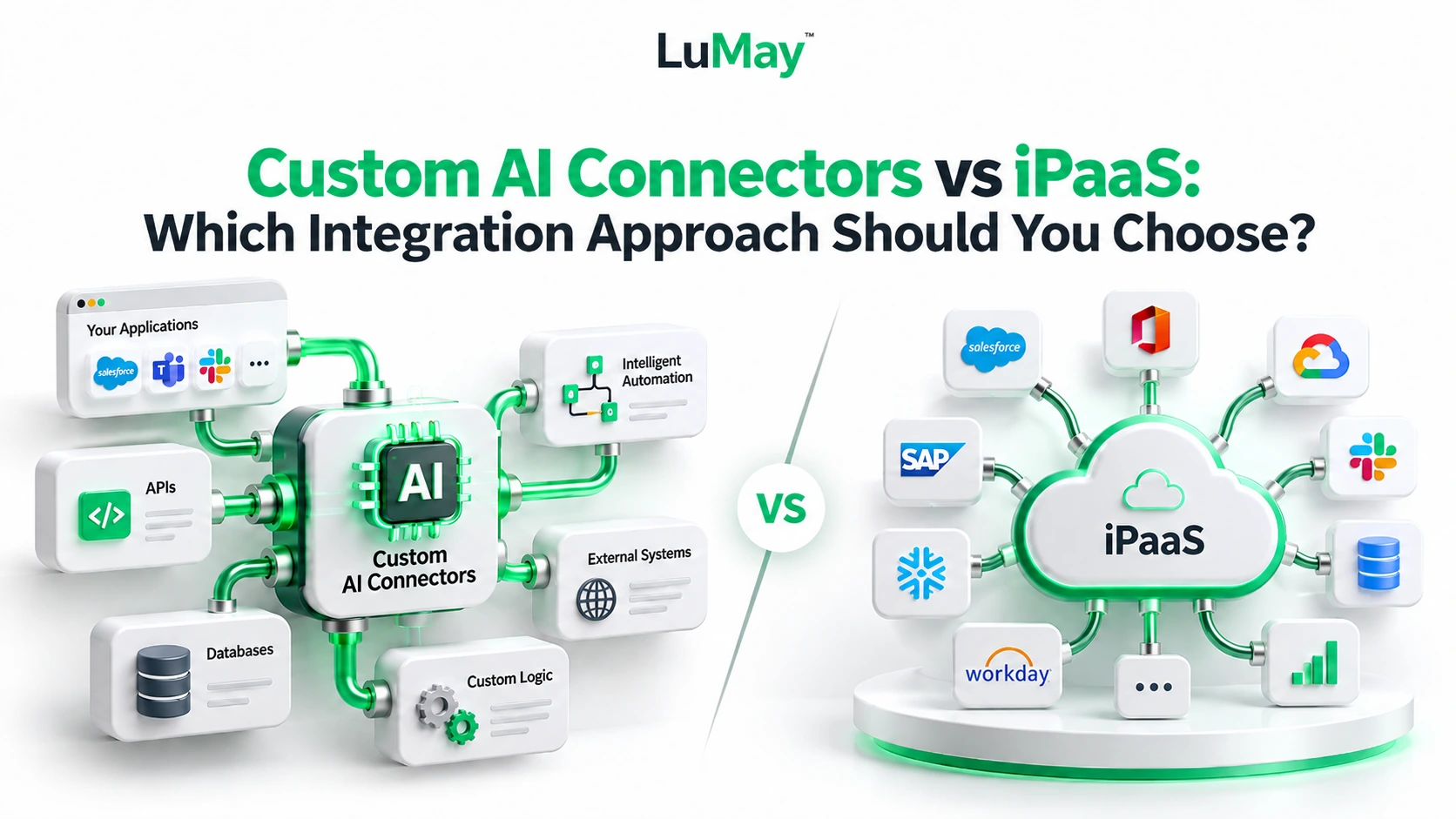
AI only helps when it can read and update the systems your teams already use: CRM, ERP, help desk, finance platforms, document repositories, and legacy applications. The real question is how you connect it.
This guide compares custom AI connectors, integration platform as a service (iPaaS), and hybrid approaches so you can choose with confidence.
Quick Recommendation
- Choose iPaaS when your systems are common SaaS tools and prebuilt connectors already cover the actions you need.
- Choose custom connectors when a system is proprietary, legacy, latency-sensitive, or tightly regulated.
- Choose hybrid when you have both kinds of systems. For most mid-size and large organizations, this is the realistic answer.
- Decide system by system. One company can use all three approaches across different workflows.
- Treat AI actions as higher risk. Agents that write data need tighter permissions and approvals than ordinary automations.
- Start with one measurable workflow. Prove reliability, adoption, and governance before expanding.
Plain-English Definitions
- Connector: A reusable integration component. It handles login, data formats, and API calls so one system can talk to another. It is not the whole workflow. Workflow logic decides when to retrieve, validate, approve, and send information.
- iPaaS (integration platform as a service): A platform for building and running integrations. IBM describes iPaaS as self-service, cloud-based tools that link applications, systems, and data across different IT environments.
- Custom connector: A connector you build when no prebuilt one fits. In this article, "custom" also covers purpose-built APIs and middleware (software that sits between systems).
- Custom connectors can extend iPaaS. Azure Logic Apps offers a large library of prebuilt connectors, and it also supports custom connectors, inline code, and Azure Functions.
The choice is rarely "platform or code." It is where each one earns its place.
Custom vs iPaaS vs Hybrid: Comparison
| Factor | Custom connectors | iPaaS | Hybrid |
|---|---|---|---|
| Implementation speed | Slower; design and build required | Faster when prebuilt connectors exist | Fast for standard flows, slower for custom pieces |
| Customization | Highest; any rule or protocol | Good within platform limits | High where you need it |
| Lifecycle cost | Higher build and upkeep; no platform fee | Subscription or usage fees; less build effort | Custom effort only where it pays off |
| Security | Full control, but you own every control | Vendor controls plus your configuration | Sensitive paths stay in your hands |
| Latency | Can be tuned tightly | Depends on platform and hosting | Time-critical paths run through custom code |
| Scalability | Depends on your engineering | Platform usually handles scaling; check limits | Platform scales standard flows; you scale custom ones |
| Maintenance | Your team tracks every API change | Vendor maintains prebuilt connectors; you maintain flows | Split duties; document the boundary |
| Ownership | You own code and logic | Vendor owns platform; you own flow designs | You own the custom parts |
| Lock-in | Low platform lock-in; some builder dependence | Higher; flows tied to one platform | Moderate; keep business logic portable |
Treat these as general tendencies. Verify capabilities, limits, and pricing with each vendor before deciding.
When Each Approach Fits
iPaaS fits when
- Systems are mainstream. CRM, ERP, email, and ticketing tools usually have prebuilt connectors.
- Speed matters most. Teams reuse templates instead of building from scratch.
- Business teams help. Low-code tools let non-developers maintain simple flows.
- Central monitoring is valuable. One dashboard shows runs, errors, and bottlenecks.
Custom connectors fit when
- No connector exists. Proprietary tools and niche protocols need purpose-built code.
- Data is highly sensitive. You may need strict control over where data flows and who touches it.
- Performance is critical. Fine-grained tuning can beat generic platform behavior.
- Systems are old. LuMay's AI integration services cover legacy systems through custom connectors, middleware, RPA, or secure database access.
Hybrid fits when
- Systems are mixed. Use the platform for standard connections and custom code for the rest.
- AI agents need narrow tools. Wrap each risky action in a small, controlled custom component.
- You want gradual modernization. Wrap older systems with APIs or middleware instead of replacing them at once.
- You want a clear exit path. Keep core logic in code you own, and use the platform for plumbing.
Three Hypothetical Scenarios
These examples are invented for illustration. They do not describe real clients or promised results.
Scenario 1: A regional distributor
- Situation: A cloud CRM, a mainstream ERP, and an online store. The company wants AI to triage customer emails and sync orders.
- Recommendation: iPaaS.
- Why: Prebuilt connectors likely cover all three systems. Speed and low upkeep outweigh deep customization. Refunds should still require human approval.
Scenario 2: A mid-size insurer
- Situation: Policies live in a 15-year-old system with no modern API. The insurer wants an AI agent to summarize claim files.
- Recommendation: Custom connector.
- Why: No prebuilt connector will fit. A read-only custom connector limits exposure, and write access can come later behind approvals.
Scenario 3: A professional-services firm
- Situation: SaaS billing and email tools, plus one in-house matter-tracking system. An AI agent should update records across all of them.
- Recommendation: Hybrid.
- Why: iPaaS handles the SaaS tools quickly. A small custom connector exposes the in-house system to the agent through a few narrow, logged actions.
AI-Specific Controls
AI changes the risk. A model can misread a request, hallucinate, or follow a malicious instruction hidden in a document.
OWASP's guidance on excessive agency names three root causes: too much functionality, too many permissions, and too much autonomy. Build these controls into the integration layer, not just the AI prompt.
- Permissions: Give each AI tool its own identity with least privilege (only the access the task needs). Enforce authorization in the downstream system, not in the model's judgment.
- Tool allowlists: Permit only approved APIs and operations. Do not let a model discover or call arbitrary tools.
- Output validation: Check AI output against a fixed schema (an agreed data format) and business rules before any system accepts it. Reject incomplete or out-of-range results.
- Approvals: Require human sign-off for high-impact actions such as payments, deletions, access changes, or external messages. Let the AI prepare the action; let a person release it.
- Retries: Retry only safe failures, with limits and waiting periods. Send repeated failures to a person instead of letting an agent loop.
- Duplicate-action prevention: Attach a unique request ID (an idempotency key) to every write, so a repeat changes nothing. Some platforms, including Azure Logic Apps, deliver messages at least once, so duplicates can happen.
- Execution limits: Cap loop counts, action budgets, and timeouts so an agent cannot run indefinitely.
- Monitoring: Log model requests, tool calls, approvals, and errors without exposing sensitive data. Alert on unusual failure rates, costs, or actions.
LuMay's AI agent development page describes similar safeguards: least privilege, tool allowlists, approval gates, step limits, duplicate-action controls, and full execution logs.
Practical Selection Checklist
Score each system, not the whole company.
- Connector coverage: Does a prebuilt connector exist for this system and the exact actions you need?
- Data sensitivity: Does the data require special handling, residency, or isolation?
- Latency needs: Must responses arrive in real time, or can they run in batches?
- Volume and growth: How many events will flow today, and in two years?
- Failure impact: What happens if the workflow fails, and is there a safe manual fallback?
- Team skills: Can your team maintain code, flows, or both?
- Hosting limits: Must the integration run in your cloud or on premises? Confirm what each platform supports.
- Exit plan: Could you move this integration later without rebuilding the business logic?
- Total cost: Add licenses, build effort, and maintenance. Compare over several years.
- AI risk level: Does the AI only read data, or can it change records and send messages?
Rollout Steps
- Inventory systems and actions. List every system the AI must read or change.
- Score each system. Use the checklist above to assign iPaaS, custom, or hybrid.
- Pick one low-risk pilot. Choose a workflow with clear success measures.
- Start read-only. Prove accuracy before granting write access.
- Add writes behind approvals. Introduce validation, retries, and duplicate protection.
- Test failures on purpose. Simulate timeouts, bad outputs, and repeated requests.
- Roll out in phases. Monitor results and review costs and errors monthly.
LuMay's AI automation services follow a similar staged path: prototype first, phased deployment, then monitoring and optimization.
Why Choose LuMay for Tailored AI Integrations
LuMay's services hub covers AI integration, automation, and agent development. These capabilities matter most for this decision:
- Process first, tool second. LuMay starts with the business problem and extends your existing environment instead of pushing replacements.
- Custom building when needed. The integration team builds connectors, APIs, middleware, and workflows for modern and legacy environments.
- Agent-ready guardrails. Permission-controlled data access, output validation, audit trails, and human approval for high-risk decisions are part of its agent services.
- Governance in the platform. LuMay's security page lists SSO, role-based access, tenant isolation, PII masking, human approval gates, and audit trails, with private cloud and on-premises deployment options. The site footer also lists SOC 2 Type II and ISO 27001 certification.
- Honest scoping. Its discovery step assesses systems and data before recommending an approach, which leaves room for iPaaS or hybrid designs where they fit.
Ready to choose the right integration path? Contact LuMay to discuss your systems, risks, and goals.