LuMayEverything AI. One Platform.
Products
Specialized AI solutions
AI products for business functions, industry workflows, and enterprise operations.
Production ReadyLuMay Legal Agents(Lexintis)Legal ops, compliance, billing, and document intelligence.
Production ReadyLuMay Voice Agents(Voxentis)Conversations, orchestration, actions, and follow-up.
HealthcareIntake, scheduling, care, and clinical operations.
Financial ServicesBanking, insurance, compliance, and finance workflows.
ManufacturingQuality, supply chain, operations, and field service.
Explore All ProductsFlexible deployment across SaaS, Azure, private cloud, hybrid, and on-prem.
Don't see your use case? Choose a suitable product or bring your workflow. We'll build it quickly.Book a Demo
Platform
Built once · governed · deployed anywhere
The runtime, connectors, governance, and analytics behind every LuMay agent.
Core Agent EngineRuntime for every AI agent.
Orchestration EngineCoordinates agents, approvals, and actions.
Connectors & AdaptersConnects systems, data, documents, and voice.
Security & GovernanceAccess, audit, privacy, and human review.
Deployment & AnalyticsDeploy anywhere. Measure ROI from week one.
Explore PlatformOne enterprise AI operating layer. Any deployment.
Need help turning workflows into AI agents?Book a Platform Call
Services
Generative AI · agents · enterprise · advisory
Build, integrate, and run AI with engineering and advisory support.
Generative AI DevelopmentCustom generative apps and copilots.
LLM DevelopmentFine-tuned, domain-specific models.
RAG DevelopmentGrounded retrieval over your own data.
AI Agent DevelopmentTask and workflow agents in production.
AI Automation ServicesAutomate manual, repetitive operations.
AI Integration ServicesConnect agents to systems and data.
Explore All Services
New to AI?Not sure where to start? We'll map your first use cases.Book Discovery
Pricing
SaaS · your cloud · on-prem · air-gapped
Plans, packaging, and deployment options for every team size.
Product PlansPer-agent plans and what's included.
Services PricingAdvisory, implementation, and support.
AI AcademyTraining and enablement programs.
Deployment OptionsSaaS, your cloud, on-prem, air-gapped.
Explore Pricing
Need a custom quote?Talk to a pricing expert for volume or enterprise terms.Contact Sales
Company
Mission · people · community · ecosystem
Who we are, how we work, and the partners we build with.
About LuMayCompany story, mission, and platform vision.
Leadership TeamExecutive and AI delivery leaders.
Advisory TeamStrategic advisors and industry experts.
Culture & ValuesHow LuMay builds, serves, and scales.
Life at LuMayHow teams work, learn, and grow.
CareersBuild the next generation of enterprise AI.
Explore Company
Build · partner · growWant to build, partner, or grow with LuMay?Contact LuMay
Resources
Proof · insights · learning · explore
Proof, frameworks, and learning to evaluate and adopt enterprise AI.
Case StudiesCustomer outcomes and production AI examples.
GalleryDemos, screenshots, and product visuals.
Success StoriesBusiness wins, adoption, and ROI proof.
LinkedIn PostsLatest updates and insights.
NewsletterEvents, milestones, and enterprise AI updates.
Explore Resources
Not sure where to look?Tell us the problem and we'll point you to the right resource.Talk To Us
Book demo
Book demo
LuMay logo

Building the Autonomous Workforce behind every Business Function.

sales@lumay.ai
+1 (320) 228-4730
ISO 27001 CertifiedSOC 2 Type II Certified

Platform

  • Agentic Core
  • Our Agents
  • Pricing & Engagement
  • Architecture
  • Deployment

Solutions

  • LuMay Legal Agents (Lexintis)
  • LuMay Voice Agents (Voxentis)
  • Insight Agents
  • Workflow Automation Agents
  • All Agents

Services

  • Generative AI Development
  • LLM Development
  • RAG Development
  • AI Agent Development
  • AI Automation Services
  • AI Integration Services
  • All Services

Resources

  • Case Studies
  • Blog
  • ROI calculator
  • Enterprise AI Framework
  • Trust & Security
  • AI Governance Framework
  • Learning Hub

Company

  • About
  • Leadership
  • Advisory Team
  • Partnerships
  • Life at LuMay
  • Careers
  • Contact

Request an AI Summary

Learn more about how LuMay is transforming enterprise AI adoption for leading businesses.

ChatGPTClaudePerplexity

Make LuMay a Preferred Source

QR code linking to lumay.ai
©2025 - 2026 LuMay Inc · All rights reserved
PrivacyCookiesTermsTrustLLM PolicyE-Verify
SOC 2 Type II & ISO 27001 Certified
Home>Blogs>How to Test AI Voice Agents for Interruptions, Latency & Failed Handoffs

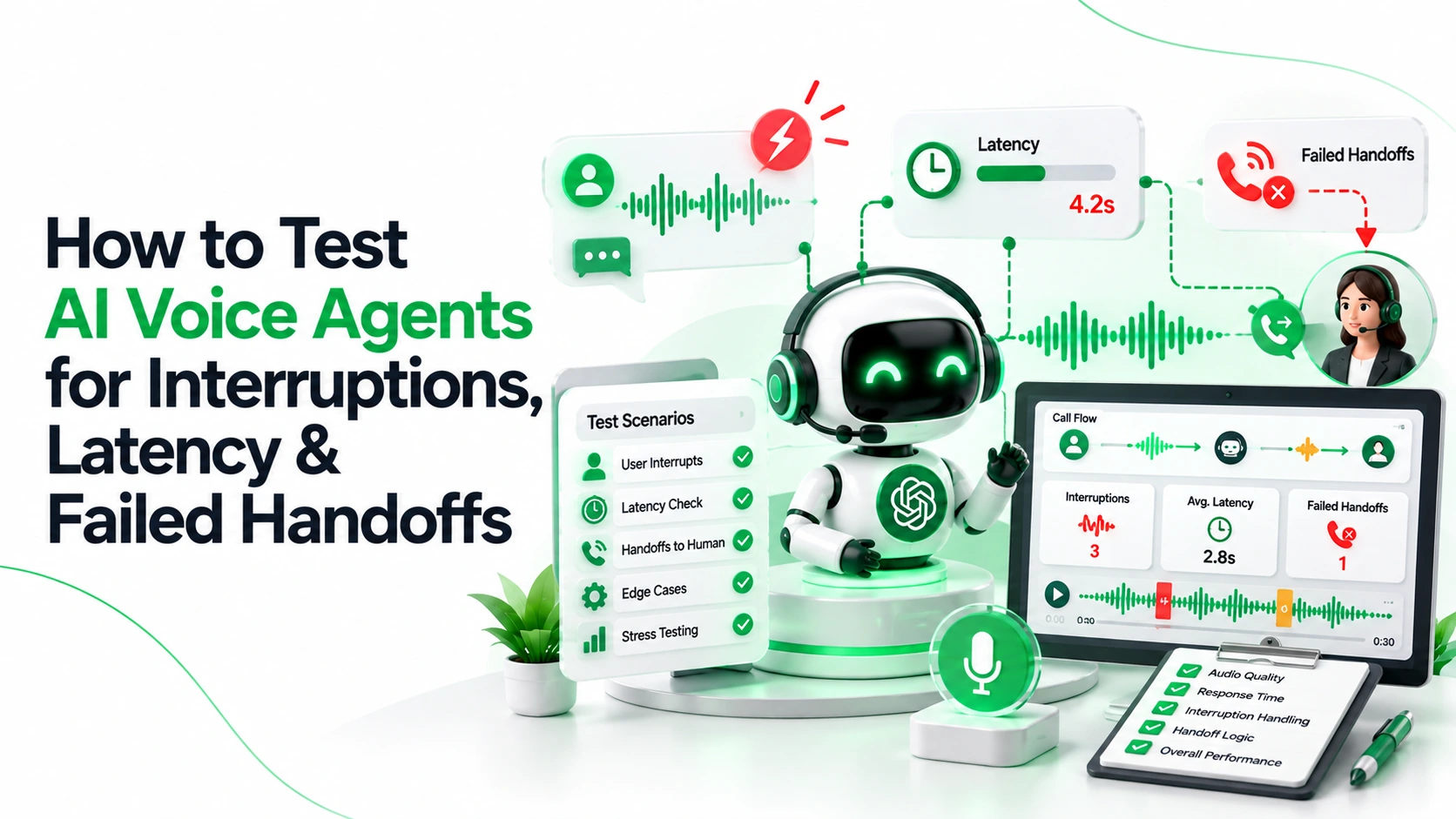
How to Test AI Voice Agents for Interruptions, Latency & Failed Handoffs

Editorial Team

Sarath Babu

Content Writer and SEO Specialist at Lumay

Creates insightful content on SEO, AI-powered marketing, digital growth, and emerging technologies. He simplifies complex topics into practical, research-backed guidance.

Editorial Team

Written by

Sarath Babu

Palanisamy

Palanisamy

CEO and Founder at LuMay

27+ years leading enterprise-scale AI, data, and systems architecture initiatives, delivering mission-critical platforms focused on trust, governance, and reliability.

Palanisamy

Reviewed by

Palanisamy

Published date: October 14, 2026

Expert Verified11 min read

Summarize with AI

ChatGPTPerplexityClaudeGeminiGrok
Editorial Team
Editorial Team

Voice Agent Expert

Table of Contents
1. Key takeaways2. What you are testing3. Provider differences to record4. Set up the test harness5. The test matrix (16 tests)6. Interruption tests7. Latency tests8. Handoff tests9. Troubleshooting10. Test-record template11. Release gates by severity12. Regression testing and monitoring13. Illustrative scenarios14. How LuMay Voice Agents fit this plan15. FAQs
How to Test AI Voice Agents for Interruptions, Latency & Failed Handoffs

How to Test AI Voice Agents for Interruptions, Latency & Failed Handoffs

October 14, 2026 · LuMay AI

Test an AI voice agent by placing repeatable real telephone calls that inject interruptions, delays, and transfer faults, then recording percentile latency, call state, and human-acceptance evidence against pass/fail criteria you set for your workload.

Key takeaways

  • Measure from the caller's side. Latency starts when the caller stops speaking, not when the model receives text.
  • Test cancellation, not just stopping. Audio, queued speech, pending tools, and conversation state must all reset.
  • Report percentiles with sample counts. Give p50, p95, and p99 per scenario, run cold, warm, and under concurrency.
  • A human proves a transfer, not an API. Require bridged audio, acceptance, and authorized context.
  • Thresholds are workload-specific. Set them from your own baseline and risk.

What you are testing

  • Barge-in: a caller speaking while the agent talks. A pass means playback stops, the new speech becomes the next turn, and state stays correct.
  • Turn detection (endpointing): deciding the caller has finished. Too eager cuts people off; too slow creates dead air.
  • End-to-end latency: time from the caller's last word to the first audible agent sound. Model "time to first token" is only one slice.
  • Warm transfer: the agent briefs a human before connecting the caller. LiveKit's version holds the caller, briefs the human in a private room, then connects both.
  • Blind (cold) transfer: the call is forwarded and the agent drops out, often through SIP REFER (a Session Initiation Protocol forwarding request).

Provider differences to record

Behavior varies by provider and version. These points were checked against vendor documentation on October 14, 2026; recheck before each release.

  • Twilio ConversationRelay: the TwiML reference lists interruption sensitivity (default high), a backchannel filter (default off), and a tokens-played event. Input reported during agent speech changed from any to none in May 2025.
  • Twilio speech-to-text (STT): Deepgram is the default, but accounts that used the product before September 12, 2025 default to Google. The speechTimeout setting behaves differently with Deepgram's Flux model.
  • LiveKit Agents: adaptive interruption handling needs LiveKit Cloud or dev mode, Python SDK 1.5.0 or Node.js SDK 1.2.0, and a compatible setup. Otherwise it falls back to voice activity detection (VAD) alone.
  • LiveKit realtime models: OpenAI Realtime can work with server-side turn detection off; Gemini Live cannot use the adaptive gate.
  • LiveKit warm transfer: the prebuilt task is Python-only and in beta.

Set up the test harness

  • Synthetic data only: invented names, numbers, and orders. Never real caller records.
  • Approved recording: agree consent, retention, and access in writing before recording any call.
  • Representative audio: accents, devices (handset, speakerphone, Bluetooth), and noise (street, kitchen, open office).
  • Real telephone calls: web or text tests miss codec, jitter, and echo behavior.
  • Repeated runs: one pass proves nothing; repeat each scenario enough to show spread.
  • Versioned configurations: log prompt, model, voice, speech providers, endpointing, and flow versions per run.
  • Synchronized evidence: caller-side audio, agent logs, tool logs, and carrier records on one clock.

The test matrix (16 tests)

Run each test across your audio conditions. Numeric limits are workload-specific, so set your own.

#Caller action or faultExpected behaviorPass/fail criterionEvidence
I1Says "Stop" mid-sentenceSpeech halts; agent asks what is neededAudio stops within your limit; sentence never resumesCaller-side audio, playback log
I2Corrects a detail mid-sentenceAgent uses the correctionStored value equals the correctionTranscript, tool payload
I3Talks over agent for several secondsAgent yields, then hears the whole turnNo lost words; no overlap after yieldDual-channel recording
I4Says "mm-hm" while agent talksAgent continues, if set to ignoreNo cancelled replyAudio, interruption events
I5Background noise only (TV, door slam)No false barge-inFalse cancellations within your toleranceLabelled noise recordings
I6Silence after a questionBounded re-prompts, then polite exit or handoffRe-prompts at or below policyCall log, audio
I7Interrupts three times while a booking tool runsPending action completes once or cancels cleanlyOne booking; caller told the outcomeTool log, booking record
L1Short answer after idle period (cold)First audible responsep50, p95, p99 within your targetCaller-side timestamps
L2Same prompt repeated back to back (warm)Stable responseWarm percentiles within target; cold gap reportedTimestamps, build ID
L3Expected peak concurrent callsLatency and completions holdShift versus baseline within tolerance; no failed callsLoad log, carrier records
H1Human requested; staff busy or no answerCaller informed; callback offeredBounded retries; named owner holds taskDial status, task record
H2Transfer number invalid or failsGraceful fallbackNo dead air; fallback owner assignedCarrier record, audio
H3Voicemail answers the transferNot treated as a personCaller not bridged to voicemail; fallback triggersDetection result, audio
H4Human answers; context missing or excessiveBrief summary, authorized fields onlyHuman confirms summary; no unauthorized dataSummary log, confirmation
H5Caller hangs up during transferClean teardownNo orphan task; callback only if appropriateCall states, task log
H6Callback delayed or triggered twiceOne callback, on timeNo duplicate; delay within policyScheduler log, call records

Interruption tests

Cover "Stop," mid-sentence corrections, overlapping speech, backchannels (short cues such as "mm-hm"), noise, silence, and repeated interruptions. For each, check five things.

  • Playback cancellation: confirm audio stops at the caller's ear, not just in logs. Buffered audio can keep playing.
  • Conversation state: the agent should know what was actually spoken before the cut-off. Check whether your platform reports it.
  • Pending tools: an interrupted turn may leave a tool call running. Verify it completes once, cancels, or reconciles.
  • Duplicate actions: repeat interruptions around every write action, then count records created.
  • False versus missed barge-ins: track both. Tuning one often worsens the other.

Latency tests

Measure from the caller's side: the last caller speech to the first audible agent audio in a recording. Model time to first token excludes endpointing, tools, synthesis, and network, so it understates what callers experience.

  • Percentiles and counts: report p50, p95, and p99 (values that 50%, 95%, and 99% of calls met or beat) with sample counts. A p99 from 50 calls is one or two slow calls.
  • Cold and warm: separate first calls after idle from repeated calls.
  • Concurrency: repeat at expected peak, then above it.
  • Targets: set them from your baseline and caller tolerance. LuMay's latency page says it publishes no fixed benchmarks because results depend on configuration.
StageCapture
EndpointingSilence wait before the turn closes
Speech recognitionTime to final transcript
ModelTime to first token, plus any tool loop
ToolsDuration of each external call
Speech synthesisTime to first audio chunk
Network and telephonyCaller-side arrival minus agent send time

Do not add stage percentiles together. Sum the stages for each call, then take percentiles of those totals.

Handoff tests

An API acknowledgment or an answered call alone does not prove a successful human handoff. Require all six checks.

  • Bridged audio: caller and human hear each other, confirmed on both legs.
  • Human acceptance: a person confirms they took the call, not a voicemail or auto-attendant.
  • Authorized context: the summary carries only fields the human may see. LuMay's security page describes PII masking and human approval gates as examples of this control.
  • Bounded retries: cap attempts and ring time. Twilio's Dial timeout defaults to 30 seconds, and Twilio adds a five-second buffer.
  • Caller updates: tell the caller what is happening during hold, retry, and failure.
  • Fallback ownership: if nobody accepts, a named person or queue owns the callback.

Dial reports completed when the called party answered and connected, with busy, no-answer, failed, and canceled for other outcomes.

Voicemail can still answer. Answering machine detection can return human, machine, or unknown, and the docs warn it is not always right.

In LiveKit's warm flow, an unavailable human lets the agent return to the caller, explain, then retry or end.

Troubleshooting

SymptomLikely causeFirst check
Agent talks over callerEndpointing too slow, or interruption offInterruption and VAD settings
Caller cut off earlyEndpointing too aggressiveSilence delay
Stops for "mm-hm"Backchannel not filteredBackchannel or adaptive mode
Dead air on tool turnsSlow tool, no fillerTool timings
Fast in lab, slow on callsNetwork, codec, regionCarrier-side timestamps
Transfer "succeeds," caller hears silenceNo bridge, or voicemailAudio on both legs, dial status

Test-record template

  • Identity: run ID, date and time, tester, scenario ID.
  • Configuration: prompt, model, voice, speech providers, endpointing, flow versions.
  • Conditions: audio condition, device, call path, cold or warm, concurrency.
  • Result: pass or fail, timestamps, evidence links.
  • Triage: severity, owner, linked fix, retest date.

Release gates by severity

These gates are suggestions; calibrate them to your workload and risk.

SeverityExample failureSuggested rule
Sev 1Unauthorized data shared; emergency not escalated; irreversible duplicate actionBlock release; none open
Sev 2Caller stranded after failed handoff; duplicate reversible actionBlock until fixed and retested
Sev 3p95 above your target; false barge-ins above toleranceShip only with owner, deadline, and alert
Sev 4Awkward wording; minor audio flawsBacklog

Regression testing and monitoring

  • Rerun triggers: any change to prompt, model, voice, speech providers, endpointing, telephony, or tools reruns the full matrix.
  • Golden audio set: keep fixed recordings so versions compare fairly.
  • Every failure becomes a test: add production incidents with their evidence.
  • Production monitoring: track p95 and p99 by hour, transfer outcomes, duplicate actions, and sampled false barge-ins.
  • Simulation plus people: automated callers give repeatable coverage; reviewers judge tone, clarity, and odd cases. Review real calls weekly.

Illustrative scenarios

  • Restaurant: a caller changes party size while the booking tool runs. Pass: one reservation exists with the final size.
  • Healthcare: a caller describes urgent symptoms. Pass: the agent follows your approved escalation script, transfers promptly, and shares only authorized context.
  • Legal: a prospective client asks for advice. Pass: the agent declines advice, captures intake, and hands a summary to an attorney.

How LuMay Voice Agents fit this plan

LuMay Voice Agents (Voxentis) list capabilities that map to this plan. Verify each in your own test environment.

  • Playback and records: the product page lists call playback; the features page lists transcripts, summaries, and analytics.
  • Escalation: transfers carry a live summary, with configurable triggers such as sentiment, unrecognized intent, VIP flags, and keywords.
  • Connectors: the integrations page lists Twilio, Google Calendar, Salesforce, Zendesk, plus REST and webhook options.
  • Guardrails: custom guardrails and controlled PII handling are listed.

Bring this matrix to a demo and ask which timestamps, recordings, and logs you can export. Book a LuMay Voice Agent demo.
Frequently Asked Questions

Everything you need to know about Voice Agent

1. What is barge-in in a voice agent?

Barge-in is a caller speaking while the agent is talking. A well-behaved agent stops playback, listens, and updates its conversation state to match what was said.

2. How many test calls do I need per scenario?

Enough to show spread for the percentile you report. Fifty calls make p99 unreliable, so size runs to your risk and print counts beside every percentile.

3. What latency target should I set?

There is no universal number. Set targets from your baseline, caller tolerance, and use case, label them workload-specific, and review them after major changes.

4. Why use p95 and p99 instead of the average?

Averages hide slow tails, and callers remember long pauses. Percentiles show how often a delay happens and whether a release worsened the worst calls.

5. How do I measure latency from the caller's side?

Record caller-side audio with synchronized clocks, mark the last caller word and the first agent sound, then subtract. Compare against platform logs to find gaps.

6. What is the difference between warm and blind transfer?

A warm transfer briefs the human before connecting the caller; a blind transfer forwards the call without a briefing. Test both, because failure handling differs.

7. Does an answered call prove a human accepted the transfer?

About the Editorial Team

Sarath Babu

Sarath Babu

Content Writer and SEO Specialist at Lumay

Creates insightful content on SEO, AI-powered marketing, digital growth, and emerging technologies. He simplifies complex topics into practical, research-backed guidance.

Palanisamy

Palanisamy

CEO and Founder at LuMay

27+ years of experience leading enterprise-scale AI, data, and systems architecture initiatives, delivering mission-critical platforms with a strong emphasis on trust, governance, and reliability.

Make LuMay a Preferred Source

SHARE

Table of Contents

Key takeawaysWhat you are testingProvider differences to recordSet up the test harnessThe test matrix (16 tests)Interruption testsLatency testsHandoff testsTroubleshootingTest-record templateRelease gates by severityRegression testing and monitoringIllustrative scenariosHow LuMay Voice Agents fit this planFAQs

Ready to Get Started?

Deploy enterprise agentic AI in under four weeks with LuMay.

Get Demo

No. Voicemail, auto-attendants, and silent connections can answer. Require bridged audio, human confirmation, and context delivery before marking the handoff successful.

8. How do I test voicemail detection?

Call from test lines with varied greeting styles, including very short ones, and log the detection result. Include the unknown outcome, since detection is not always right.

9. Can I test with transcripts instead of audio?

Transcripts help with logic, but interruptions, accents, noise, and timing appear only in audio. Use text for early checks and real calls for release decisions.

10. How do I prevent duplicate bookings after interruptions?

Use idempotency keys (unique request IDs that make repeats harmless) or confirm-before-write checks. Then repeat interruptions around every write action and count the records.

11. Should tests use real customer data?

No. Use synthetic names, numbers, and records, and get written approval for recording, retention, and access before calls begin.

12. How often should I rerun the matrix?

Rerun it after any change to prompts, models, voices, speech providers, endpointing, telephony, or tools, and on a regular production schedule.

13. Can automated simulation replace human call review?

No. Simulation delivers repeatable coverage, while people judge tone, clarity, and unusual situations. Use both, and sample real production calls.

14. How do Twilio and LiveKit differ for interruption testing?

Twilio exposes sensitivity and backchannel options in TwiML, while LiveKit's adaptive handling depends on version, deployment, and model setup. Record yours.

15. What should happen when nobody accepts a transfer?

The caller hears a clear update, retries stop at a set limit, and a named owner receives a callback task with the call summary.

Related Articles

How to Use Call Center Analytics to Improve Performance

September 2026

How to Use Call Center Analytics to Improve Performance

Plenty of teams have call center analytics. Far fewer use it to change anything. The dashboards fill up, the weekly report goes out, and handle time stays where it was. The gap is almost never the software. It's the process around it: which questions you ask, which call center KPIs you trust, how you trace a bad number back to its cause, and whether anyone owns the fix. This guide walks through that process step by step, with practical examples for the metrics most teams care about.

10 Best IVR Automation Software Solutions for Businesses in 2026

September 2026

10 Best IVR Automation Software Solutions for Businesses in 2026

If you're shopping for IVR automation software, you probably already have a phone menu. The trouble is that callers dislike it, agents still field the easy calls, and every change to the call flow becomes an IT ticket. The market now splits into three camps. Contact-center suites (Genesys, NICE, Five9, Talkdesk) bundle IVR with routing, workforce management, and analytics. Developer platforms (Twilio, Vapi, Retell AI) hand you building blocks for a conversational IVR and expect your team to assemble them. A middle group, including LuMay, RingCentral, and Nextiva, packages AI call handling for teams that want results without a big build. This guide compares ten options on buyer fit, published pricing, and honest trade-offs, so you can build a realistic shortlist.

The Best AI Voice Agent Strategy for 2026: Should You Build or Buy?

September 2026

The Best AI Voice Agent Strategy for 2026: Should You Build or Buy?

Phone calls still drive revenue and service in healthcare, real estate, home services, legal, financial services, and most appointment-based businesses. An AI voice agent can answer those calls in natural conversation, take action in your business systems, and hand complex cases to your team.

Recent Posts

  • When Should a Law Firm AI Receptionist Transfer a Call to a Human?
  • How to Verify AI-Generated Legal Research Citations Before Using Them in a Brief
  • Self-Hosted vs Managed LLM Deployment: Which Fits Your Enterprise?
  • On-Premise vs Cloud Voice AI: A Deployment Guide for Regulated Enterprises
  • Custom AI Connectors vs iPaaS: Which Integration Approach Should You Choose?
  • 8 LLMOps Practices for Reliable Enterprise AI After Launch
  • 7 LLM Observability Tools Compared for Enterprise AI Teams
  • 7 AI Tools for Contract Risk Flagging in First-Pass Legal Review (2026)
  • How AI Legal Intake Works: Screening, Conflicts, Documents, and Attorney Handoffs
  • 7 Enterprise Integration Platforms for Connecting AI to ERP and CRM