October 14, 2026 · LuMay AI
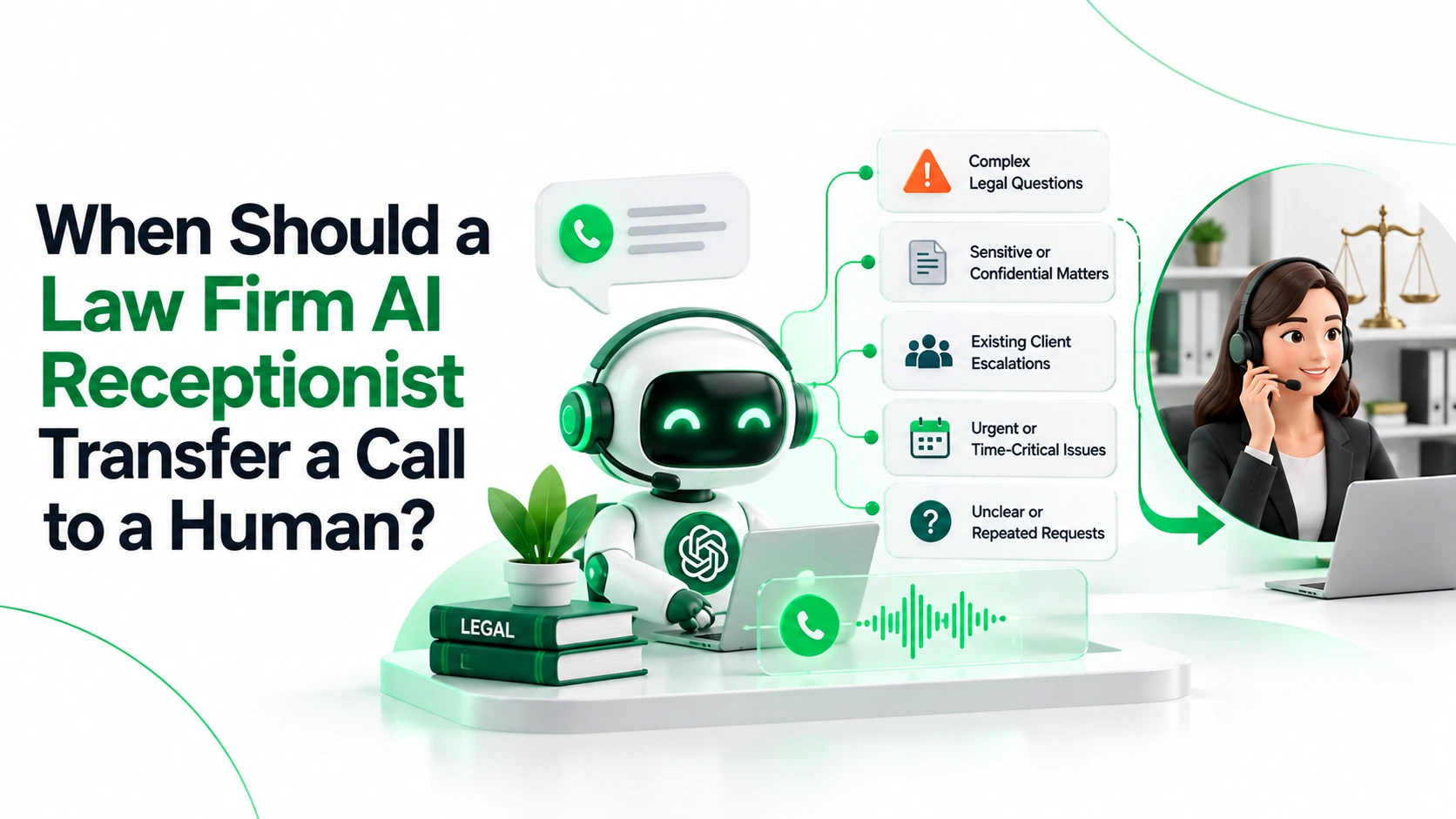
A law firm AI receptionist should transfer a call when the caller asks for a person, needs legal judgment or urgent help, raises a confidentiality or identity concern, or when the system cannot safely complete the request.
Key takeaways
- Transfer on request. Never make a caller finish intake before reaching a person.
- Urgency overrides eligibility. Detention, safety concerns, and court events are escalated whether or not the case fits the firm.
- Escalate uncertainty. Pause for possible conflicts, identity problems, or repeated misunderstandings.
- Count connections, not attempts. A transfer only succeeds when a person answers. Every failed handoff needs an owner and a next step.
- Put it in an attorney-approved policy. Define triggers, destinations, scripts, fallbacks, and after-hours ownership before launch.
Where AI Reception Stops and Human Judgment Begins
An AI receptionist is most useful when it removes repetitive front-desk work without making legal decisions.
Tasks AI can handle under approved rules
- Logistics: office hours, address, parking, consultation process, and approved fee information.
- Basic intake: name, callback number, broad matter type, location, and stated urgency.
- Scheduling: booking available consultations without implying the firm has taken the case.
- Routing: logging messages and passing limited context to the right staff.
- Instructions: sending approved forms or secure upload links without interpreting them.
Tasks reserved for a qualified person
- Legal advice: whether the caller has a case, what to do next, or how a matter will turn out.
- Deadlines: calculating filing periods or telling a caller that waiting is safe.
- Conflicts: deciding whether the firm can represent the caller.
- Engagement: accepting representation or promising that a conversation is privileged.
- Sensitive situations: disputed identity, distress, complaints, and requests for case information.
A request for a person is not a failed intake. Route first; staff can decide what to ask once they are on the line.
For the broader intake sequence, see LuMay's guide to how AI legal intake works.
Use Four Escalation Levels, Not One Transfer Button
Map every trigger to one of four outcomes. Supervising lawyers should tailor this model to local rules and available staff.
- Emergency guidance: Stop intake and give only pre-approved safety instructions, such as contacting emergency services. A receptionist is not an emergency service.
- Immediate human transfer: Connect the caller to approved staff or an on-call contact when delay could cause harm, a missed court event, or a serious service failure.
- Priority callback: When no one is available, create a time-stamped callback task with a named owner and an attorney-approved response target.
- Routine follow-up: Book an appointment or take an administrative message, and tell the caller when to expect contact.
Emergency guidance and a transfer attempt can happen together, but a pending transfer must never delay emergency instructions.
Law Firm AI Receptionist Escalation Matrix
Use this as a starting template. It is operational guidance, not legal advice.
| Trigger | Level | Destination | AI may do | If no one is available |
|---|---|---|---|---|
| Caller asks for a person | Immediate transfer | Reception or requested team | Ask only whom to reach | Offer a callback; skip the rest of intake |
| Immediate danger, injury, or threat | Emergency guidance | Emergency services; on-call team if appropriate | Give approved safety script; stop routine questions | Repeat emergency direction; never imply help was dispatched |
| Arrest, detention, court date, or stated deadline | Immediate transfer | On-call attorney or urgent intake lead | Record the stated event and contact details; never calculate deadlines | Alert named backup; explain coverage honestly |
| Legal advice or case merits | Immediate transfer | Attorney or authorized intake professional | Acknowledge the question without answering it | Book attorney review or priority callback |
| Possible conflict or opposing party | Priority review | Conflicts team or supervising attorney | Collect minimum names; pause the narrative | Secure review task; never clear conflicts automatically |
| Identity, privacy, or third-party concern | Immediate transfer | Client services or privacy lead | Stop disclosing; offer a safe contact method | Restricted task; share no case details |
| Distress, anger, or complaint | Immediate transfer | Trained intake lead or supervisor | Acknowledge feelings; make no promises | Priority callback; flag welfare concerns |
| Language or accessibility need | Immediate transfer | Interpreter, bilingual staff, or accessible channel | Offer available options; do not guess meaning | Callback with interpreter or alternate channel |
| Repeated misunderstanding | Immediate transfer | Human intake staff | Clarify once, then hand off | Record the uncertainty, never invented facts |
| Phone, calendar, or CRM failure | Immediate transfer if possible | Backup reception line | Say the task was not completed | Log incident; assign a callback |
| Hours, location, or appointment question | Routine follow-up | Reception or scheduling | Give approved facts; book a real slot | Take a short message with a response time |
Routing rule: The highest-risk trigger wins. A parking question that mentions tomorrow's hearing becomes urgent.
A date the caller mentions is a statement, not a calculated legal deadline. Record the caller's words, mark any uncertainty, and let the responsible attorney decide what it means.
The Six-Step Handoff Workflow
- Disclose automation and handle recording. Identify the AI at the start and give any required recording or transcription notice before collecting sensitive information. If the caller declines recording, use a legally reviewed route that honors that choice, or offer human contact without collecting more.
- Collect less, earlier. Ask about purpose, safe contact details, and urgency. Hold detailed stories until conflict safeguards apply. For an attorney-approved question sequence, see seven legal intake questions an AI receptionist should ask.
- Verify the destination. Confirm the recipient's role, availability, and authority; an extension can reach voicemail or the wrong team. Verify existing clients independently before sharing anything. Caller ID is not proof of identity.
- Pass only authorized context. Share the caller's stated name, safe contact, issue, urgency, and any uncertainty. Never leave sensitive details in voicemail or shared inboxes.
- Confirm a real connection. Only a human answer and a connected call count as success; voicemail does not. Say a transfer is being attempted, not that it succeeded, and recover if it fails.
- Log the outcome and owner. Record the trigger, destination, attempts, result, owner, and timestamps. Keep the caller's statements separate from AI summaries.
Four Scripts Your Firm Can Adapt
Caller asks for a person:
"Of course. I'll try our reception team now. You don't need to finish intake first. If no one answers, would you like a callback?"
Possible immediate danger:
"I'm an automated receptionist, not an emergency service. If you are in immediate danger, please contact emergency services now. I can also try our on-call team."
Court date or possible deadline:
"You mentioned a court date. I can't assess deadlines or give legal advice, but I'll try our urgent intake contact now and flag the date you gave me."
Failed transfer after hours:
"I wasn't able to reach a team member, so the transfer didn't go through. May I take a safe callback number and a good time for our team to call you?"
These scripts are illustrations. Counsel must approve local notices, emergency wording, and any availability promises.
What Happens When No One Answers?
Ringing unavailable attorneys again and again is not escalation. Set coverage and stop rules first.
- Limit attempts: Cap hold time and retries, then offer a callback instead of silence. For example, a firm might cap a live attempt at 45 seconds; this is an example, not a legal standard.
- Test backups: Verify on-call rosters and any outside answering service.
- Assign owners: Name one primary and one backup person, not a shared inbox.
- Be honest about coverage: Disclose staffing gaps, and never imply that waiting protects a deadline or legal right.
- Close the loop: Record what staff did and any unanswered callback attempts.
Example of a failed urgent handoff: A caller mentions a hearing the next morning. The agent records that statement, tries the on-call line, and gets no answer. It alerts the named backup, takes a safe callback number, and tells the caller no attorney has been reached yet. It does not calculate a deadline or treat the alert as legal help.
Ethics, Recording, and Confidentiality
- ABA Formal Opinion 512. Formal Opinion 512 (July 2024) covers lawyers' use of generative AI, including competence, confidentiality, communication, supervision, and fees. It says informed client consent is required before entering information about a representation into a self-learning AI tool. It sets no transfer timetable.
- Prospective clients. ABA Model Rule 1.18 protects information from prospective clients, even if the firm never takes the matter. Collecting too much too early can create confidentiality and conflict problems.
- Confidentiality. Model Rule 1.6 requires reasonable efforts to prevent unauthorized access or disclosure, which shapes vendor access and call-recording handling.
- Supervision. Opinion 512 applies supervision duties (Model Rules 5.1 and 5.3) to AI tools. The firm stays responsible for the workflow.
- State guidance. Florida Bar Ethics Opinion 24-1 says AI chatbots must identify themselves as AI, warns they can unintentionally create prospective-client relationships, and says legal questions should be referred to a lawyer. It is a Florida opinion, not a national rule.
- Recording laws vary. The Reporters Committee's recording guide explains that some states require every party's consent; for calls across states, assume the stricter rule applies.
Practical safeguards
- Separate consents: Disclosing AI does not authorize recording, transcription, or sharing.
- Limit retention: Define deletion, vendor access, training use, and breach response.
- Restrict access: Limit transcripts to roles that need them, with audit logs.
- No privilege promises: A disclaimer does not decide whether a legal relationship or privilege exists.
Local and state rules may add requirements, so have ethics counsel review the final workflow.
Build an Attorney-Approved Escalation Policy
Version the policy. Attorneys approve the boundaries; intake leaders own staffing.
- Define triggers: urgency, human requests, and unclear cases.
- Name owners: primary, backup, hours, fallback, and access rights.
- Approve scripts: AI disclosure, emergencies, legal-advice refusals, recording consent, and non-engagement.
- Set thresholds: attempt limits, queue limits, callback targets, and overdue alerts.
- List prohibited actions: legal advice, deadline calculation, accepting representation, clearing conflicts, and privilege promises.
- Review changes: re-approve updated routes, models, integrations, and retention rules.
Scenario-test before going live
Simulate real calls and review audio, logs, and what staff see. Transcripts alone cannot prove a handoff worked.
- A caller asks for a person before the first intake question.
- A caller mentions danger, an arrest, or a hearing while asking about something unrelated.
- Speech recognition mishears a company name or a court date.
- The conflict search is unavailable or returns a possible match.
- A caller says they are a current client and asks for case information.
- A caller declines recording or asks who can see their information.
- A caller needs an interpreter, accessibility support, or emotional support.
- The recipient rejects the call, it goes to voicemail, or it drops mid-transfer.
- The on-call roster is empty or the callback queue overflows.
Measure Handoffs, Not Just Answered Calls
| Metric | How to calculate it | Why it matters |
|---|---|---|
| Successful human handoffs | Confirmed human connections / live-transfer attempts | Exposes false "transferred" statuses |
| Missed urgent calls | Urgent calls without timely human action / all urgent calls | Finds the highest-risk coverage gap |
| Callback completion | Callbacks done within target / callbacks due | Shows whether promised follow-up happened |
| Abandonment | Callers who hang up before a next step / inbound calls | Reveals friction and overloaded queues |
| False escalations | Routine calls sent to attorneys / all escalations | Protects attorney time |
Include after-hours calls and system failures. Review calls later judged urgent that were routed as routine; a strong connection rate does not make up for a missed emergency, conflict, or court event.
How LuMay Supports Safe Handoffs
LuMay's Legal AI Receptionist template includes a non-attorney disclaimer, 24/7 intake and case screening, an existing-attorney conflict check, human attorney escalation, and a medical emergency 911 redirect. It books consultations, sends secure document upload links by text, and names Clio, PracticePanther, and Filevine as legal systems.
- Handoffs and guardrails: LuMay Voice Agents states, "When a call needs a person, LuMay hands it off," with custom guardrails, controlled PII handling, and full call playback.
- Integrations: The integrations page lists Twilio telephony, calendars, CRM and support tools, plus any REST API or webhook for routing, callback tasks, and post-call logging.
- Governance: LuMay's security and governance page lists role-based access, audit trails, and configurable approval gates and escalation queues.
The public pages do not detail transfer mechanics, queue limits, or failed-transfer behavior, so test those with your own roster. Book a LuMay voice-agent demo and bring a difficult call, your real on-call list, and a failed-transfer scenario.