October 14, 2026 · LuMay AI
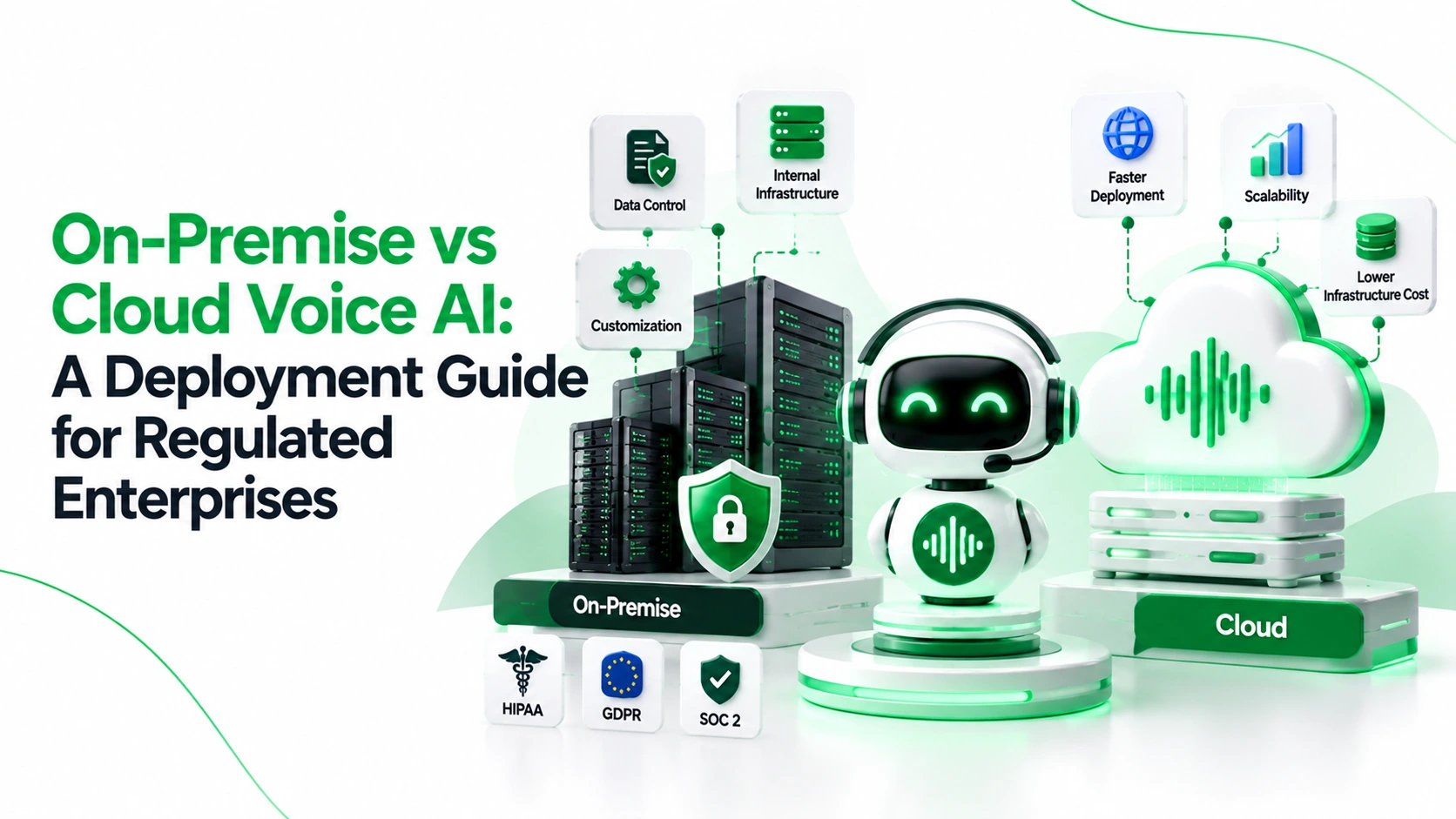
Choose on-premises voice AI when enforceable isolation or connectivity rules demand it. Choose managed cloud when approved controls and speed matter more. Choose hybrid when some data must stay local while other services run in the cloud.
The label is not the answer. On-premises is not automatically safer, and cloud is not automatically noncompliant. What matters is where every piece of call data goes, who can access it, and whether you can prove it.
Key takeaways
- Start with non-negotiable constraints. Rule out any design that cannot meet your laws, contracts, data boundaries, or availability needs.
- Map every processor. A locally hosted agent may still send audio, transcripts, prompts, or support logs to outside services.
- Hosting location is not operating responsibility. A system can run in your cloud account while a vendor still operates key parts of it.
- Test whole calls. Measure interruptions, slow-call latency, concurrent calls, transfers, and completed outcomes, not just model speed.
- Price three years. Include people, resilience, telephony, storage, upgrades, and exit costs, not just licenses and usage.
- Pilot with acceptance gates. Legal sign-off, data-flow evidence, failure tests, human handoff, and rollback matter as much as conversation quality.
What the Deployment Models Actually Mean
| Model | Where it runs | Who typically operates it | Best fit |
|---|---|---|---|
| On-premises | Your data center or controlled facility | You run hardware, security, patching, and recovery; a vendor may support the software | Strict locality, isolated networks, legacy systems |
| Managed cloud | Vendor-operated cloud | Vendor runs the platform; you own use cases, permissions, data, and integrations | Fastest launch and elastic call demand |
| Customer-managed private cloud | Your own cloud account or dedicated environment | You control the account and network; other duties follow the contract | Cloud elasticity with stronger account-level control |
| Hybrid | Split across your environment and a managed service | Shared; must be documented component by component | Sensitive systems stay internal while selected services are managed |
| Disconnected (air-gapped) | No routine external network path | You run nearly everything, including offline updates and local models | Defense, critical infrastructure, or exceptional sovereignty needs |
A private cloud is not automatically private in practice. Confirm who has administrator access, who manages encryption keys, which services are shared with other customers, and whether vendor support can see logs or metadata.
Before you debate architecture, agree on the business purpose: answering calls, assisting human agents, routing, scheduling, or retrieving information. The purpose decides the minimum data the system needs.
Follow the Voice Data, Not the Server Label
A voice AI deployment is a chain, not a single application. A typical live path is: caller, carrier or SIP trunk, telephony gateway, speech recognition, language model, retrieval and tools, speech synthesis, and back to the caller. Recordings, logs, backups, and support sessions create further paths.
| Component | Data and dependency to verify |
|---|---|
| Carrier and telephony | Call audio, phone numbers, routing data; carrier regions, trunks, and transfer providers |
| Speech recognition | Raw or streamed audio; where it is processed, temporary files, and subprocessors |
| Language model | Transcripts, prompts, summaries; model host, retention, and training restrictions |
| Speech synthesis | Generated text and voice settings; external APIs and cached audio |
| Retrieval | Document snippets, embeddings, indexes; source permissions and index location |
| Business integrations | CRM, scheduling, payment, and case data; APIs and downstream processors |
| Recordings and transcripts | Audio and searchable text; consent, storage location, retention, and deletion |
| Logs and analytics | Identifiers, error payloads, traces; monitoring vendors and access rights |
| Backups and recovery | Replicas, snapshots, archives; secondary regions and legal holds |
| Support access | Diagnostics and remote sessions; staff location and approval records |
For each row, record the processing region, subprocessor, data category, retention period, encryption state, transfer route, and owner. Then test that blocked routes really are blocked, using network monitoring rather than diagrams alone.
Every integration you switch on is a separate data recipient. Approve each one on its own, rather than treating it as part of the voice platform.
On-Premises vs Managed Cloud vs Hybrid
| Factor | On-premises | Managed cloud | Private cloud | Hybrid |
|---|---|---|---|---|
| Control | Highest physical and network control | Lower infrastructure control | Strong account and network control | Varies by component |
| Data residency | Local, but only for hosted components | Depends on regions and subprocessors | Set by your region choices | Sensitive flows can stay local |
| Isolation | You design and run it | Requires vendor evidence | Dedicated account or segmented network | Must be verified across boundaries |
| Latency | Local stages can cut network hops | Regional endpoints can perform well | Depends on region and connectivity | Cross-boundary calls add hops |
| Scaling | Planned hardware capacity | Elastic, within quotas | Elastic within account limits | Cloud elasticity plus local ceilings |
| Staffing | Highest internal burden | Lowest infrastructure burden | Moderate to high | Moderate, with coordination work |
| Recovery | You fund and test it | Contracted service levels plus your design | You design multi-region recovery | Several failure domains to test |
| Portability | Limited by hardware, models, licenses | Proprietary APIs can lock you in | Better account portability, not automatic | Needs documented interfaces |
| Shared duties | You carry most operational risk | Vendor and you hold separate duties | You carry cloud-account controls | A responsibility matrix is essential |
None is automatically compliant or faster. The right model depends on your highest-risk data path, not your least sensitive workflow. A cloud-hosted conversation layer may be fine, while an integration that writes transcripts into an uncontrolled workspace may not be.
Compliance Checklist: Law, Standard, and Practice
Compliance is not a product feature. It is your ongoing ability to meet legal, contractual, and security obligations and prove it.
Identify which rules apply
- US healthcare (law): The HIPAA Security Rule protects electronic health information held or sent by covered entities and their business associates. HHS cloud guidance allows cloud providers to handle this data with a business associate agreement (BAA), states that HHS does not certify cloud products, and permits storage outside the US if risks are covered in your risk analysis.
- EU personal data (law): The GDPR requires data to be limited to what is necessary for a stated purpose (Article 5) and sets conditions for transfers outside the EU (Article 44). The European Commission's GDPR overview explains controller and processor roles.
- International transfers (legal mechanism): Cross-border processing may need a transfer tool such as standard contractual clauses, plus an assessment of the destination.
- Payment cards (industry standard): PCI DSS applies within its scope; v4.0.1 is the version in the PCI document library. A PCI FAQ says card verification codes must not be stored in call recordings after authorization. Prevent recording or redact the audio where possible.
- AI risk (voluntary framework): The NIST AI Risk Management Framework is intended for voluntary use. Adopting it is not a regulatory certification.
Recording-consent laws, professional confidentiality rules, banking obligations, and employment rules vary by jurisdiction. Legal and compliance teams must confirm which apply to your calls.
Require evidence for each control
- Notice and consent: Approved AI disclosure, recording prompts, and an unrecorded alternative where required.
- Minimization: Keep unneeded health details, authentication secrets, and full card data out of prompts, summaries, and monitoring tools.
- Retention and deletion: Separate schedules for audio, transcripts, embeddings, logs, backups, and legal holds; test that deletion reaches every copy.
- Encryption and keys: Encryption in transit and at rest, key ownership, rotation, and privileged access.
- Identity and isolation: Least privilege, multi-factor authentication, tenant separation, and time-limited vendor access.
- Training-data use: A written answer on whether audio, transcripts, prompts, or metadata are used to train any model.
- Contracts: BAAs where required, data processing agreements, subprocessor notices, audit rights, breach notification, and exit assistance.
- Audit evidence: Configuration history, access events, agent actions, handoff outcomes, and incident records.
- Cross-border paths: Remote support, model inference, replicas, and backup regions, not just the primary database.
Reliability Means a Completed Conversation
A fast model does not make up for slow carrier routing, speech recognition, database lookups, or speech synthesis. Measure the whole call.
- End-to-end latency: Time from the caller finishing speaking to the agent's first audible reply. Report median, p95, and p99 (the slowest 5% and 1% of calls) under realistic traffic.
- Concurrency: Load-test simultaneous calls, including carrier channels, model quotas, GPU memory, and integration limits.
- Interruptions (barge-in): Callers should be able to speak over the agent, correct details, and continue without lost context or repeated actions.
- Network failures: Simulate dropped speech services, carrier outages, regional failures, and unavailable internal systems.
- Recovery objectives: Agree a recovery time objective (how fast service returns) and recovery point objective (how much data loss is acceptable), and prove them.
- Human handoff: Test real agent acceptance, context transfer, unavailable staff, after-hours routing, and failed-transfer callbacks.
- Quality: Track recognition errors, unresolved requests, abandonment, escalation accuracy, and unsafe actions by language and call type.
Do not adopt generic latency claims as targets. Set thresholds from your own recordings, networks, accessibility needs, and peak traffic.
Three-Year Total Cost: Compare Completed Calls
Do not compare a cloud per-minute price with only the purchase price of on-premises hardware. Model 36 months for each feasible option.
| Cost category | Include in the 36-month model |
|---|---|
| Infrastructure | Servers, GPUs, networking, racks, power, cooling, hardware replacement |
| People and support | Security, platform engineering, model operations, call quality review, 24/7 coverage, vendor support |
| Software and usage | Licenses, per-minute or token charges, speech services, orchestration, monitoring |
| Telephony and storage | Carrier charges, SIP trunks, numbers, transfers, recordings, archives, backups |
| Continuity and change | Redundancy, disaster recovery, patching, upgrades, testing, compliance reviews |
| Transition and exit | Integration, migration, parallel running, deletion, data export, termination fees |
Formula: Cost per completed call = three-year total cost / calls successfully completed over 36 months. Count a call as completed only when it was resolved or correctly handed to a person, not just answered.
Illustrative example (hypothetical cost units, not prices): 12,000 calls a month for 36 months is 432,000 calls. At 75% completion, 324,000 calls complete. A three-year cost of 810,000 units gives 2.50 units per completed call. If completion drops to 60%, the same spend gives 3.13 units per completed call.
The lesson: a cheap abandoned call is not a low-cost outcome. Also track cost per resolved call and cost per safe handoff, and model demand spikes, staffing changes, and renewal terms separately.
Choose Through Constraints First, Preferences Second
Step 1: Eliminate infeasible options. Reject designs that cannot meet:
- Required data location or sector rules.
- Contract limits on subprocessors or support access.
- Required network isolation.
- Encryption and key-management standards.
- Retention and deletion commitments.
- Recovery and availability objectives.
- Identity, audit, and evidence requirements.
- Required human escalation controls.
Step 2: Score what remains. Weight the factors that matter to you. An illustrative scorecard: 35% security and auditability, 25% resilience, 20% caller experience, 20% three-year cost. Score with documented evidence, not sales assurances.
Step 3: Re-check assumptions. Re-score when model providers, staffing, call volumes, regulations, or integrations change.
Three regulated-industry examples
- Healthcare: A clinic may use cloud voice AI when its actual health-data flows, BAAs, safeguards, and risk analysis allow it. If transcripts and recordings must stay near clinical systems, hybrid or private cloud may fit better.
- Financial services: A bank might keep account data and payment capture inside its own boundary while using approved cloud speech services. Check card-data scope, fraud controls, and regulator outsourcing rules.
- Legal services: A law firm may keep sensitive matter records on premises while routing general scheduling through approved cloud systems. It must still check telephony, remote support, and model dependencies.
When hybrid fits: When different data classes genuinely need different boundaries and the extra network, security, staffing, and failure complexity stays manageable. Document what crosses the boundary, what is redacted, and what happens when the boundary is unavailable.
Pilot, Acceptance Gates, Rollback, and Exit
A pilot should be a controlled operational test, not a demo.
Owners
- Architecture (CIO or enterprise architect): System diagram, providers, regions, subprocessors, portability.
- Security (CISO): Identity, access, network, monitoring, incident readiness.
- Privacy and compliance: Purpose, consent, retention, transfers, evidence.
- Contact-center leader: Workflows, service levels, staffing, handoff.
- Engineering: Peak load, p95 and p99 latency, failure tests, disaster recovery.
- Procurement and vendor management: Contracts, subprocessors, commercial exit.
Go-live gates
- Data-flow approval: Security, privacy, legal, and operations sign off on the inventory.
- Conversation safety: Approved intents, prohibited actions, and escalation triggers pass testing.
- Security testing: Identity, permissions, secrets, logging, and support access are verified.
- Reliability testing: Peak concurrency, p95 and p99 latency, carrier interruption, integration failure, and recovery pass.
- Compliance evidence: Consent wording, retention schedules, deletion process, and contracts are in place.
- Business validation: Completion, escalation, quality, and complaint rates meet targets.
- Rollback drill: Calls can revert to humans or the previous routing without losing essential context.
Rollback: Keep the old number routing or human queue ready. Define who triggers it, the measurable trigger, and how records are reconciled afterward.
Questions to ask vendors
- Which components process audio, transcripts, prompts, logs, and metadata, and in which regions?
- Which subprocessors receive data, and how are changes announced?
- Can we prevent our production data from being used for training?
- Who can access our data during support, and how is that approved and logged?
- Which components can run in our own environment, and what happens without internet?
- Who holds the encryption keys?
- What happens to calls during a carrier, model, integration, or region outage?
- Can we export recordings, transcripts, configurations, logs, and p99 traces?
- How is a full deletion handled, including backups and derived data?
Exit checklist
- Export recordings and transcripts where permitted, plus prompts, workflows, knowledge content, audit logs, configurations, and integration mappings.
- Revoke tokens, certificates, service accounts, webhooks, and support access.
- Confirm deletion timelines for production, backups, analytics, and vendor support systems.
- Validate replacement routing and human fallback before termination.
For integration planning, see LuMay's requirements for integrating AI with legacy enterprise systems.
Where LuMay Fits the Deployment Decision
- Deployment choice: LuMay's deployment architecture documents five models: LuMay SaaS, customer cloud, private cloud or VPC, on-premises Kubernetes with full air-gap capability, and hybrid, where the management plane runs in the cloud and the data plane stays on premises. Its pricing page lists SaaS, your own Azure, AWS, or GCP environment, on-premises, and air-gapped options with an offline update process.
- Voice agents: LuMay Voice Agents hand calls to a person when needed, with custom guardrails, controlled PII handling, and full call playback. The integrations page lists Twilio telephony, Salesforce, ServiceNow, Zendesk, calendars, SQL, and payments, plus any REST API or webhook.
- Security and governance: The security page documents SSO, role-based access, database-level tenant isolation, PII masking, human approval gates, secrets management, and audit trails with end-to-end tracing. It describes HIPAA alignment through private cloud or on-premises deployment with a BAA, and the site lists SOC 2 Type II and ISO 27001 certification.
These are documented capabilities, not proof that every voice component stays local or that a specific deployment meets a given regulation. Validate the complete architecture and contract. Book a LuMay voice-agent demo and ask for a component-level data-flow review, a reliability test plan, and a three-year cost proposal.