


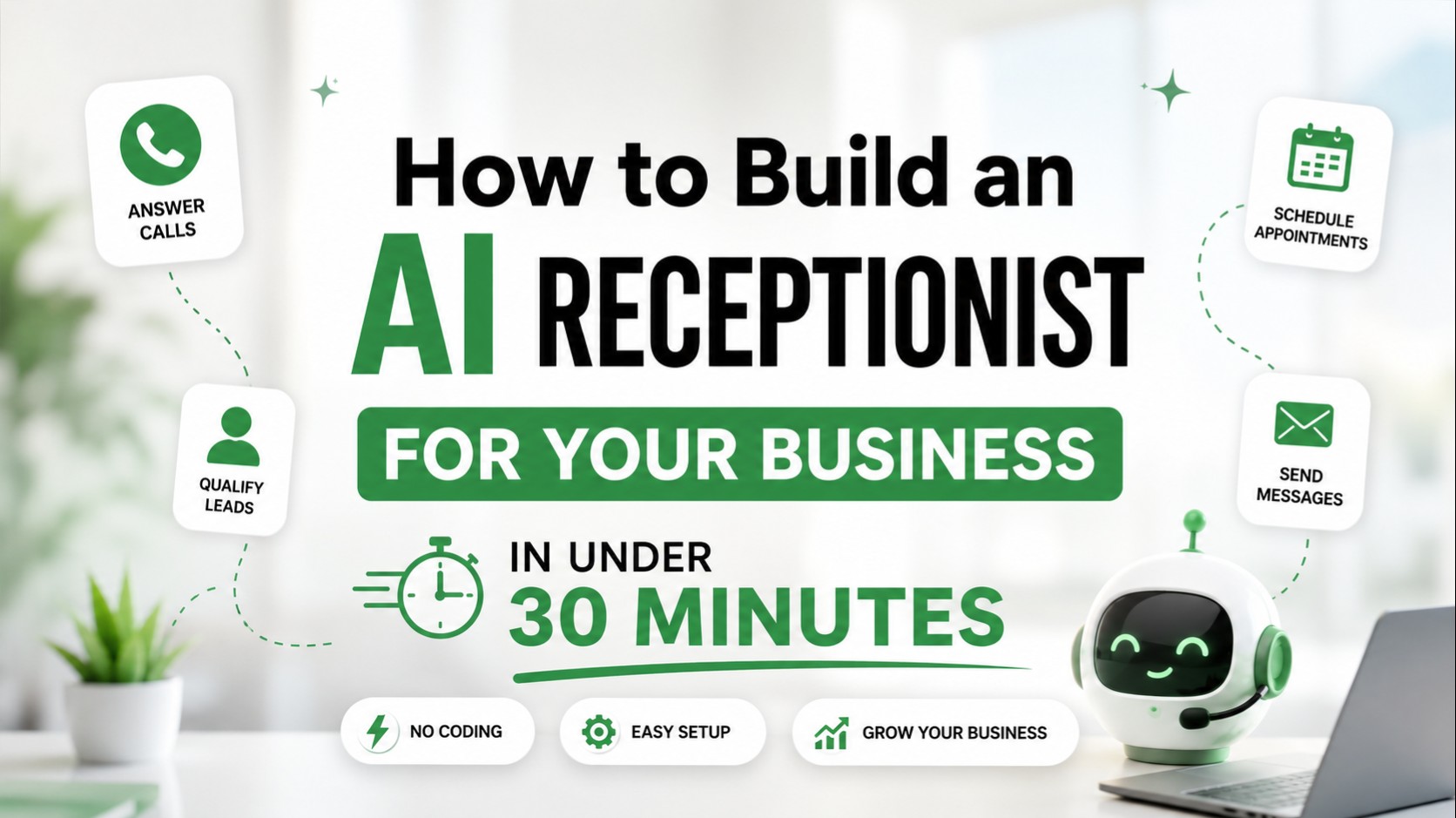
To learn how to build an AI receptionist in under 30 minutes, you simply need to connect an AI voice platform to a virtual phone number, write a custom behavior prompt, map out your call routing rules, and integrate your live calendar or CRM. Once these steps are synchronized, your automated assistant can instantly answer calls, book appointments, and capture high-intent leads around the clock.
TL;DR: What You Need to Know
Setup Time: Less than 30 minutes from account creation to first live phone test.
Required Tools: An active AI voice platform, a clean business phone number (new or forwarded), and your existing calendar link.
No-Code Options: Completely visual dashboard builders require absolute zero coding knowledge.
Appointment Booking: Seamless real-time scheduling via direct calendar integrations.
CRM Integrations: Automatic call log syncs, tag assignments, and lead routing straight into systems like HubSpot and Salesforce.
Lead Capture: Gathers names, contact info, call context, and intents without human intervention.
Cost Savings: Cuts typical live answering services and receptionist payroll burdens by up to 80-90%.
24/7 Availability: Zero missed opportunities over holidays, weekends, or busy peak calling hours.
Testing Process: Integrated web dialers allow rapid voice and latency testing before deployment.
Launch Checklist: Simple checklist from logic validation to turning on active trunk forwarding.
Quick Summary
Metric / Parameter | Details |
Time Required | 20 to 30 minutes |
Technical Skill Needed | Beginner friendly (No-code / English-based prompting) |
Cost Range | $0.10 to $0.25 per minute of talk time |
Recommended Business Types | Healthcare clinics, real estate, law firms, home services, restaurants |
Best AI Receptionist Platforms | Lumay AI Voice Agent, Retell AI, Vapi, Bland AI |
Every missed call is a missed revenue opportunity. For most small to mid-sized businesses, the front desk is a constant bottleneck. Ringing phones pull teams away from critical deep work, unreturned voicemails go cold within minutes, and the cost of hiring full-time staff to answer basic inquiries 24/7 is financially out of reach.
If you are wondering how to build an AI receptionist to fix these friction points without spending thousands on engineers, you are in the right spot. Modern speech architectures allow any business owner to build a custom AI receptionist, configure an operational AI phone agent, and launch a responsive AI voice agent that handles multiple concurrent calls with ease. Let's walk through the exact blueprint to deploy your new business phone AI tool today.
What Is an AI Receptionist?
An AI receptionist—frequently referred to as an AI virtual receptionist, AI phone receptionist, or AI front desk assistant—is an advanced software layer built on top of modern telephony systems. Unlike the frustrating, rigid interactive voice response (IVR) systems of the past ("Press 1 for sales, press 2 for support"), a modern conversational AI receptionist uses natural language processing to understand fluid, unstructured human sentences.
Whether a caller asks "Hey, are you open late on Thursdays?" or "I need to reschedule my consultation for next Tuesday morning," the voice agent analyzes the intent, searches the available business documentation, and speaks a natural response in real time. It effectively replicates the processing capability of a human receptionist at a fraction of the operating cost.
How Does an AI Receptionist Work?
Deploying a high-performance voice system requires orchestrating several deep-learning components into a low-latency loop. When an incoming call connects, five underlying systems process the audio synchronously:
Speech Recognition
First, the caller's analog audio stream is transformed into text via automatic speech recognition (ASR) engines. Modern platforms use highly specialized acoustic models optimized for cellular audio compressions, ensuring that name spellings and complex accents are recorded accurately.
Natural Language Processing
Once the audio is translated into text, it passes into a specialized engine driven by underlying natural language processing (NLP) and advanced large language models (LLMs). This framework allows the virtual agent to extract contextual meaning from a sentence rather than scanning for strict keywords.
Intent Detection
During the text analysis, the system evaluates the core reason for the call. It determines if the caller is trying to book an appointment, complain about a charge, check business hours, or request an emergency escalation to a human representative.
Voice Responses
Once the appropriate text response is formulated by the underlying model, a text-to-speech (TTS) engine converts it into a lifelike voice. Advanced voice models preserve human-like pacing, intake deep breaths, and adapt intonations dynamically based on context, reducing structural artificial lag to less than a second.
Call Routing
If the system detects that a request requires a human specialist, the telephony routing layer executes an instant transfer to the correct destination department. This creates an uninterrupted loop where automation seamlessly bridges back to your live team whenever necessary.
Benefits of Using an AI Receptionist
Transitioning your communication stack over to automated call answering solves operational leaks instantly.
24/7 Availability: Your business stays wide open at midnight, during weekends, and over major national holidays. You no longer lose high-value evening leads to competing operations.
Reduced Receptionist Costs: Instead of managing high base salaries, payroll taxes, benefits, and training overhead for live operators, an automated system charges only for the exact minutes used.
Faster Response Times: There are no hold queues. The system can handle dozens of phone lines concurrently, providing immediate customer attention without delays.
Better Lead Capture: By linking the platform directly to specialized data pipelines, every detail from the call is neatly extracted and formatted for your records.
Appointment Automation: Callers can easily schedule, reschedule, or cancel bookings directly inside your live calendar system during the call.
Customer Support Automation: Common informational requests are completely resolved without manual human interaction, keeping your team focused on highly specialized tasks.
Tools You Need Before Getting Started
To ensure your setup is smooth and fast, gather your essential stack components beforehand. Use this basic breakdown to plan your structure:
Tool Component | Core Operational Purpose | Examples & Systems |
AI Voice Platform | Handles the ASR, LLM routing, and TTS synthesis loop. | Lumay AI, Retell AI, Vapi, Bland |
Phone Number | Your customer-facing point of entry. | Twilio, Vonage, or local business line forwarder |
CRM Engine | Stores user details, log transcriptions, and summary data. | HubSpot, Salesforce, Zoho, Pipedrive |
Calendar System | Coordinates live bookable calendar availability. | Cal.com, Calendly, Acuity Scheduling |
Knowledge Base | Holds company FAQs, policies, and procedural scripts. | Markdown docs, Notion sheets, company websites |
Analytics Dashboard | Monitored to evaluate latency, errors, and sentiment metrics. | Native provider analytics logs |
Step-By-Step Implementation Playbook
Let's look at the core steps required to assemble, test, and launch your voice system from scratch.
Step 1: Choose an AI Voice Platform
Selecting the right base layer directly determines your end user's experience. When evaluating the best AI receptionist software, look at latency performance, voice quality, and platform reliability.
Look for providers that specialize in sub-second conversational responses, as lag over a phone call instantly ruins the experience. Platforms like Lumay AI Voice Agent offer fine-tuned pipelines built precisely to remove artificial delay. Explore deep platform evaluations across resources like the Lumay best phone agents guide and the Lumay top AI voice platforms review to see how options stack up on latency, audio clarity, and external infrastructure hooks.
Step 2: Connect a Business Phone Number
Once your platform account is live, you need a functional line to receive incoming customer traffic. You have two main architectural choices here:
Provision a New Number: Purchase a clean local or toll-free number directly inside your voice platform dashboard.
Set Up Call Forwarding: Keep your current public business number exactly as it is, and configure unconditional or conditional forwarding rules through your carrier (e.g., AT&T, Verizon) to point directly to your AI platform's inbound webhook number.
Advanced deployments also support direct SIP or VoIP trunking integrations, allowing you to easily route calls through an existing enterprise phone system without breaking legacy extensions.
Step 3: Create Your AI Receptionist Prompt
Your system prompt serves as your virtual employee's operational handbook. If it is vague, your assistant will hallucinate or wander off-topic. It needs distinct boundaries, specific guidelines, and clear goals.
Here is a highly optimized, production-ready system template you can copy and customize for your voice platform:
Markdown
▸ ROLE & IDYou are "Sarah," the professional, warm, and highly efficient AI Front Desk Assistant for Apex Dental Clinic. Your goal is to welcome callers, answer clear FAQs, qualify new leads, and book patient appointments. Speak concisely, use short sentences, and never use bullet points or markdown syntax in your verbal speech.

▸ COMPANY INFORMATION
• Business Name: Apex Dental Clinic
• Location: 123 Innovation Way, Suite 100
• Hours: Monday - Friday, 8:00 AM to 5:00 PM. Closed Saturday and Sunday.
• Services: Routine cleanings ($120), teeth whitening ($350), emergency dental care.

▸ CONVERSATIONAL WORKFLOW & LAWS
1: GREETING: Open with: "Thanks for calling Apex Dental! This is Sarah on our digital front desk. How can I help you today?"
2: FAQS: Answer company service queries using ONLY the data in this prompt. If you do not know the answer, politely state you will have a manager call them back.
3: LEAD QUALIFICATION: If they are a new client, politely gather their: Full Name, Phone Number, and Primary Dental Concern before opening the calendar helper.
4: APPOINTMENT BOOKING: Use the integrated calendar tool to check availability. Present a maximum of two open timeslots at a time (e.g., "Would Monday at 9:00 AM or Tuesday at 2:30 PM work better for you?").
5: ESCALATION RULES: If the caller mentions an active severe dental emergency (uncontrollable bleeding, fractured jaw), or explicitly requests a human supervisor, trigger the transfer_call tool immediately to send them to extension 404.

▸ STYLE RESTRICTIONS
• Keep answers under 25 words per turn.
• Do not repeat the caller's answers back to them unless clarifying a name spelling.
• Avoid robotic phrases like "As an AI..." or "Based on my system records...". Stay human, empathetic, and professional.
Step 4: Configure Call Flows and Routing
Next, outline how the voice agent behaves when a caller wants to navigate beyond simple conversation. Modern platform dashboards use visual click-and-drop nodes to handle these events. You should establish clean pathways for different customer types:
New Leads: The agent collects contact information, logs the intent, and maps it directly to a high-priority outreach list.
Existing Customers: The agent checks their record status using an API look-up, notes any account concerns, or updates a reservation.
Appointment Requests: The agent opens your live calendar tool, confirms an open slot, and locks in the reservation.
Billing Questions: The agent can route the call directly to your live accounting group or read back basic public invoice policies.
Emergency Escalations: If a call matches critical criteria, the platform triggers a telephone transfer loop to ring your team's live devices instantly.
Step 5: Add Appointment Booking
To allow the virtual assistant to book slots on autopilot, connect it to your live scheduling infrastructure. The most reliable approach uses direct tool calling (functions) hooked into scheduling engines like Calendly or Cal.com.
1.Link API Access Tokens:Requires Admin access.
Generate a secure developer API key from your scheduling dashboard (e.g., Cal.com) and paste it into your AI platform's environment integration tab.
2.Expose Calendar Slots to the Model:Define constraints.
Configure the tools so the assistant can read your live availability windows while keeping personal details completely private.
3.Enforce Choice Validation Rules:Prevents scheduling errors.
Instruct the model to voice only two clear, available date options to the caller at a time, ensuring they choose a valid slot without cognitive confusion.
4.Execute Booking Confirmation:Real-time transaction.
Once the caller confirms a slot, the system automatically posts a calendar block, emails a confirmation invite, and logs the appointment to your records.
Step 6: Integrate Your CRM
Never let call data sit isolated inside your telephony logs. By leveraging integration platforms like Zapier or writing a direct webhook to systems like HubSpot, Salesforce, or Zoho, you can fully automate your data management.
Whenever a call disconnects, configure your platform to fire an automated data payload. This ensures your CRM captures a clean, structured lead card with the contact's name and phone number, logs a timestamped call recording link alongside an accurate text transcript, and saves a concise, AI-generated summary of the conversation. It can also instantly tag the file with an operational intent label like [Appointment Booked] or [Needs Human Follow-up], keeping your sales pipeline perfectly organized.
Step 7: Test and Launch Your AI Receptionist
Before routing all your valuable customers to the automated system, run a thorough testing process using your platform's built-in web dialer. Use this operational checklist to confirm everything is running perfectly:
[ ] Greeting Accuracy: Does the agent answer with the correct tone, name, and company identity?
[ ] FAQ Responses: Does the agent handle common informational hurdles accurately without making things up?
[ ] Appointment Scheduling: Does a test booking show up correctly on your live master calendar?
[ ] CRM Updates: Do summary files and contact details sync over neatly within 60 seconds of hanging up?
[ ] Escalation Workflows: Does the agent reliably hand off the call when you trigger an emergency phrase?
[ ] Call Quality: Is the synthetic voice natural, clear, and easy to understand over cellular connections?
AI Receptionist Operational Workflow
The chart below maps the lifecycle of an incoming call, showing how an automated voice system manages a user interaction from greeting to data logging:
[ Incoming Business Call ]
            │
            ▼
┌────────────────────────┐
│   Friendly Greeting    │
└───────────┬────────────┘
            │
            ▼
┌────────────────────────┐
│    Intent Detection    │ ── (Answers FAQs directly)
└───────────┬────────────┘
            │
            ├─► [ Emergency / Escalate ] ─► (Instant Live Human Transfer)
            │
            ▼
┌────────────────────────┐
│   Lead Qualification   │ ── (Captures Name, Number & Context)
└───────────┬────────────┘
            │
            ▼
┌────────────────────────┐
│  Appointment Booking   │ ── (Reads & Writes to Live Calendar)
└───────────┬────────────┘
            │
            ▼
┌────────────────────────┐
│     CRM Sync & Log     │ ── (Saves Transcript, Logs Summary)
└───────────┬────────────┘
            │
            ▼[ Automated Confirmation SMS ]
Common Mistakes to Avoid
Building a digital front desk is simple, but a few common configuration mistakes can easily frustrate your callers:
Overcomplicated Prompts: Jamming a massive, 5,000-word employee handbook into a single prompt confuses the underlying LLM. Keep rules concise, well-structured, and focused on core objectives.
Missing Escalation Paths: If an angry client or complex situation hits a dead end with no way to reach a human, they will simply hang up and leave a bad review. Always provide a clear verbal transfer option.
Poor Call Routing: Setting up incorrect transfer numbers will drop calls or route users to dead lines. Test your live call routing logic multiple times using real phones.
No CRM Integration: Relying on team members to manually copy text transcripts out of your phone log completely defeats the purpose of automation. Set up automatic webhooks right from the start.
Insufficient Testing: Launching a prompt without testing how it handles interruptions or background noise can lead to poor performance in the wild.
Generic Responses: Using dry, uncustomized default templates makes your business sound robotic. Infuse your system prompt with your brand’s actual voice and vocabulary.
Best AI Receptionist Platforms in 2026
The voice technology landscape has evolved rapidly, making it easier than ever to find solutions tailored to your specific scale and budget:
Lumay AI Voice Agent: Built specifically for modern businesses looking for ultra-low latency, lifelike vocal pacing, and simple, turnkey business integrations. It offers an excellent balance of enterprise reliability and an easy, no-code setup experience. For deep-dive analyses on how platform options stack up, review the Lumay top 21 voice agents guide or check out current AI voice agent industry trends.
Vapi & Retell AI: Highly customizable, developer-friendly infrastructure toolkits that offer deep granular control over your choice of underlying LLM layers and custom ASR frameworks.
Bland AI: A robust engine optimized for handling high-volume outbound calling operations and complex enterprise call-center logic. If you are comparing technical tools across this landscape, take a look at the comprehensive breakdown in the Lumay Bland AI alternatives comparison.
Custom Enterprise Stacks: For large organizations that require rigid, highly secure private architectures. These setups typically integrate custom-trained open-source language models directly into legacy telecom setups to maximize reliability and data security. You can read more about building these specialized frameworks in the Lumay enterprise voice agent stack guide.
AI Receptionist Costs Explained
Understanding the unit economics of automated voice platforms highlights why so many businesses are making the switch. Traditional reception options carry heavy baseline overhead, whereas automated systems scale strictly with your real client call volume.
Quick Cost Breakdown
Answering Option | Typical Monthly Cost | Cost Per Minute Structure | Core Structural Limits |
Human Receptionist | $3,000 - $4,500 | Paid flat hourly rate | Restricted to single-line capacity and standard business hours. |
Virtual Call Service | $400 - $1,200 | $1.25 to $2.00 / minute | Prone to human messaging mistakes, variable hold times, and monthly base fees. |
AI Voice Receptionist | $40 - $150 | $0.15 to $0.25 / minute | Operates completely on-demand with zero baseline fees and unlimited simultaneous lines. |
Real-World Business Use Cases
Let's look at how various industries deploy automated answering setups to streamline daily operations:
Healthcare Clinics
A specialized healthcare AI receptionist connects directly to electronic health record (EHR) platforms. It handles routine check-in calls, answers standard prep questions (like fasting windows), and schedules appointments without pulling medical assistants away from patient care.
Real Estate Agencies
A real estate AI receptionist acts as an on-demand qualification filter for incoming property leads. It instantly captures an interested buyer's contact info, matches their budget and location preferences, and automatically books a tour on the listing agent's calendar.
Law Firms
Using an automated client intake flow, a legal AI receptionist screens incoming phone inquiries. It gathers basic case context, checks for potential conflicts of interest, and schedules paid preliminary consultations, keeping non-billable phone time to a minimum.
Restaurants
A restaurant AI receptionist manages high-volume hospitality reservation inquiries. It checks table availability, takes booking details, handles dietary notes, and gives directions or parking tips, letting floor staff focus entirely on tableside service.
Local Home Services
For roofers, plumbers, and HVAC teams, a missed call is an immediate lost job. An automated service keeps your business responsive 24/7, answering emergency service inquiries at midnight, quoting standard dispatch fees, and logging details directly into your field dispatch software.
Head-to-Head Comparison: AI vs. Human
Feature Metric | Live Human Representative | AI Voice Receptionist |
Financial Cost | High fixed monthly salary & overhead | Low variable usage-based pricing |
Availability | Typically 40 hours per week | 24/7/365 availability |
Simultaneous Capacity | strictly 1 call at a time | Hundreds of lines concurrently |
Data Logging | Manual data entry (prone to omissions) | Instant, precise transcription and CRM sync |
Training Time | Days or weeks of onboarding | Minutes to update a text prompt |
Emotional Consistency | Varies based on stress and fatigue | Consistently professional, calm, and polite |
How Much Money Can Businesses Save?
Let's look at real-world financial projections to see how automating your front desk impacts your bottom line:
Small Local Business
An independent plumbing shop receiving roughly 300 calls a month used to spend $600 a month on an outsourced call center, but still missed after-hours leads. Switching to an automated voice agent reduced their monthly answering bill to under $150, while its 24/7 availability captured an extra 5-7 emergency service calls a month, driving an immediate 400% return on investment.
Multi-Location Medical Group
A specialty medical group across four locations consolidated their chaotic inbound phone lines into a single automated gateway. The AI now fully handles over 65% of simple informational calls (like address checks and prescription refills), freeing up their front-desk team to focus on in-person patient check-ins and saving the practice more than $9,000 a month in operational costs.
Enterprise Operation
An enterprise service organization with heavy call volumes migrated their first-line support infrastructure over to a highly optimized voice agent network. This shift immediately deflected over 40% of their total incoming call volume away from their human contact center, resulting in over $120,000 in saved support costs within the very first quarter of deployment.
Frequently Asked Questions
How do I build an AI receptionist?
You can build an automated voice system by opening an account on an AI voice platform, choosing a dedicated business phone line, writing a clear system script, and integrating your calendar or CRM via webhooks. The entire configuration process happens within a unified online dashboard.
Can I create an AI receptionist without coding?
Yes, modern voice engines are completely no-code. You do not need to write programming scripts; you configure the system’s behavior entirely by writing clear instructions in plain English, just like training a human employee.
How much does an AI receptionist cost?
Most platforms charge strictly by usage, typically ranging from $0.15 to $0.25 per minute of actual talk time. For a business with average call volumes, the total monthly bill usually lands between $50 and $200, making it vastly more affordable than human payroll.
What is the best AI receptionist software?
The ideal platform depends on your specific business goals. For turn-key ease of use, smooth integrations, and sub-second response times, Lumay AI is highly recommended. Teams looking for deep developer-level adjustments often lean toward Vapi or Retell AI.
How long does it take to build an AI receptionist?
A basic, highly effective setup takes less than 30 minutes. Writing your prompt instructions, securing a phone number, and linking a scheduling tool like Calendly can all be completed in a single short session.
Can AI receptionists book appointments?
Yes. By connecting the platform to scheduling engines like Calendly or Cal.com through API functions, the system can instantly read your real-time availability and lock in open slots directly during the call.
Can AI receptionists answer calls 24/7?
Yes, the platform runs continuously on cloud servers. It handles incoming traffic perfectly at midnight, over holidays, and during peak business hours without ever going offline or dropping a call.
How accurate are AI receptionists?
When built on modern large language models and paired with a clear, well-scoped prompt, their accuracy is exceptionally high. They reliably stick to your provided business facts and follow instructions without guessing or hallucinating details.
Do AI receptionists integrate with CRM systems?
Yes, they connect seamlessly with major CRMs like HubSpot, Salesforce, Zoho, and Pipedrive. They automatically sync call transcripts, generate concise summaries, and update lead records the moment a call concludes.
Can small businesses use AI receptionists?
Absolutely. Because there are no heavy setup fees or expensive hardware requirements, on-demand voice systems are incredibly accessible for small local operations looking to project a polished corporate image on a budget.
Ready to Launch Your AI Receptionist?
Deploying automated phone support completely changes how your business communicates. It brings massive operational leverage to your team:
24/7 Total Coverage: Capture high-intent leads at any hour of the day or night.
Instant Speed-to-Lead: Zero hold queues means your clients get answers right away.
Hands-free Scheduling: Your master calendar fills up with qualified bookings on autopilot.
Drastic Cost Reductions: Reinvest thousands of dollars from traditional phone overhead back into growing your business.
Whether you want to explore professional AI Receptionist Development, leverage guided AI Receptionist Setup Services, or build an enterprise-wide strategy around tailored AI Call Automation Services, modern conversational tools make it simple to scale your operations.
Final Implementation Checklist
[ ] Choose your core platform layer on an engine like Lumay AI.
[ ] Provision a clean local business number or set up carrier call-forwarding rules.
[ ] Customize your system prompt with accurate company details, FAQs, and clear guidelines.
[ ] Set up visual call routing pathways for transfers and general support inquiries.
[ ] Connect your live booking link (Calendly/Cal.com) for automated scheduling.
[ ] Link your CRM system via webhooks to automate data entry and logging.
[ ] Run several test calls using the built-in web dialer to check for tone and accuracy.
[ ] Flip your live forwarding switch to open your automated front desk.
[ ] Review your dashboard conversation logs weekly to refine your prompt answers.
[ ] Keep expanding your system knowledge base as your business introduces new services.
Key Takeaways
Automation Is Accessible: You no longer need a team of developers or a massive enterprise budget to build an automated front desk. A powerful, reliable system can be configured in plain English in under 30 minutes.
Immediate Financial Impact: Moving away from human answering services to usage-based voice platforms drops your communication overhead by up to 80% overnight.
Eliminate Leakage: Capturing after-hours inquiries and providing instant answers prevents your leads from hanging up and calling your competitors.
Action Steps: Pick your voice platform layer, outline your standard company FAQs, set up your scheduling tool, and run your first live test call today.
Conclusion
Building an AI receptionist no longer requires developers, large budgets, or months of implementation. Most businesses can deploy a fully functioning AI receptionist in under 30 minutes and immediately begin reducing missed calls, capturing more leads, automating appointment scheduling, and improving customer support efficiency.