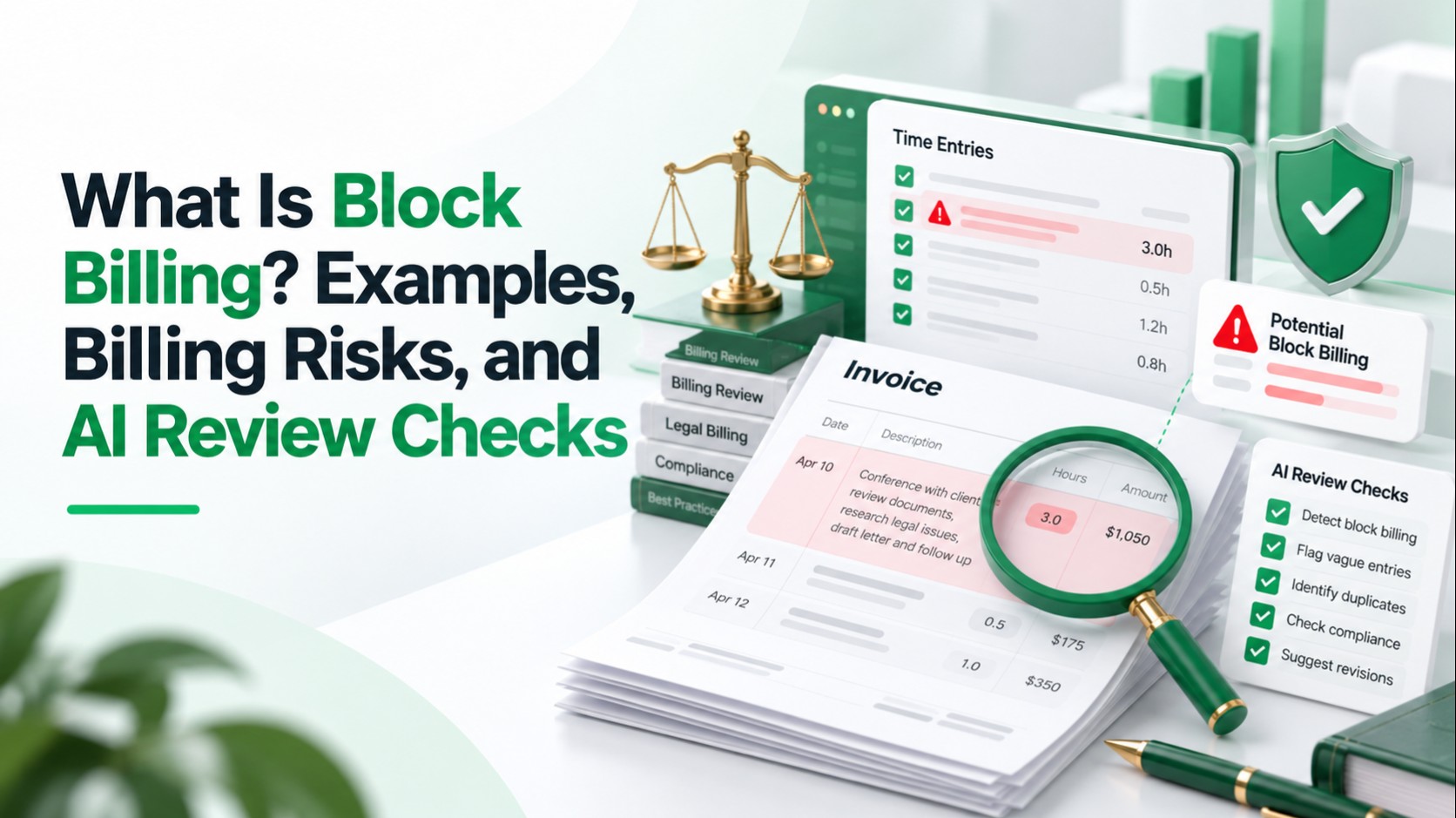
Block billing is the practice of putting several tasks into one time entry with a single total, so no one
can see how long each task took. It makes legal billing review harder because a reviewer cannot judge
whether the time spent on any one task was reasonable. AI can flag entries that look block billed, but a person
still has to decide whether an entry is actually a problem.
What Is Block Billing?
Block billing groups multiple activities under one block of time. For example, an entry may list a settlement-call
prep, research and a draft response with only a total such as 3.4 hours. Brightflag defines it in similar terms:
one invoice line, a list of tasks, and no time shown for each. The FDIC's outside counsel guidance describes it
the same way, as an entry that includes more than one task so that the time for each task is not recorded
separately (FDIC OIG report).
It is not always dishonest. A busy timekeeper may simply record a day's work in one line. The problem is what
the line hides from the person paying for it.
Related LuMay legal billing guides: Compare the best tools for detecting block billing and duplicate time entries, review how to automate legal billing, and see how firms move from billing violations to automated compliance.
Simple Block Billing Examples
| Block-billed entry | Hours | Why it is flagged |
|---|---|---|
| Prepare for settlement call; research issue on second claim; draft response to opposing counsel | 3.4 | Three distinct tasks, no time for each |
| Review documents, confer with client, update case chronology | 4.0 | Three activities, one total |
| Attend hearing; follow-up email to client; revise brief | 6.5 | Different activities, likely different task codes |
The first row follows the pattern in Brightflag's own example, which bundles three tasks into a single 3.42-hour
entry. The other rows are illustrative and not drawn from any real invoice.
Acceptable vs. Problematic Time Entries
A clearer entry usually has one task, one outcome and one time value. Related steps of a single task can still sit together.
| Problematic entry | Clearer entries |
|---|---|
| "Research, draft motion, call with client re: strategy" (4.5 hrs) | "Research venue case law for motion to dismiss" (1.8 hrs); "Draft motion to dismiss, sections I and II" (2.0 hrs); "Call with client re: motion strategy" (0.7 hrs) |
| "Prepare for and attend mediation, follow up with team" (7.0 hrs) | "Prepare mediation statement" (2.5 hrs); "Attend mediation" (4.0 hrs); "Debrief with team on mediation outcome" (0.5 hrs) |
| "Review correspondence, analyze discovery, prepare deposition questions, confer with associate, email client" (4.1 hrs) | "Analyze opposing party's discovery responses" (1.4 hrs); "Prepare deposition questions" (1.7 hrs); "Confer with associate on deposition strategy" (0.6 hrs); "Update client on deposition preparation" (0.4 hrs) |
| "Case work" (3.0 hrs) | "Review and annotate deposition transcript of J. Smith" (3.0 hrs) |
The last row is a related but separate problem. "Case work" is not block billing, but it fails review for a similar
reason: it does not say what was done.
Is Block Billing Always a Problem?
Not always. Whether an entry is a problem depends on the client's rules, the level of detail and the context.
- Many clients allow small exceptions. The FDIC's outside counsel deskbook, quoted in its Inspector
General's report, does not accept block billing except for multiple related activities that take no more than
30 minutes in total (FDIC OIG report).
- Some clients allow none. The State of New Jersey's outside counsel guidelines say block billing will not
be accepted, that invoices containing it will be returned, and that only a designated state official can waive
the requirement (NJ Attorney General guidelines).
- Courts apply their own standards. In Welch v. Metropolitan Life Insurance Co. (9th Cir. 2007), the court
noted that a state bar report found block billing "may increase time by 10% to 30%." It still held that a 20%
cut to all hours was error, because only slightly more than half the hours were block billed. This is a
fee-award case, so it does not set rules for ordinary client invoices.
The practical question is not "does this entry contain more than one task?" It is "does this entry give enough
information to judge the work and the time?"
Why Block Billing Creates Review Difficulties
Reviewers need to compare time against task, staffing and the guidelines. Block billing removes the detail that
comparison needs.
- No per-task time. A long entry can hide an unreasonable amount of time on one task. Rees Morrison's
example, as quoted by Brightflag, is a 3.4-hour email on a discrete issue that was impossible to detect
inside a larger 8.7-hour block.
- Mixed task codes. One entry may cover work that belongs under several UTBMS codes, which distorts
spend reports.
- Slower approvals. Reviewers must query the firm, and rejected invoices must be corrected and
resubmitted.
- Weaker budget tracking. Phase and task totals become less reliable.
- Inconsistent decisions. Different reviewers may treat the same entry differently when the guideline is
silent or unclear.
Common Billing Risks
The risks fall on both sides of the relationship.
- For clients: Harder cost control and less confidence that the time billed was reasonable.
- For firms: Invoice rejections, payment delays, write-downs and strained client relationships.
- For ethics: ABA Model Rule 1.5(a) says a lawyer shall not charge or collect an unreasonable fee. Block
billing does not violate that rule by itself, but it makes reasonableness harder to show.
- In fee-shifting disputes: Courts may reduce hours when entries are block billed, as the Welch case
shows.
Rules and court practice vary by jurisdiction and by court. Confirm what applies to your matters.
Outside Counsel Guideline Concerns
Outside counsel guidelines (OCGs) are the client's billing rules for its law firms. Many prohibit block billing,
and some also set rules on time increments, vague narratives or task coding. The New Jersey guidelines, for
example, require time in tenths of an hour and separate entries for each distinct task. Requirements differ by
client, so each OCG must be read on its own terms.
UTBMS provides the task, activity and expense code sets used to classify legal work. LEDES defines the
electronic billing formats that carry those codes. Brightflag notes that traditional LEDES invoices call for one
activity code and one task code per line, so a block-billed line cannot be coded cleanly and may be rejected.
Task codes alone do not prevent block billing, because a narrative can still combine several activities under
one code.
How Reviewers Traditionally Identify Block Billing
Manual legal invoice auditing relies on pattern recognition and a close reading of narratives.
- Get the client's OCG and find its block billing rule and any exceptions.
- Scan for long entries, especially those over several hours.
- Look for lists of tasks separated by commas, semicolons or "and."
- Check whether the narrative matches the single task code on the line.
- Compare the entry against the OCG and any matter budget.
- Query the firm for a corrected or split entry when needed, and record the reason for the decision.
This works, but it is slow and varies from reviewer to reviewer. Volume is the main constraint.
How AI Can Detect Potential Block Billing
AI legal bill review can score entries for the signs above and put the likeliest ones in front of a reviewer. It flags
entries for review. It does not decide that an entry is improper. Some e-billing vendors do this already:
Brightflag says its software flags lines with multiple activities and can split time across UTBMS codes, a
vendor claim worth testing on your own invoices.
NLP Analysis of Time-Entry Narratives
Natural language processing reads the text of each narrative. It can pick up list structures, semicolons,
conjunctions and verbs that suggest separate activities, such as "review," "draft" and "call."
Detection of Multiple Tasks in One Entry
A model can estimate how many distinct tasks an entry describes and compare that count with the hours
billed. This works best when the client's guideline defines block billing precisely.
Duration and Narrative-Pattern Analysis
Long durations paired with long, list-like narratives are a stronger signal than either alone. Round numbers
across many entries from one timekeeper can also be a pattern worth a look.
Billing-Rule Engines
Rules encode checks that are clear-cut, such as a maximum hours threshold, a banned phrase or a 30-minute
exception. They are transparent but rigid, and they miss entries that avoid the keywords.
Anomaly Detection
Statistical methods compare an entry against peers, such as similar tasks on similar matters. This supports
invoice anomaly detection, but "unusual" does not mean "wrong."
Outside Counsel Guideline Checks
OCG checks apply a client's specific rules to each line. The rules must be configured and kept current, since
they differ from client to client.
Human-in-the-Loop Validation
The reviewer sees the flag, the entry and the reason, then approves, queries, adjusts or rejects. Their
decision, not the flag, is the outcome of record, and it should be logged.
| Approach | What it surfaces | Main limitation |
|---|---|---|
| NLP on narratives | Task lists, multi-verb text | Cannot see actual time per task |
| Multi-task detection | Entries with 2+ activities | Related steps may be one task |
| Duration patterns | Long, list-like entries | Legitimate long tasks exist |
| Rule engines | Clear OCG violations | Rigid, keyword-dependent |
| Anomaly detection | Outliers versus peers | Outliers are not always errors |
| Human review | Judgment and context | Needs time and consistency |
False Positives and Limitations
Automated flagging will be wrong sometimes. Treat the output as a prioritized queue, not a verdict.
- Related steps in one task. "Drafted and finalized motion" or "Prepare for and attend mediation" may be a
single task, not two.
- Missing context. The system may not know the matter's scope or a client's exceptions.
- Short entries missed. A 0.5-hour block can slip through length-based checks.
- Unknown true time. No tool can tell how long each task took unless the timekeeper recorded it.
- Changing rules. Guideline updates can make configured checks stale.
A good tool shows why it flagged an entry, so the reviewer can disagree.
Why Human Review Is Still Necessary
Whether an entry is reasonable depends on the matter, the client's guidelines and the lawyer's work. That is
billing and legal judgment, which software supports but does not replace. Reviewers should also keep an
audit trail of what was flagged and what was decided. LuMay's article on AI agent audit trails covers what to
log, and its guide to AI tools for contract risk flagging shows the same flag-then-judge pattern in another legal
workflow.
How Timekeepers Can Correct Block-Billed Entries
Fix entries before they reach the invoice.
- Record time per task as the work happens.
- Split multi-task entries into separate lines with their own times.
- Use specific verbs and objects, such as "Draft," "Review" or "Call."
- Match each line to one task code and one activity code.
- If a time must be estimated, follow your firm's policy and the client's guideline, and do not present a guess
as a record.
Block Billing Review Checklist
Before questioning or adjusting an entry, ask:
- Does the entry describe one task or several?
- Are the activities closely related or clearly different?
- Can a reviewer tell roughly how long each task took?
- Does the client's OCG prohibit block billing, and does it allow an exception?
- Does the task coding match the narrative?
- Could the flag be a false positive?
- Has the reason for the final decision been recorded?
Where LuMay Legal Agent Fits
Block billing review is one part of a wider legal AI workflow that also includes intake, review and approvals.
LuMay Legal Agent is LuMay's set of agents for legal workflows.
Within it, BillingGuard checks rates, approvals, matter setup, billing requirements and supporting information
before invoices are submitted, and lists OCG rules among the rules it applies. Reviewers can approve, deny
or request information on flagged items, and the page says judgment stays with billing and finance teams.
LuMay also states SOC 2 Type II and ISO 27001 certification.
The BillingGuard page does not describe block billing detection. If narrative-level review matters to you, ask
what is supported today and test it on your own entries.
Your Next Step
Take 50 to 100 recent time entries and your top client OCG. Sort them into acceptable, problematic and
unclear, then use that set to test any tool. If you want to see how BillingGuard handles pre-submission
checks, you can book a LuMay demo.
This article is general information, not legal advice. Billing rules, ethics rules and fee-award standards vary by jurisdiction
and client, so verify what applies to you.