Intelligent document processing (IDP) converts documents into structured, validated data for business workflows.
Choose a platform by testing your document mix, exception handling, integrations, deployment constraints, and total cost, not OCR accuracy alone.
Research date: October 15, 2026. Capabilities below reflect official documentation, not independent performance benchmarks. Recommendations are architectural judgments, not a ranked accuracy league table.
What counts as intelligent document processing?
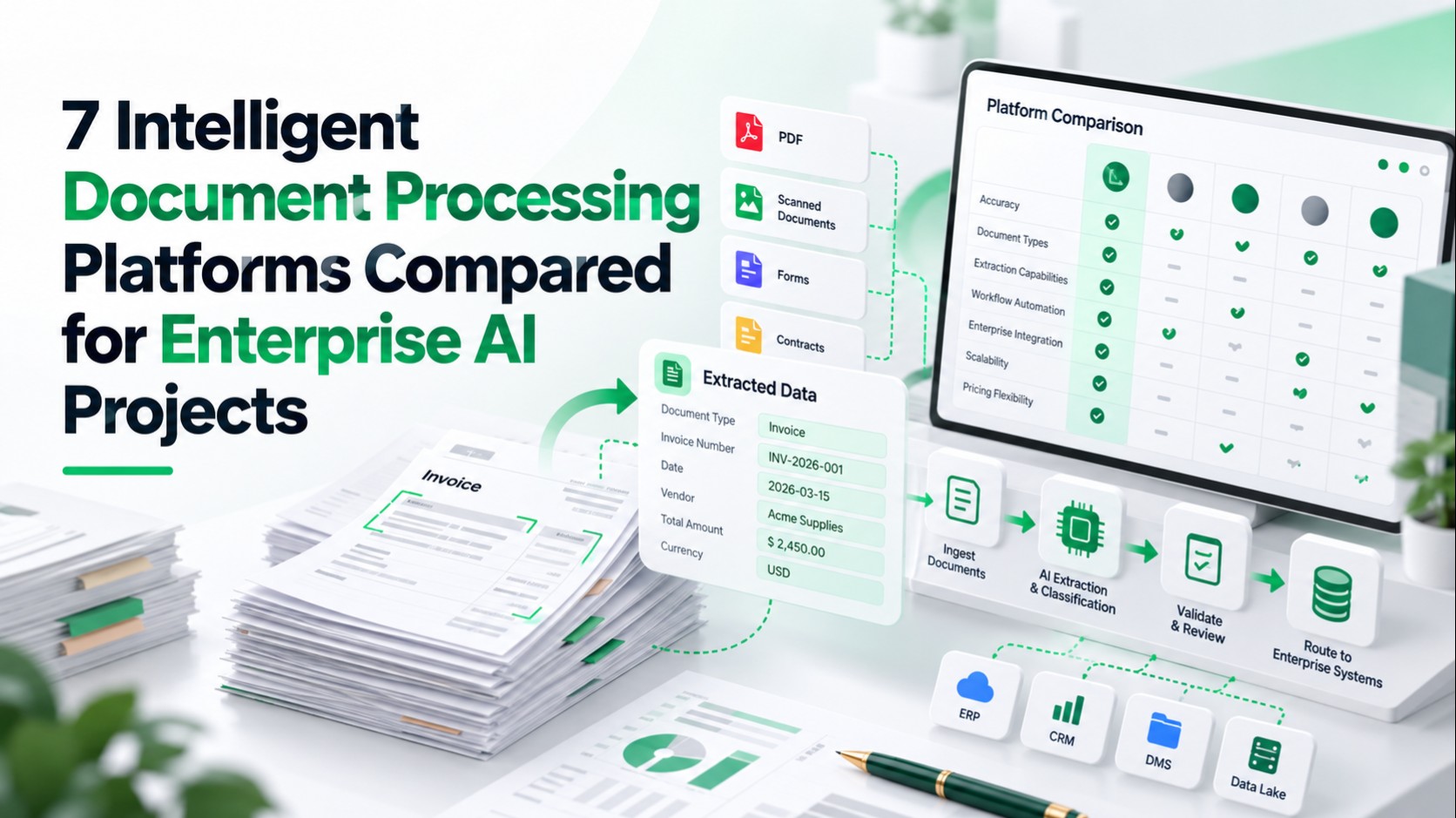
For this comparison, IDP means a pipeline that classifies documents, extracts information, validates results, routes exceptions, and delivers usable records downstream.
OCR recognizes text. Document management stores and governs files. Retrieval-augmented generation (RAG) retrieves evidence for a model's answer; it does not replace transaction validation.
The shortlist includes integrated workflow suites and cloud extraction services used within an IDP pipeline. An API service is not credited with review queues or ERP orchestration that you must build separately.
How the seven platforms were selected
Each has documented enterprise extraction capabilities and integration paths. Evaluate all seven against the same requirements:
- Document coverage: Classification, tables, handwriting, languages, and unfamiliar layouts.
- Validation: Confidence signals, business rules, human review, and failed-document recovery.
- Integration: APIs, ERP/CRM mapping, duplicate prevention, and downstream AI delivery.
- Governance: Access controls, auditability, processing locations, and retention.
- Economics: Licensing, processing, review labor, infrastructure, and maintenance.
Start with a representative corpus and documented ownership, using these enterprise AI data-readiness checks before requesting demonstrations.
Enterprise IDP platform comparison
The table summarizes documented capabilities; best-fit judgments assume successful testing on your documents. Deployment options do not, by themselves, establish contractual data-residency guarantees.
| Platform | Documents and extraction | Validation and review | APIs and integrations | Deployment and residency | Pricing approach; best fit |
|---|---|---|---|---|---|
| ABBYY Vantage | Forms, invoices, classification, fields, tables | Rules and manual-review stages | REST APIs and connectors | Cloud or self-hosted; confirm region | Subscription quote; varied document workflows |
| UiPath IXP | Forms, invoices, contracts, communications | Confidence and integrated review | UiPath agents, robots, APIs | Automation Cloud; capability-specific regions | Licenses plus consumption; existing UiPath estates |
| Azure Document Intelligence | OCR, layout, prebuilt and custom extraction | Confidence; design business review | SDKs, REST, application workflows | Azure regions; selected model containers | Per-page tiers; Azure engineering teams |
| Google Cloud Document AI | OCR, forms, classification, layout chunks | Confidence; separate review workflow | APIs and Google Cloud services | Processor-dependent regional availability | Processor/page charges; custom extraction and RAG |
| Amazon Textract | Forms, tables, queries, expenses, lending | Confidence; A2I integration | AWS APIs and application orchestration | Regional managed service | Feature/page charges; AWS-native pipelines |
| Rossum | Invoices, orders, transactional documents | Validation workspace and business rules | APIs, webhooks, ERP integrations | SaaS; preferred location by plan | Annual plans; transactional operations |
| Hyperscience Hypercell | Forms, handwriting, tables, classification | Supervision, QA, configurable flows | APIs and integration blocks | SaaS, private tenant, on-premises, air-gapped options | Volume-based quote; controlled document operations |
1. ABBYY Vantage
Vantage suits organizations that need configurable document workflows rather than an extraction endpoint alone. Classification and document skills feed process skills, allowing different document families to follow different paths.
Its manual-review workflow can route unknown document types, rule failures, and uncertain fields to operators. Role-based permissions separate designers, processing users, reviewers, and supervisors, with transaction-log access.
ABBYY documents broad printed-language recognition, but handwriting covers a smaller set: English, French, German, Spanish, and Japanese.
Test table structures and handwriting separately instead of treating language coverage as an accuracy promise.
APIs and connectors can deliver extracted records to ERP, CRM, or AI applications; field mapping and destination validation remain implementation work.
Strength and limitation: Workflow configurability is useful, but skill maintenance and reviewer permissions need ownership. Self-hosted Kubernetes deployment also requires operating the supporting databases, storage, networking, and upgrades.
Pricing: Subscriptions specify page allowances, skills, and features. Public monetary pricing was not found; request a quote covering deployment and any separately metered model services.
2. UiPath IXP
UiPath now presents its broader offering as Intelligent Xtraction & Processing (IXP), spanning structured documents, semi-structured invoices, and complex documents or communications.
UiPath's IXP overview documents classification, line-item extraction, multilingual and handwritten inputs, human validation, and source attribution. It also describes confidence scoring, audit trails, versioning, and rollback.
The strongest fit is an existing UiPath environment: extracted data can flow into robots, agents, and orchestrated processes. ERP and CRM posting still requires application permissions, mappings, and failure handling.
For new implementations, include the surrounding automation workflow design in scope rather than pricing extraction in isolation.
Limitations: Capabilities and access differ across IXP components. Confirm the selected model, regional availability, reviewer roles, and third-party model data handling; do not assume cloud and self-managed offerings have identical features.
Pricing: Public metering rules exist. Under Unified Pricing, eligible licenses and Platform Units are required; a public standalone dollar price for the proposed IXP configuration was not found.
3. Microsoft Azure Document Intelligence
Microsoft currently documents this service as Azure Document Intelligence in Foundry Tools. It provides Read, Layout, prebuilt document models, custom extraction, and custom classification through APIs and SDKs.
It is a strong candidate for engineering teams building an Azure-based pipeline. Tables, selection marks, supported handwriting, and multilingual text are documented, but language coverage varies by model and operation.
Confidence outputs help prioritize review, while Azure roles and managed identities can restrict service-to-storage access. They do not automatically create record-level permissions in the destination application.
Use application workflows to validate results and route exceptions before ERP/CRM updates or AI indexing. Budget for that review experience and enterprise integration work.
Material limitation: Container availability is model-specific. Microsoft's current documentation lists v4.0 containers for Read and Layout, not the entire v4.0 cloud model catalog.
Pricing: Azure's pricing page publishes per-page billing categories and commitment tiers. Obtain region-, model-, and currency-specific rates; an OCR rate is not a custom-extraction price.
4. Google Cloud Document AI
Document AI offers separate processors for OCR, form parsing, classification, splitting, custom extraction, and layout-aware parsing. This modular approach suits teams that want to assemble their own pipeline.
Document OCR supports printed and handwritten text, while individual processors have different language, field, and table capabilities. Inspect the processor version's documentation rather than assuming uniform support.
Layout Parser can produce document-aware chunks for retrieval. APIs connect processing to storage and downstream applications, but ERP/CRM validation and posting remain application responsibilities.
Google documents IAM and audit logging. Confirm processor availability in the intended location and include storage, logs, and review systems in the residency assessment.
Material limitation: Google's native Human in the Loop feature is deprecated. Plan a separate review and exception workflow instead of relying on older comparison articles.
Pricing: Document AI pricing lists Form Parser at $30 per 1,000 pages for the first million monthly pages, before discounts. Other processors and custom-model hosting have separate charges.
5. Amazon Textract
Textract is an extraction service for an AWS-based IDP pipeline, not a complete document operations suite. It handles text, forms, tables, queries, and specialized expense, identity, and lending use cases.
General document classification needs additional orchestration or classification logic; specialized lending processing should not be mistaken for a universal classifier.
Confidence scores can trigger Amazon Augmented AI (A2I) review for supported workflows. APIs feed application code that validates and maps records into ERP, CRM, analytics, or retrieval systems.
Language limitation: Printed-text detection supports six languages, while handwriting and query detection are English-only. Synchronous and asynchronous operations also have different file and page limits.
CloudTrail records API activity, but it is not a complete record of extracted values and reviewer corrections. Preserve that business audit trail separately.
Pricing: Textract's public rates vary by feature and region. Its Oregon example charges $0.015 per page for tables plus $0.05 for forms in the first million monthly pages; review and orchestration cost extra.
6. Rossum
Rossum is a strong candidate for invoice, purchase-order, and other transactional-document operations where validation and exception handling matter as much as extraction.
Its documented workflow includes document routing, confidence-based automation, a validation workspace, master-data matching, and duplicate handling. API access, webhooks, and ERP integration options support downstream delivery.
That transactional focus is useful for accounts payable. A general contract-analysis or document-search project should first prove that the required extraction schema and document behavior fit.
Language coverage is not uniform, and handwriting should be tested on the intended documents. Confirm line-item relationships, totals, currencies, and partial shipments rather than accepting plausible-looking fields.
SSO and preferred cloud location appear in the Enterprise plan. Extension logs help diagnose integration failures, but confirm audit export, retention, and reviewer-access requirements before procurement.
Pricing: Rossum's published plans start at $18,000 annually for Starter, including unlimited seats. Higher plans, integrations, volumes, and add-ons require a scoped quote; Starter is not the full enterprise configuration.
7. Hyperscience Hypercell
Hypercell combines classification, extraction, validation, and workflow blocks with human supervision and quality-assurance tasks. It is a candidate for complex back-office document operations, including handwritten forms.
Hyperscience documents field and table extraction, configurable business logic, APIs, and integration blocks for systems including SAP and Salesforce. Those outputs can support both operational records and downstream AI pipelines.
Audit logs record administrative and processing activities. Evaluate reviewer restrictions and the evidence retained for corrected fields, not just whether an audit screen exists.
Deployment strength: Documented options include SaaS, customer-controlled tenants, on-premises, and specialized air-gapped deployments. Confirm which models and external dependencies are available in the chosen configuration.
Language limitation: Hyperscience's v42 documentation describes language-specific capabilities and no automatic detection at layout or field level. Verify these restrictions against your selected release.
Pricing: Hyperscience describes volume-based pricing. Public monetary rates were not found; request a quote including infrastructure, model options, support, and review operations.
Scenario-based recommendations
These hypothetical shortlists are starting points, not measured winners:
- Invoices with frequent supplier exceptions: Compare Rossum with Vantage; prioritize matching rules, correction effort, and ERP acceptance.
- Documents feeding existing UiPath automations: Start with IXP, then test the complete process rather than extraction alone.
- Custom cloud applications: Compare Azure, Google, or Textract against your existing infrastructure and required languages.
- Handwritten forms under infrastructure restrictions: Evaluate Hypercell and self-hosted Vantage; verify feature availability in the actual deployment.
How extracted data supports RAG
Extraction can preserve text, tables, headings, and metadata for indexing. Keep document identifiers, page references, versions, and access permissions attached to the resulting records and chunks.
A flattened table can lose the relationship between a value and its heading. A correct extraction can also come from an obsolete or unauthorized document.
A permission-aware RAG pipeline must therefore handle retrieval, freshness, citations, and answer evaluation separately. Extraction alone does not establish that an answer is trustworthy.
Pilot checklist and evaluation metrics
Use the same held-out documents for each shortlisted platform. Include unseen suppliers, poor scans, mixed languages, multi-page tables, missing fields, duplicates, and unsupported documents.
Before running the pilot:
- Have domain experts label reference answers, including missing values and invalid documents.
- Freeze the test set, model versions, extraction schemas, and acceptance rules.
- Configure reviewer roles, permitted processing locations, and a sandbox destination.
Then agree on these metric definitions:
- Field accuracy: Correct required field values divided by evaluated required fields, using predefined normalization rules. Count missing values as errors; track invented fields and critical-field results separately.
- Document-level success: Documents satisfying all required fields, validation rules, and destination acceptance, divided by all attempted documents; report before and after review.
- Review rate: Documents requiring human intervention divided by attempted documents. Also measure review minutes and missed errors in auto-approved output.
- Latency: Report median and 95th-percentile extraction time, plus end-to-end time including queues, review, and destination acceptance.
- Total processing cost: Licensing, API calls, compute, storage, retries, review labor, and allocated implementation/support costs, divided by successfully completed documents.
For tables, verify row and column associations, not just individual cells. Set confidence thresholds on a validation set, then evaluate the separate frozen test set.
Do not transfer a confidence threshold between products without testing its actual error and review rates.
Before release, test denied access, deletion, failed exports, duplicate retries, and reviewer escalation. Require an owner, acceptance threshold, and recovery path for each failure mode.
Choose the workflow, not just the extractor
Shortlist around your hardest documents and operational constraints, then compare cost per accepted business record rather than the cheapest processing call.
For help designing the pilot and production integration, explore LuMay's AI engineering services.