Metrics Insights
Ask your 3E data. Get trusted answers faster.
Ask natural-language questions across approved reports, metrics, and measures — with governed definitions, visible context, and review controls.
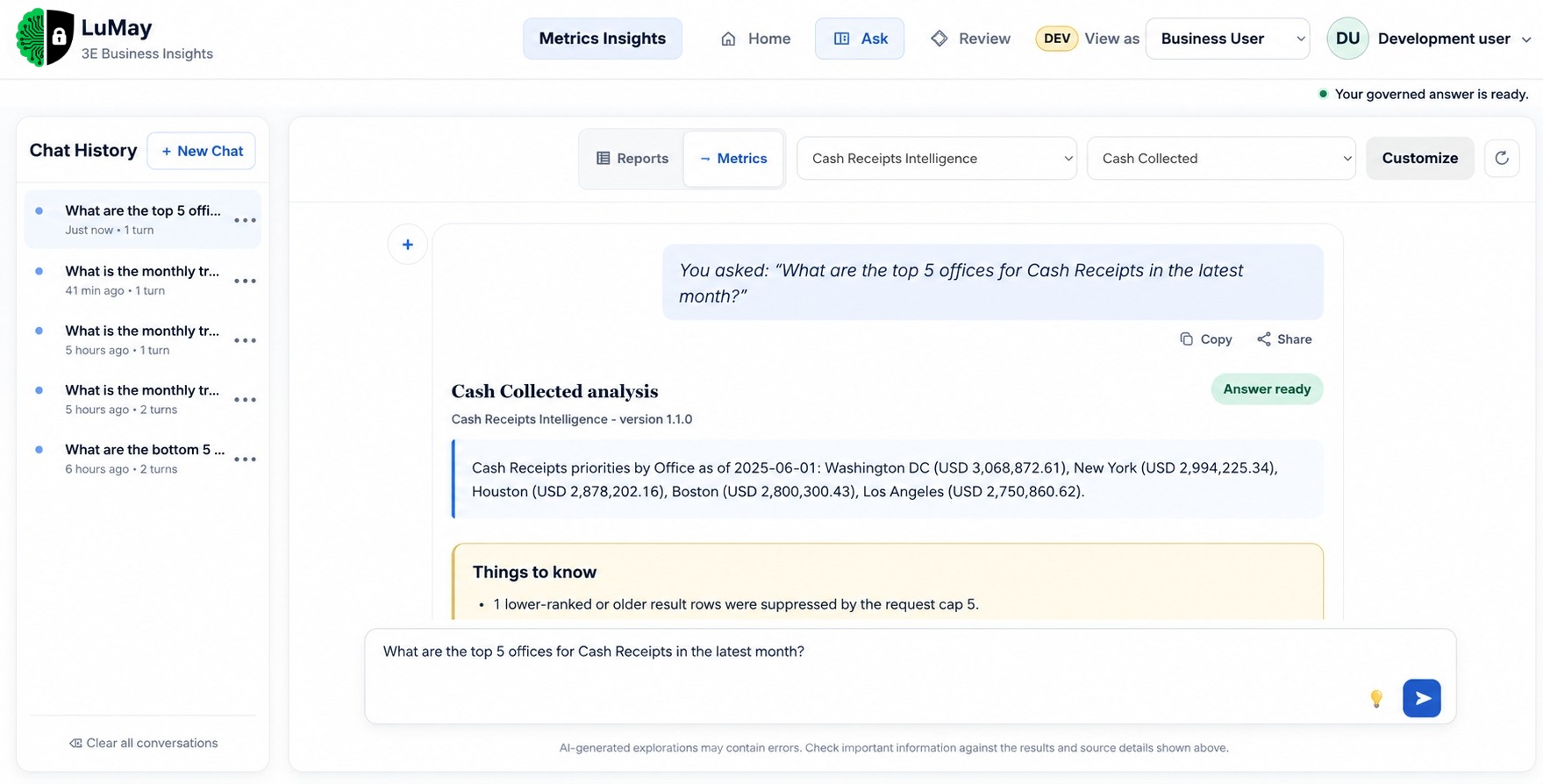
Find the business answer
without searching through reports.
Financial and operational questions often require teams to locate the right report, apply filters, confirm the metric, interpret the result, and validate it before acting. Metrics Insights simplifies that process by giving authorized users a conversational way to explore approved financial data.
Ask Naturally
Use everyday business language.
Start From Approved Data
Keep answers grounded in governed reports, metrics, and definitions.
Understand the Result
See the business context behind each response.
Explore Further
Continue with follow-up questions without rebuilding the analysis.
Less report navigation. More business understanding.
“Which offices are contributing most strongly to cash receipts?”
SELECTED REPORTING PERIODMetric: Cash Receipts
Measure: Cash Collected · Source: Approved Financial Data
APPROVED BUSINESS DEFINITION| Office | Contribution |
|---|---|
| Office A | Higher Contribution |
| Office B | Strong Contribution |
| Office C | Moderate Contribution |
| Office D | Review Opportunity |
Supporting Context: The response reflects the selected governed metric and authorized reporting scope.
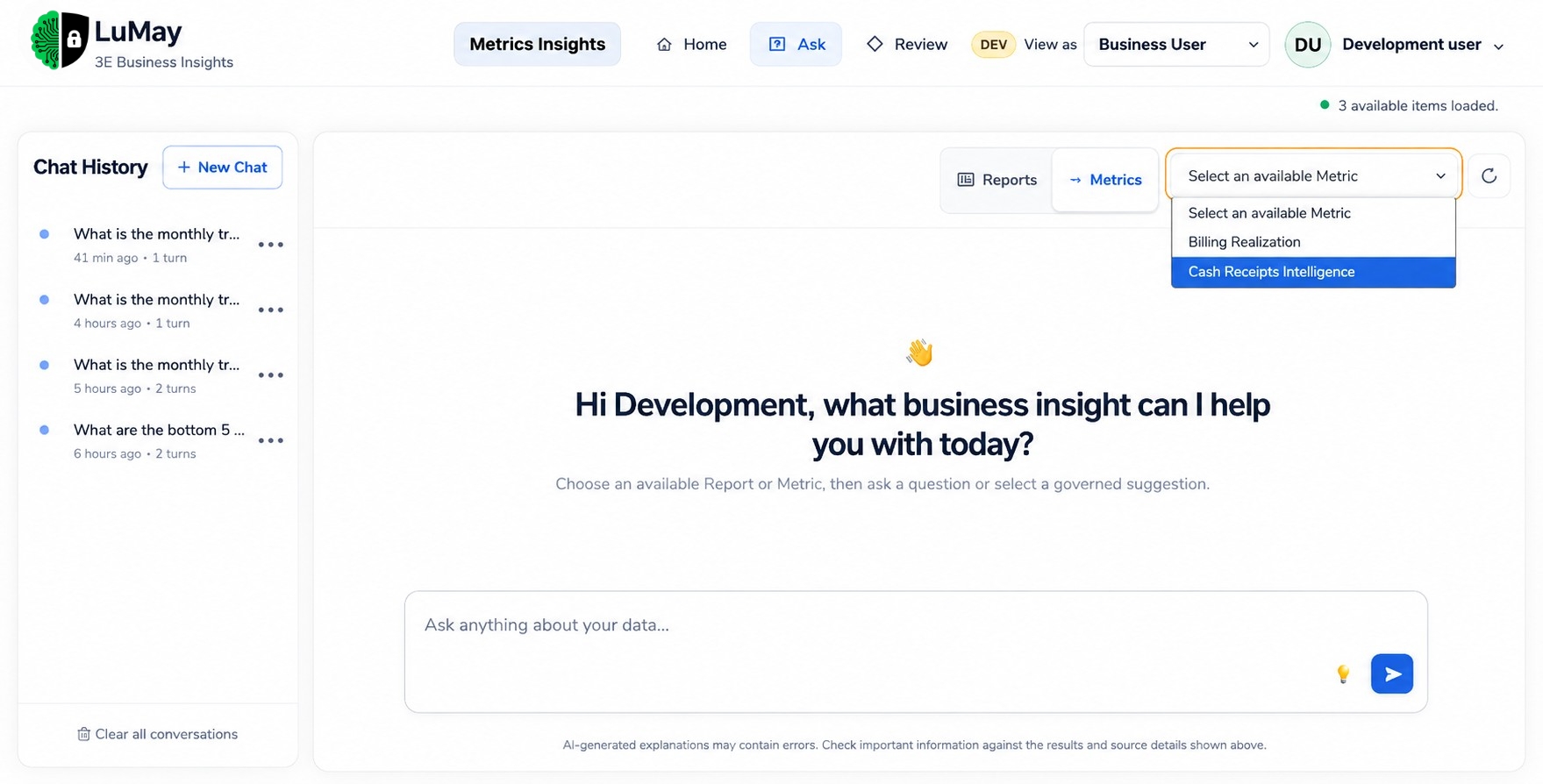
The business definition comes before the AI answer.
Metrics Insights anchors every question to an approved analytical context before generating a response.
Start with authorized financial and operational data.
Use standardized definitions approved by the organization.
Apply the appropriate calculation, scope, and reporting parameters.
Allow users to explore the information conversationally within governed boundaries.
Understand the context before using the insight.
Metrics Insights keeps the important analytical context visible so users know what was asked, what supports the response, and what may require review.
Spend less time finding information. Spend more time using it.
Metrics Insights cuts repeated report navigation and analyst dependency — a shorter, consistent path from question to usable insight.
Less searching. More understanding.
Choose approved context
Select from governed reports or metric catalogs.
Ask the business question
Type naturally or pick a suggested business query.
Understand the answer
Receive immediate structured results with full context & caveats.
Faster Access
Reach relevant financial insight with fewer reporting steps.
Consistent Interpretation
Keep questions tied to approved business definitions.
Easier Exploration
Move naturally into follow-up analysis.
Better Decision Support
Give users clearer context before they act.
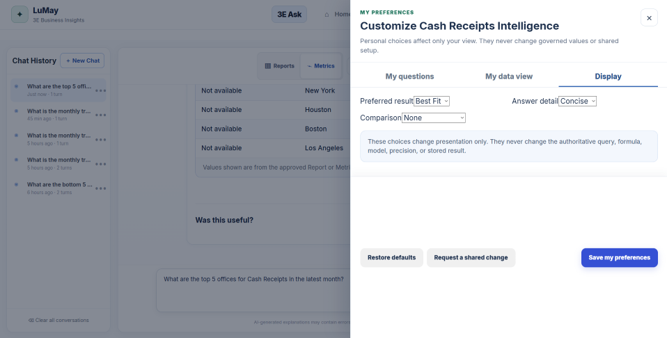
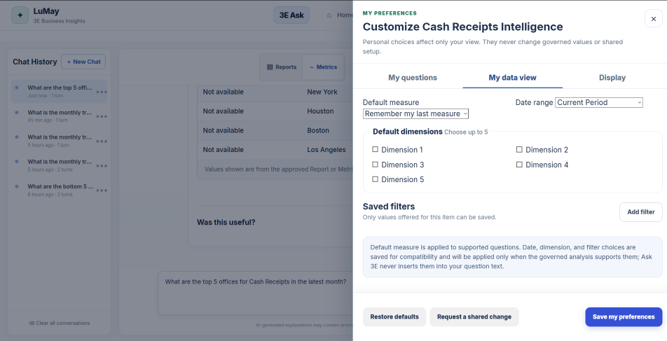
Personalize the experience without changing the underlying truth.
Different users can explore the same business information differently while authoritative definitions remain protected.
Users Can Personalize
- Display preferences
- Suggested questions
- Authorized filters
- Reporting periods
- Answer detail
- Business views
Governed Logic Remains Controlled
- Approved metric definitions
- Accounting logic
- Authoritative calculations
- Data access rules
- Governed business models
- Source information
Surface what deserves attention without jumping to conclusions.
Metrics Insights can surface movements, patterns, or exceptions that may require investigation, but the final business decision stays with the responsible professional.
Reviewers can see: What changed, Why it was surfaced, Which metric is involved, Where it occurred, What supporting context is available.
Authorized reviewers can acknowledge, assign, escalate, resolve, or dismiss items.
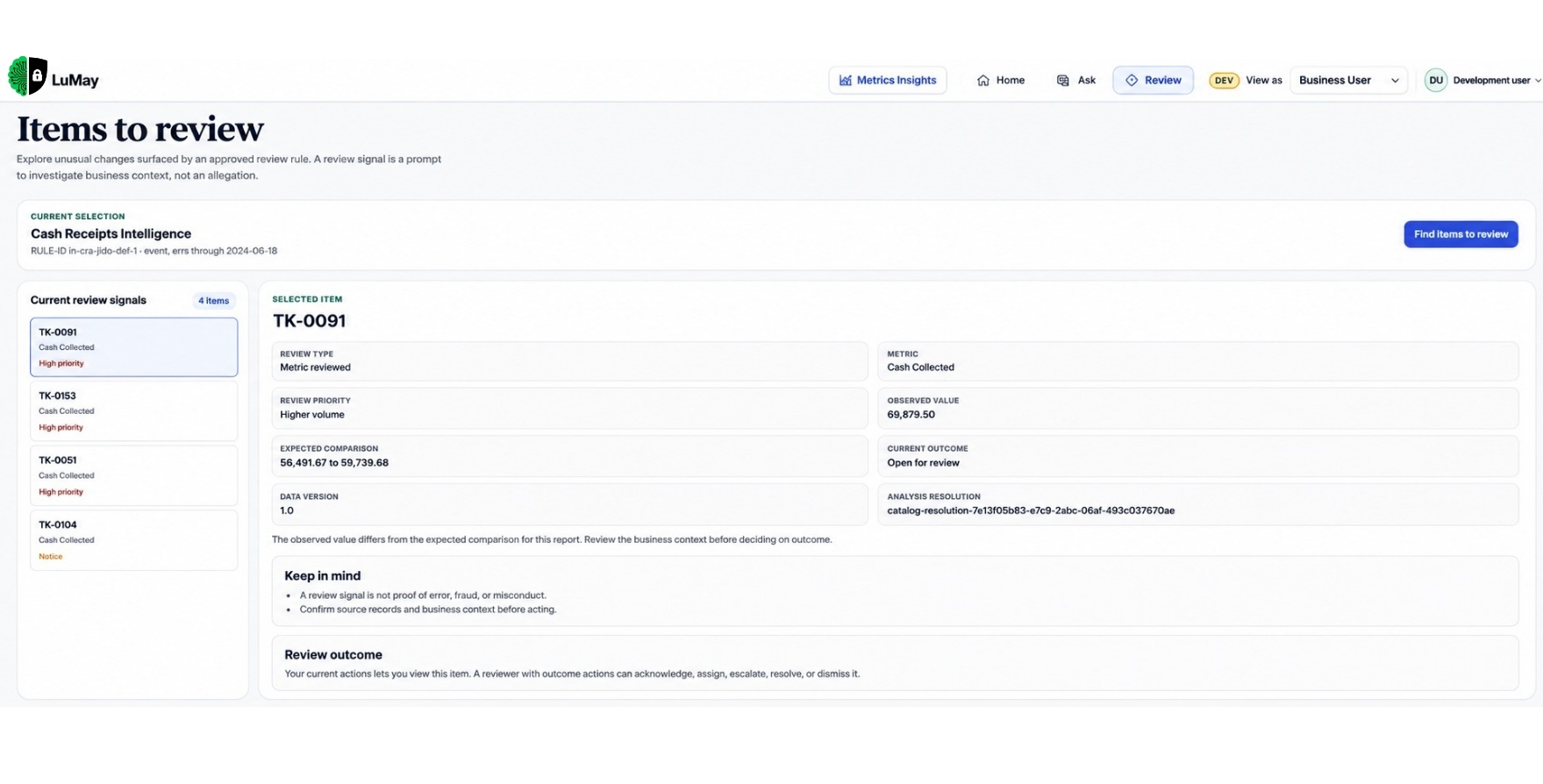
Give every team a clearer view of the business.
Finance Leadership
Understand financial performance and areas that may require attention.
Billing
Explore billing activity, workflow status, and operational patterns.
Collections
Understand collection activity, aging patterns, and areas requiring follow-up.
Business Operations
Explore performance across offices, practices, teams, or approved organizational views.
Leadership
Move from high-level questions to supporting context without repeatedly requesting new reports.
Make financial insight easier to access while keeping governance intact.
Governed Access
Users see information according to their authorized permissions.
Approved Definitions
Questions remain connected to established metrics and reporting logic.
Visible Context
Important analytical context stays available with the answer.
Human Review
Material business decisions remain with authorized professionals.
Traceable Analysis
Questions, context, and review activity remain connected for oversight.
Related Articles

September 2026
8 Types of Conversational AI Applications for Enterprise Teams in 2026: What Are the Best Enterprise Solutions?

September 2026
8 Conversational AI Solutions Compared for Enterprise Support Teams in 2026

September 2026
What Are the Best Conversational AI Tools for Business Calls in 2026?
Recent Posts
- 10 Best AI Voice Generators for Voice Agents in 2026
- 7 Enterprise AI Architecture Mistakes That Kill ROI
- The 8 Enterprise AI Architecture Patterns
- 7 Ways to Validate an AI Proof of Concept
- The Best AI Voice Agent Strategy for 2026: Should You Build or Buy?
- How to Use Call Center Analytics to Improve Performance
- Top 8 Benefits of Call Center Analytics for Businesses
- 10 Best IVR Automation Software Solutions for Businesses in 2026
- 10 Types of AI-Powered Customer Communication Systems for Modern Enterprises
- 7 Types of Intelligent Call Automation Businesses Can Deploy in 2026
Make Trusted 3E Insight Easier to Use
Ask faster. Understand sooner. Stay governed.
Give finance, billing, collections, and business teams easier access to approved 3E insight without weakening control over the definitions behind the numbers.