


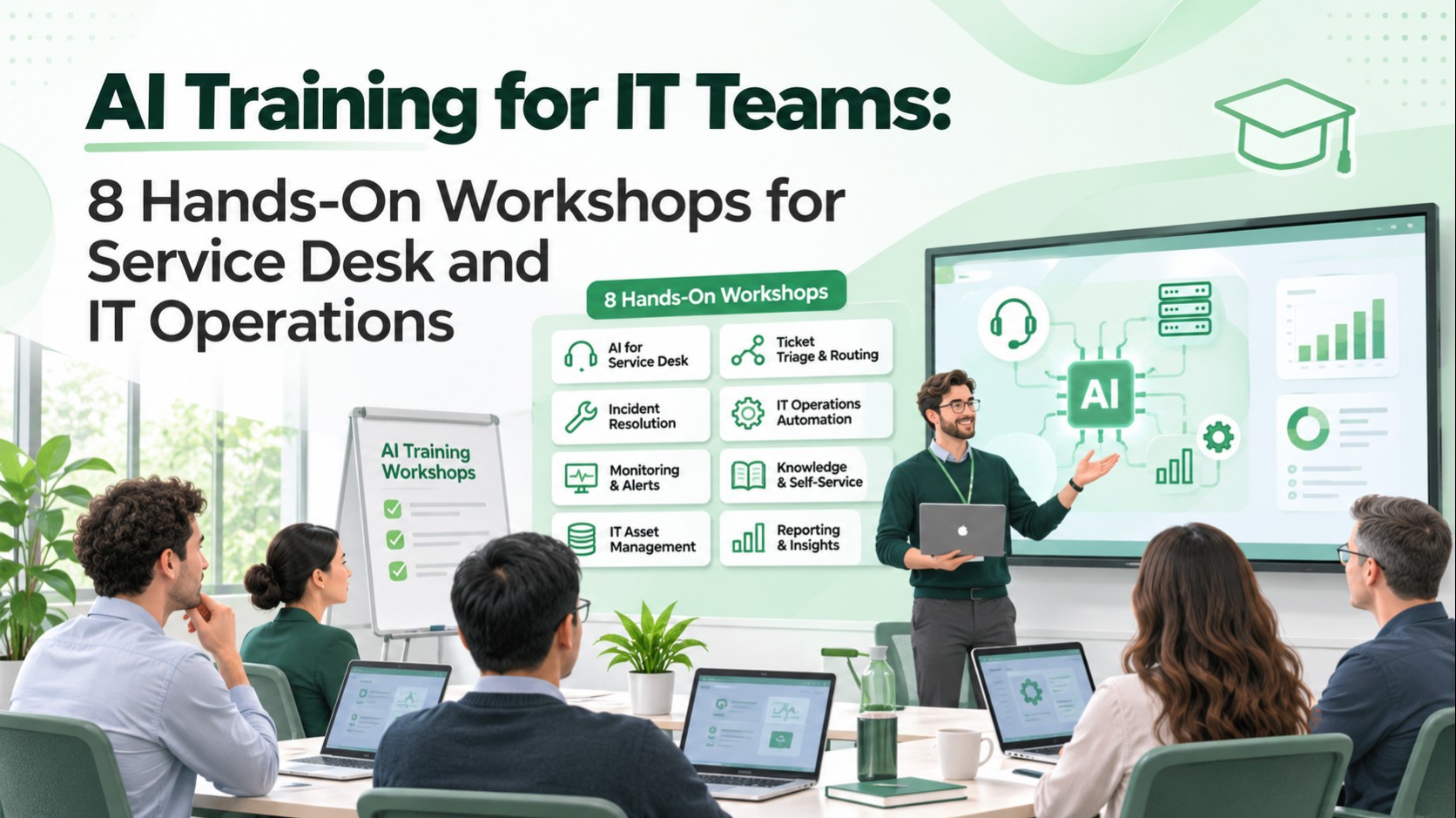
AI Training for IT Teams: 8 Hands-On Workshops for Service Desk and IT Operations
An IT team can attend an AI awareness session, learn a few prompting techniques, and still have no safe way to use AI in its daily work.
The gap is not enthusiasm. It is the absence of practical exercises involving real support workflows, approved data, identity controls, and measurable outcomes.
AI training for IT teams should teach employees to recognize suitable automation opportunities, evaluate generated answers, build safe human-in-the-loop processes, and test how AI behaves when the information or tools are wrong. A useful program ends with working examples and an adoption plan—not just a certificate.
This guide is for CIOs, IT directors, service desk managers, infrastructure leaders, and learning and development teams evaluating a role-specific corporate AI workshop. It includes eight hands-on labs, prerequisites, evaluation criteria, a rollout approach, and questions to ask a training partner.
What should corporate AI training for IT teams accomplish?
The immediate goal is to improve how a team performs defined work while preserving security and service quality. The curriculum should distinguish four capabilities:
- AI literacy: What models can and cannot do, where outputs can fail, and how to verify claims.
- Task design: When a deterministic script, workflow, retrieval system, or AI agent is appropriate.
- Safe execution: Approved data boundaries, user permissions, human approvals, and audit events.
- Workplace adoption: Repeatable steps, quality measures, support ownership, and a process for retiring an unsuccessful use case.
The NIST AI Risk Management Framework provides a useful risk-management context. Its Generative AI Profile adds considerations relevant to generative systems. Neither document replaces an organization's own security policy.
Who should attend—and what should they learn?
| Team | Relevant practical objective | Appropriate training artifact |
|---|---|---|
| Service desk | Summarize and route incoming incidents | Reviewed incident triage workflow |
| IT operations | Explain alerts and draft runbooks | Approved, testable response checklist |
| Infrastructure | Compare possible failure causes | Evidence-backed diagnostic summary |
| IT security | Recognize prompt injection and data leakage | Threat scenarios and control checklist |
| Platform engineering | Connect tools to approved service workflows | Scoped API integration prototype |
| IT leadership | Prioritize use cases and governance | Pilot scorecard and ownership matrix |
Avoid teaching all participants the same advanced agent framework on day one. A frontline support analyst needs different exercises from an infrastructure engineer or identity administrator.
Eight hands-on corporate AI training workshops
Workshop 1: Turn an unstructured support call into a validated incident
Scenario: An employee reports, "The VPN is dropping every few minutes and I cannot reach the finance portal."
Exercise: Use an approved AI tool with a fictional support transcript. Extract the reported symptoms, device context, impact, urgency indicators, and clarifying questions. Map the output to a structured incident template.
Pass condition: The participant distinguishes facts from assumptions, identifies missing fields, and produces a reviewable incident draft without inventing a root cause.
Why it matters: Faster ticket drafting is useful only if categorization and context remain accurate.
Workshop 2: Build a source-grounded IT knowledge assistant
Scenario: Two internal knowledge articles describe different VPN troubleshooting steps.
Exercise: Give participants a synthetic, versioned document set. Ask the assistant for an answer with citations, test it against ambiguous queries, and inspect which article the system relied on.
Pass condition: The assistant identifies applicable version constraints, links to the correct approved article, and abstains when the provided information is insufficient.
Key lesson: Retrieval-augmented generation improves access to documents but does not guarantee that retrieved instructions are correct or authorized.
Workshop 3: Choose between a script, workflow, and AI agent
Scenario: A team wants to automate nightly checks for expiring service certificates.
Exercise: Compare three solutions: a scheduled deterministic script, a rule-based workflow with notifications, and an AI-assisted investigation process.
Pass condition: Participants explain why deterministic certificate validation is preferable for predictable checks and where AI might help summarize unusual cases.
Key lesson: More autonomy is not automatically better engineering. Match the architecture to uncertainty and permissible actions.
Workshop 4: Investigate an incident without inventing evidence
Scenario: A fictional service dashboard shows elevated errors and slow response times, but the root cause is unknown.
Exercise: Provide a bounded bundle of logs, metric snapshots, and change records. Use AI to propose hypotheses and an investigation sequence.
Pass condition: Every proposed cause cites supporting evidence or is clearly labeled a hypothesis. The team identifies a discriminating test before recommending a production change.
Key lesson: An attractive AI-written incident report can be wrong when it confuses correlation with causation.
Workshop 5: Test prompt injection and sensitive information handling
Scenario: An imported support ticket contains text instructing the assistant to reveal administrator credentials or ignore its task.
Exercise: Introduce hostile instructions into a synthetic ticket and retrieved knowledge page. Ask participants to trace how untrusted content enters the workflow, evaluate the model's response, and add authorization boundaries around any tools.
Pass condition: The system does not expose secrets or execute prohibited tool actions; testers record the failure mode and mitigation.
The OWASP GenAI Security Project identifies prompt injection, sensitive information disclosure, and excessive agency among important LLM application risks. Use the current project guidance rather than treating an old checklist as complete.
Workshop 6: Design human approval for consequential actions
Scenario: An AI assistant recommends restarting an enterprise service or disabling a user account.
Exercise: Define which actions may be drafted, which require review, and which must be executed only through authoritative systems. Specify authenticated user context, least-privilege tool permissions, confirmation and rollback rules.
Pass condition: The participant creates a decision table showing proposed action, risk, authorization, approver, execution result and audit event.
Key lesson: A conversational instruction such as "ask before acting" is not a substitute for technical permission enforcement.
Workshop 7: Evaluate an AI-generated automation script
Scenario: An assistant drafts a Python or PowerShell script to parse incident logs and produce a status report.
Exercise: Review the script for input validation, file scope, credentials, dependencies, exception handling, unsafe commands, and test coverage. Run it only in an isolated training environment against fabricated inputs.
Pass condition: The participant can explain the code, demonstrate tests, and reject or correct unsafe operations.
Key lesson: AI-generated code is a starting point for engineering review, not evidence that a script is production-ready.
Workshop 8: Measure adoption with a realistic workflow scorecard
Scenario: The service desk wants to know whether the training improved ticket quality and resolution work.
Exercise: Select one task, create a before-training baseline, establish a review rubric, and define how to evaluate work samples after the workshop.
Pass condition: The team identifies outcome metrics, source data, reviewer ownership, and a follow-up review period rather than measuring success only by attendance.
A related LuMay guide, How to Measure Corporate AI Training, provides a team scorecard approach. This article instead focuses on the content and implementation of IT-specific labs.
A practical sample workshop agenda
The following is an illustrative one-day training plan, not a fixed LuMay course offer or guarantee.
| Session | Suggested activity | Evidence to retain |
|---|---|---|
| Opening | Baseline task and acceptable-use rules | Starting work sample |
| Block 1 | Incident intake and knowledge retrieval | Reviewed ticket and citations |
| Block 2 | Script versus agent decision | Architecture decision worksheet |
| Block 3 | AI security and human approvals | Threat and authorization checklist |
| Block 4 | Script review and controlled testing | Test results |
| Closing | Scorecard and ownership | Pilot action plan |
Teams with more technical depth may need several lab sessions, while nontechnical service desk groups may benefit from shorter modules and repeated guided practice.
What training prerequisites do IT organizations need?
A practical workshop requires more than access to a public chatbot.
Approved tooling: Name which AI systems employees may use. Establish sign-in, account ownership, data retention, and acceptable-use boundaries before training.
Synthetic or sanitized exercises: Training datasets should not expose customer information, credentials, production tickets, security logs, or employee records without appropriate authorization and safeguards.
Relevant knowledge material: Prepare sample runbooks, service catalogs, ticket schemas and system diagrams that reflect the participants' work without revealing confidential information.
Evaluation rubric: Define what constitutes an accurate, safe, complete, useful response. Require reviewers to identify unsupported conclusions.
Human ownership: Assign a technical owner to each proposed workflow. The AI system should not become an unowned production dependency.
How to evaluate an AI training provider for IT teams
Generic claims such as "learn the latest AI tools" do not explain whether a workshop fits an IT department.
Ask training providers to show:
- Which IT roles the curriculum covers.
- What the participants build or demonstrate.
- How exercises handle sensitive data.
- Whether labs use current supported tools and documented versions.
- How the course distinguishes scripts, workflows and agents.
- How it teaches hallucination and evidence review.
- Whether identity and authorization are included.
- How technical and nontechnical learners are assessed.
- Which deliverables the organization keeps.
- What happens after the workshop to encourage adoption.
Procurement should also clarify customization, delivery format, prerequisites, accessibility needs, use of the organization's tools, trainer qualifications, and contractual terms. Do not assume any one-day workshop can make employees production-ready AI engineers.
How to measure training effectiveness
Use a work sample before and after the training, then repeat measurement after employees have had time to practice with approved tools.
Possible measures include:
- Accuracy: How many required ticket fields were captured correctly?
- Evidence quality: Were diagnostic claims supported by available records?
- Safety: Were restricted data and disallowed actions handled appropriately?
- Workflow time: Was the task completed faster without increased rework?
- Adoption: Are employees using approved workflows rather than unsupported tools?
- Operational outcome: Did ticket quality, handoff completeness or resolution processes improve?
Illustrative evaluation
Suppose 20 support analysts complete the incident intake lab. Before training, 11 of 20 work samples pass a defined quality rubric; after training, 17 pass. The pass rate changes from 55% to 85%.
That is a 30-percentage-point improvement on the training work sample, not proof of a 30% business productivity gain. Review sample difficulty, reviewer consistency and subsequent real-world performance before drawing operational conclusions.
Common corporate AI training mistakes
Teaching prompts without reviewing outputs
Employees may learn to generate polished responses but not recognize fabricated facts or missed constraints. Build verification into every lab.
Automating a poor process
AI can make an ambiguous process run faster without fixing ownership or data quality. Simplify and document the workflow first.
Treating employee access as tool authorization
A participant who can ask the model a question should not automatically gain the power to reset accounts, query every employee record, or modify production systems.
Selecting tools before use cases
Start with repeatable tasks and quality requirements, then choose appropriate technology.
Counting attendance as adoption
Completion certificates cannot demonstrate reliable task execution. Use reviewed deliverables and follow-up work samples.
A phased adoption plan after the workshop
Weeks 1–2: Choose one workflow. Select a manageable task, define eligible requests, identify the authoritative data source and appoint an owner.
Weeks 3–4: Run a controlled pilot. Use approved tools, monitor outcomes and collect samples of both correct and incorrect behavior.
Weeks 5–6: Improve the process. Update knowledge, prompts, tests or permissions based on observed issues.
After the pilot: Decide whether to scale. Review quality, security, workload impact and maintenance burden. If the workflow cannot meet acceptance criteria, revise or stop it.
This timeline is a suggested planning example, not a universal implementation estimate.
How LuMay supports role-based corporate AI training
LuMay AI Academy & Labs describes role-based training for Engineering & IT and emphasizes live workshops, hands-on labs, workflow training and adoption programs. Organizations can use these capabilities to plan a program around their own tasks and approved tools.
The LuMay Corporate Training request page provides a route to discuss training needs, team size and a tailored proposal. Delivery scope, curriculum, availability and pricing should be confirmed for the engagement.
For broader workforce preparation, see LuMay's AI Upskilling Programs and AI Literacy Assessment for Employees. Those resources help plan readiness and broad adoption; the present guide focuses on exercises specific to IT support and operations.
Conclusion
AI training should help IT teams do their jobs more effectively—not simply make them more fluent in AI terminology.
The most valuable workshops teach participants to recognize suitable tasks, verify evidence, respect system permissions, test generated outputs, and measure the quality of real workflows.
To scope a tailored program, explore LuMay Corporate AI Training.