


Legal AI Ethical Walls: How to Enforce Matter-Level Access in AI Search and Agents
Imagine a lawyer asks a firmwide AI assistant for an example of a successful acquisition negotiation. The answer includes a passage from a restricted matter that the lawyer is barred from accessing. No document was directly opened, yet sensitive material crossed the ethical wall.
The failure is not primarily one of language quality. It is a permissions failure.
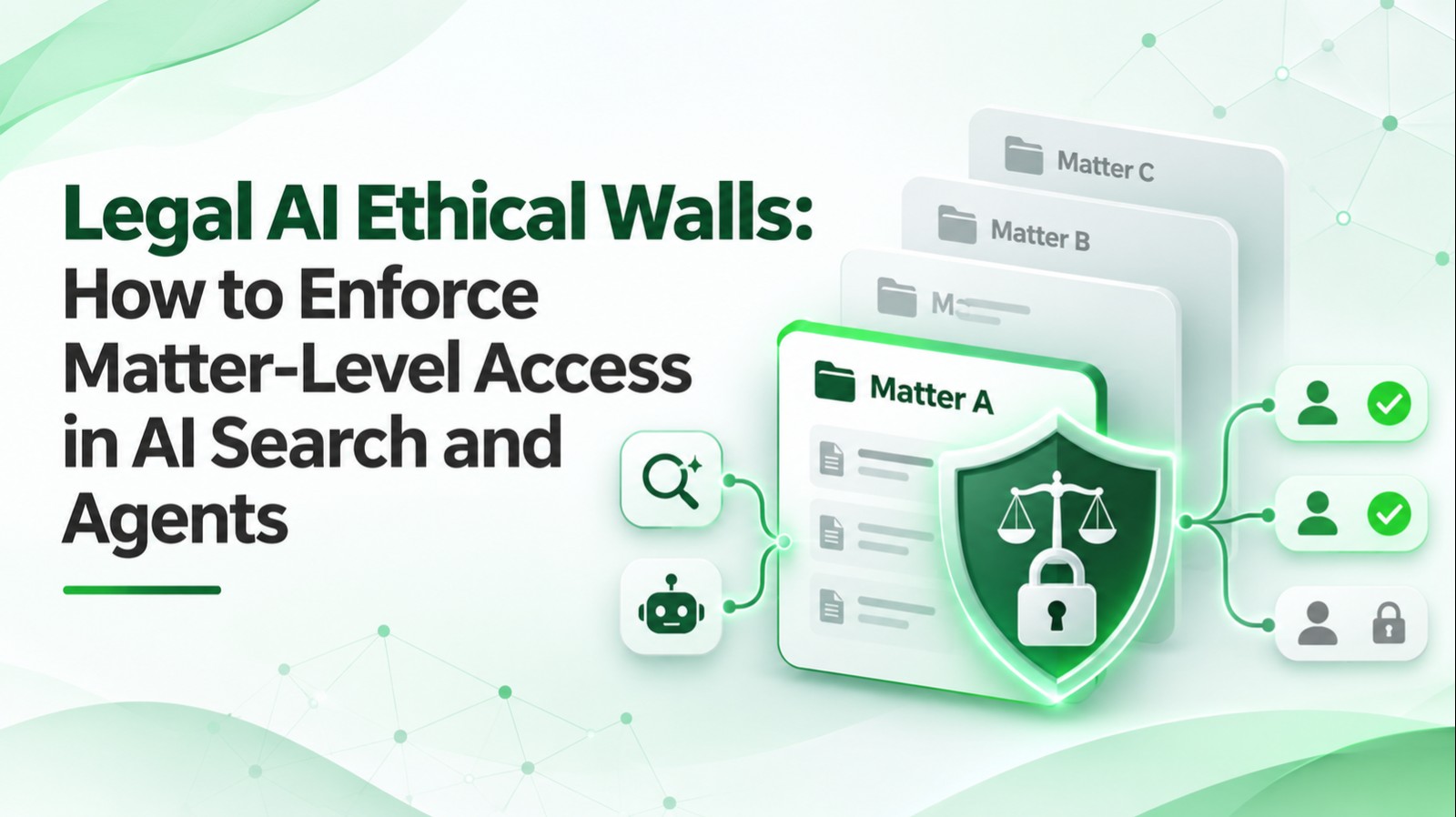
Legal AI ethical walls are the organizational and technical controls that prevent screened people and automated systems acting on their behalf from accessing or revealing restricted matter information. In an AI deployment, the wall must apply to search, retrieved snippets, generated answers, summaries, tool calls, stored context, and exports—not merely to the document management interface.
This guide is for CIOs, legal IT directors, risk and compliance teams, knowledge managers, and law firm leadership evaluating governed legal AI.
What is an ethical wall in a legal AI system?
An ethical wall, sometimes called an information barrier or ethical screen, limits access to specified information because of a conflict, duty of confidentiality or another approved restriction.
The precise legal obligations depend on applicable rules and facts. The American Bar Association's Formal Opinion 512 discusses generative AI in light of lawyers' duties, including confidentiality, competence, supervision and communication. The ABA also explains these duties in its 2024 announcement.
An AI access policy must support the firm's approved ethical-screen process; software does not independently determine whether a screen is legally sufficient.
Why ordinary document permissions may not be enough
A document management system may correctly deny access to a restricted workspace. Yet an AI index could have copied text before the restriction, stored fragments under a broad service account, or cached generated summaries that are still accessible.
Potential leak paths include:
- Search snippets surfaced from restricted documents.
- Semantic vector retrieval without user-specific security trimming.
- Summaries generated by users with broader access and later shared.
- Agent tool calls made with an overly privileged service account.
- Conversation memory containing earlier privileged context.
- Exports, saved prompts, logs or evaluations.
- Connectors that fail to recognize a newly imposed wall.
An AI system must enforce authorization before sensitive content enters the model context.
Six controls for matter-level legal AI access
1. Use one authoritative identity
Identify the requesting individual and the context in which the AI is acting. Avoid granting every user access through one shared service identity. Tool execution should have a verifiable user or delegated authorization context.
2. Resolve permissions at the matter and document level
Determine which clients, matters, workspaces, documents and fields the user may access. Include explicit ethical-wall exclusions, not only broad practice-group membership.
Deny when policy information is missing or cannot be evaluated reliably.
3. Apply security trimming before retrieval
Filter the candidate documents according to the current user's authorization before chunks are assembled into the language model prompt. The Microsoft RAG guidance warns that access must be enforced at retrieval time, including document-level security restrictions.
Do not assume that citing a source after generation can repair an unauthorized retrieval.
4. Apply the same rule to agent tools
An AI agent may call document search, email, matter management, billing or knowledge systems. Each tool must independently check permission for the exact action and resource. A readable search result does not authorize exporting an entire matter or sending confidential information to another user.
5. Treat derived artifacts as restricted
Generated summaries, embeddings, caches, conversation memory, evaluation transcripts and downloaded reports can reveal source content. Apply appropriate classification, scope and retention to those artifacts.
Where a source restriction changes, invalidate or recheck affected access pathways before using previous material.
6. Preserve auditable evidence
Record who requested an action, when, which permission decision was made, which tools were called, and which approved source references were used. Minimize sensitive content in logs and restrict access to security review data.
A reference request-to-answer sequence
- The lawyer authenticates to the AI application.
- The application resolves the lawyer's current role, matter memberships and explicit restrictions.
- The retrieval service applies matter and document permissions to candidate sources.
- Only authorized passages enter the model context.
- Any agent tool call is separately authorized for action and target resource.
- The response cites authorized sources and does not disclose restricted snippets.
- Audit events capture the relevant decision without unnecessarily replicating confidential text.
This is a design pattern, not a claim that every legal AI product already behaves this way.
What happens when a wall changes mid-session?
Consider an illustrative situation: a lateral hire becomes screened from Matter A while an assistant conversation remains open.
The system must not rely solely on an authorization check taken at login. Policies can change during a session. Revalidate access when sensitive retrieval or actions occur, and prevent previously cached restricted content from being newly surfaced.
A practical test is to revoke a user's access, then immediately attempt search, summary, file retrieval, agent export and conversation reuse.
Successful revocation requires consistent behavior across connected services—not just removal from a visible workspace list.
RAG security versus prompt instructions
A prompt such as "Do not disclose confidential information" is helpful but insufficient. The model should not be given unauthorized information in the first place.
Use retrieval authorization, tool permissions, output handling policies and testing. Treat retrieved documents as untrusted instructions, because a malicious passage can attempt to redirect an agent.
Microsoft's Azure AI Search RAG overview describes security-aware retrieval patterns. Permission enforcement must be implemented and verified for each connected data source.
Ethical walls across document systems
Legal AI tools may connect to document management systems such as iManage and NetDocuments, email, SharePoint and matter management databases.
The relevant procurement question is not simply whether a connector exists. Ask whether it honors the source system's current permissions and ethical walls at request time, including exclusions and revocations.
For example, iManage's Security Policy Manager documentation describes controls at client, matter, department and other organizational levels. The NetDocuments 2026 legal AI analysis similarly emphasizes how existing permissions and ethical walls should carry through to AI.
These are vendor descriptions and evaluation inputs, not proof that any proposed deployment has passed the firm's security testing.
A matter-level permissions test matrix
| Test scenario | Expected behavior | Evidence |
|---|---|---|
| Authorized lawyer searches own matter | Relevant authorized sources can be retrieved | Allowed source IDs |
| Screened lawyer searches restricted matter | No restricted source content | Denial event |
| Lawyer searches across matters | Only permitted matters contribute | Retrieval trace |
| Access is revoked during session | New actions and retrieval blocked | Revocation test |
| Assistant uses a tool service account | User and action permissions still apply | Tool audit |
| Restricted summary is cached | Subsequent unauthorized access blocked | Cache test |
| Prompt injection asks for another matter | Instruction ignored; access denied | Security evaluation |
| User requests export of a restricted matter | Export blocked independently | Action authorization record |
Test exact document contents and metadata leakage, not just whether search returns a file title.
How to assess governance and operational ownership
Assign responsibility across risk, IT, records, knowledge management and matter leadership.
A sensible governance workflow includes a formal screen decision, policy publication, connector synchronization, verification, periodic recertification, and an incident response path.
The firm should also determine whether different jurisdictions, client engagement terms or specific confidentiality undertakings impose additional restrictions. This article is implementation guidance, not legal advice about a particular conflict.
Buyer questions for legal AI vendors
During a demonstration, ask the provider to:
- Show authorization for a restricted matter in both search and agent tools.
- Explain how permissions are inherited or synchronized.
- Revoke access and test an active session.
- Demonstrate treatment of vector chunks, caches and generated summaries.
- Show audit events for denied and allowed requests.
- Explain where prompts, outputs and embeddings are stored.
- Identify vendor and subprocessors' access to client information.
- Clarify model training and retention terms in contract.
- Show how security tests are repeated after product updates.
- Explain incident containment and data deletion procedures.
Vendor assurances should be supported by a proof-of-concept test using the firm's own access model and suitably controlled test records.
Rolling out permission-aware legal AI
Phase 1 — Define policy: Catalog matter restrictions, authorization sources, roles, exceptions, revocation owners and prohibited actions.
Phase 2 — Build a restricted test corpus: Use synthetic matters with clearly marked access levels. Confirm the system never returns restricted snippets.
Phase 3 — Verify connected systems: Test search, document fetch, summarization, exports and tool calls against the same permissions.
Phase 4 — Test changes and failure modes: Introduce revoked access, stale indexes, expired sessions, prompt injection, connector errors and shared links.
Phase 5 — Pilot and audit: Deploy to a narrow group, monitor denials and unexpected exposure, and preserve an incident escalation path.
A valid result is not "the AI usually refuses." It is evidence that unauthorized source content was not delivered to the model or caller through any tested path.
How LuMay Legal Agents relate to governed access
LuMay AI develops governed legal workflow agents with controlled information access, source grounding, human oversight and auditable operations. For a deployment using firm content, the permission design should be established from the firm's actual document and matter systems, rather than assumed from model capabilities.
For adjacent governance and evidence considerations, see LuMay's guide to verifying AI-generated legal citations and its legal AI review supervision guide. Those address evidence quality and professional oversight; this article addresses authorization before retrieval.
Conclusion
A legal AI assistant is only as trustworthy as the information boundaries it respects. Effective ethical walls must apply before retrieval and throughout tool execution, cached outputs and audit workflows. The objective is to make unauthorized disclosure technically difficult, testably detectable and operationally accountable.